Chapter 5:Using the Wi-Fi Cable Modem Web Manager
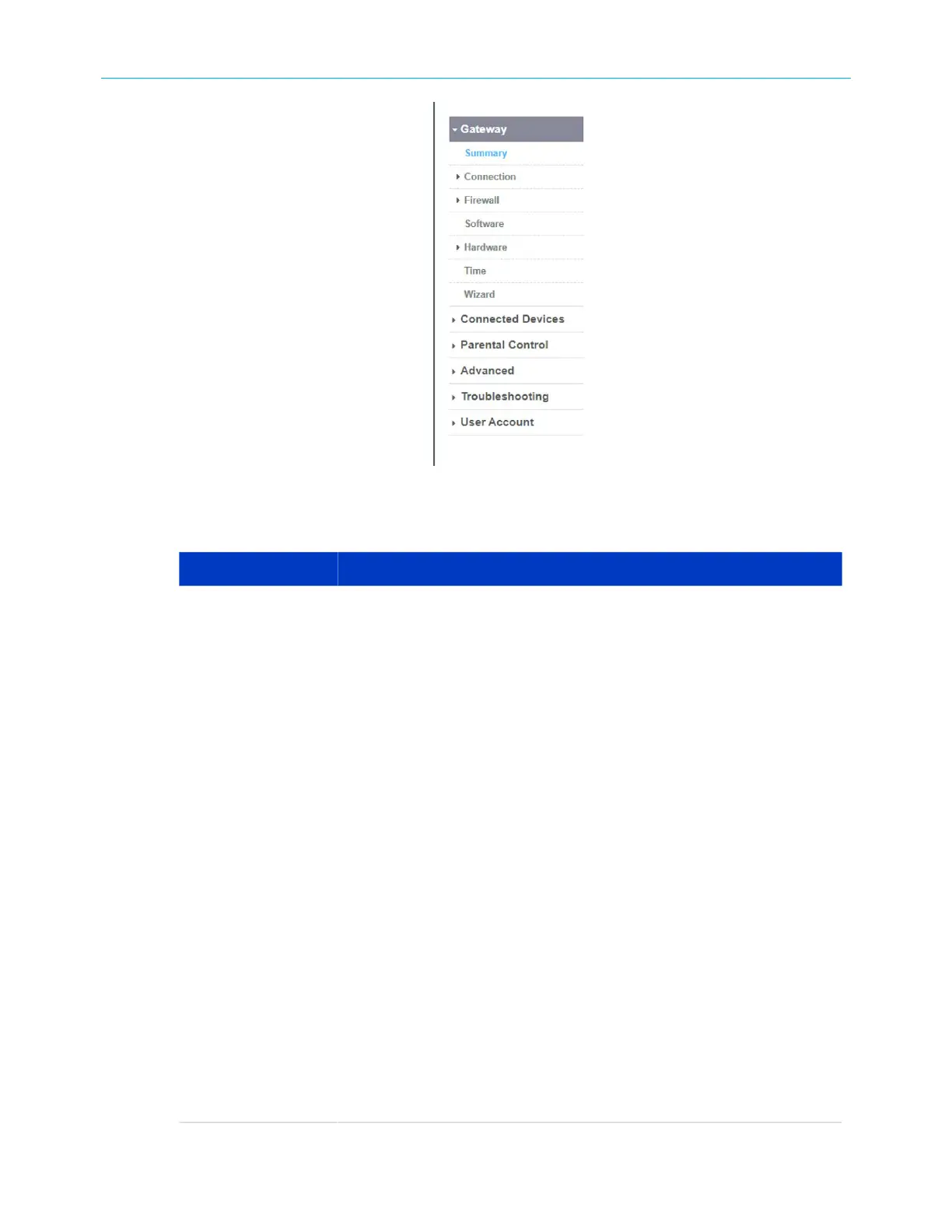
Figure 24: G34/G36 Web Manager menu links
Table 4: G34/G36 Web Manager menu links
Menu link Function
Gateway Displays a summary of your network connections and a list of the
connected devices on your home network.
Summary Displays the Wi-Fi status for your home network and
network-connected devices.
Connection Displays the network connection and status information for the G34/
G36 network, Local IP network, and your private Wi-Fi network.
Firewall Configures the G34/G36 firewall settings to protect your home
network from possible attacks from hackers or viruses.
Software Displays information related to the G34/G36 software version.
Hardware Displays status information for the G34/G36 hardware, such as the
battery status, Ethernet connection(s), and Wi-Fi connections.
Time Allows you to set the time on your G34/G36 based on your selected
time zone.
Wizard Allows you to configure the default network settings on your G34/G36
to set up a secure home network.
Connected Devices Provides general information for the connected devices on your home
network.
Advanced Allows you to set up Port Forwarding, Port Triggering, Remote
Management for troubleshooting or maintenance purposes, the DMZ
Host, and manage the UPnP network on your home network.
SURFboard
®
G34/G36 DOCSIS
®
3.1 Wi-Fi
®
Cable Modem User Guide STANDARD Revision x.3 36













 To Next Page