Chapter 7:Protecting & monitoring your Wi-Fi network
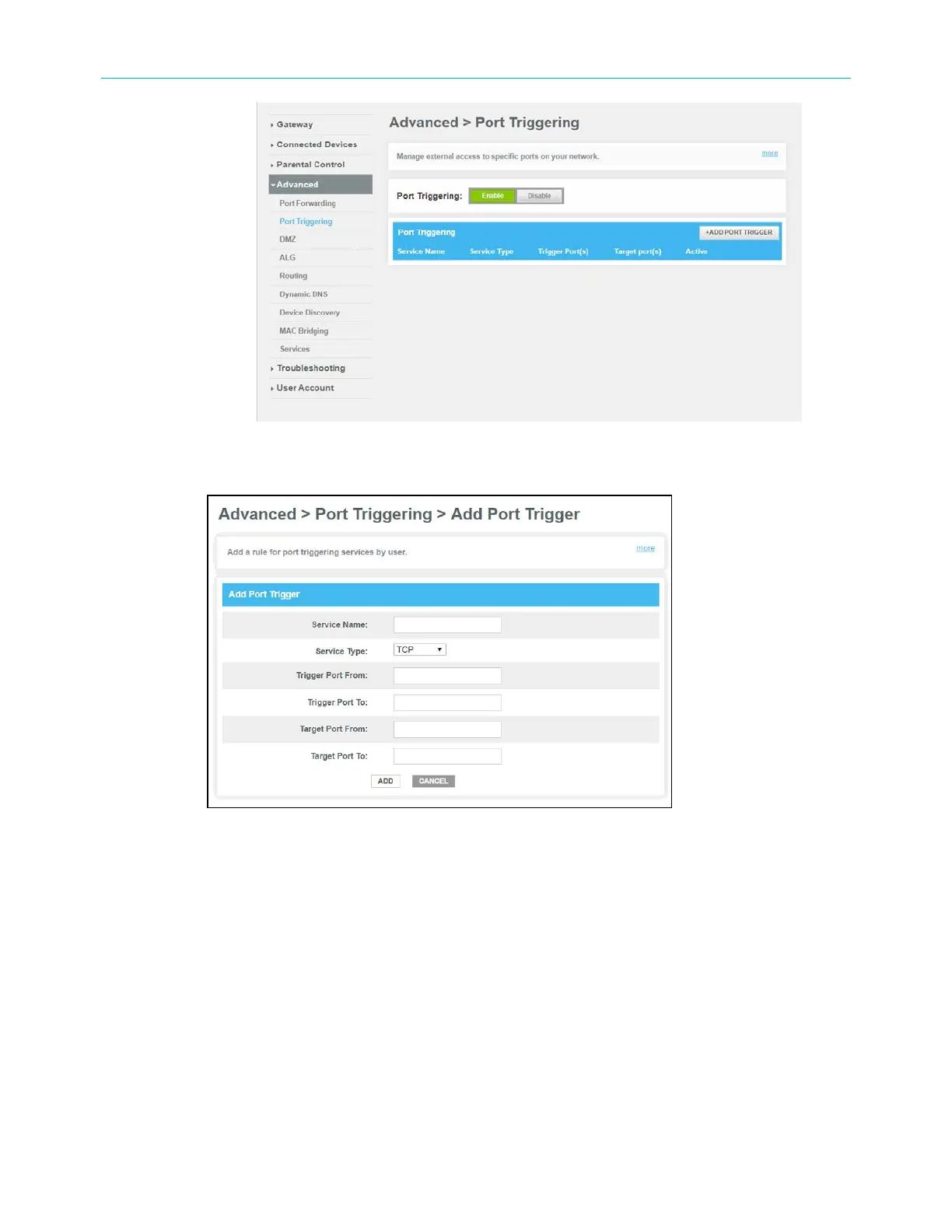
Figure 49: Advanced Port Triggering screen
3. Click the Port Triggering Enable button.
Figure 50: Advanced Add Port Trigger screen
4. Click the +ADD PORT TRIGGER button to open the Add Port Trigger screen.
5. Enter a name or description for the Port Trigger in the Service Name field.
6. Select TCP/UDP, TCP, or UDP from the Service Type drop-down list.
7. Enter the starting port number in the Trigger Port From field.
8. Enter the ending port number in the Trigger Port To field.
9. Enter the starting port number in the Target Port From field.
10. Enter the ending port number in the Target Port To field.
11. Click ADD to create the port trigger.
12. Repeat steps 4 through 11 to create additional port triggers.
SURFboard
®
G34/G36 DOCSIS
®
3.1 Wi-Fi
®
Cable Modem User Guide STANDARD Revision x.3 57













 To Next Page