Era
™
Medium Power Carrier Access Point Installation Guide M0201AJB
Page 8 © October 2018 CommScope, Inc.
CAP M Overview
Dual Mounting Bracket
TheDualMountingBracket(CommScopePN7821955-xx)providesthemountingbracketsrequiredto
mounttwoCAP
Msback-to-backinasinglebracket,whichisthenmountedtoawallorothervertical,flat
surface.See
"MountTwoCAPMsUsingaDualMountingBracket”onpage31.
Pole Mounting Kit for Up to 18" Poles
TheCAPMPoleMountingKitforUpto18"Poles(CommScopePN7692096-XX)isusedtomountaCAPMto
apolewithacircumferenceof4"to18"(10.2cmto45.8cm).See
"MounttheCAPMtoa4"to18"Pole”on
page39.
Hybrid Fiber Splice Box
TheHybridFiberSpliceBox(CommScopePN7693816-xx)separatesthepowerfromthefibersignalsona
hybridfiberfeedfromtheClassicCANorTEN.ItfeedspowertotheCAP
Mthroughacompositecablethat
includesbothfiberandcopperpowerwires.FiberandcopperterminateattheSpliceBox,whichallowsyou
toseparatetheDCwiresandfiberattheremoteend.ForCAP
Ms,youwilltypicallyusecompositecableto
transportsignalandpower,andthenusetheHybridFiberSpliceBoxtoterminatethefiberattheCAP
M.See
"WireanOptionalHybridFiberSpliceBox”onpage19.
OCTIS Kits
AllCAPMsincludeoneOCTIS
1
KitfortheprimaryinterfacetotheClassicCANorTENthatCAPMplugsinto
theCAPMOpticalPort1.YoucanorderanadditionalOCTISKit,whichwouldallowyoutocascadetwo
CAP
MsviaOpticalPort2,ortoattachanauxiliaryEthernetdeviceviatheAUXPort.Table3identifiesthetwo
OCTISKitoptions.
1 OCTISisatrademarkofRADIALL.
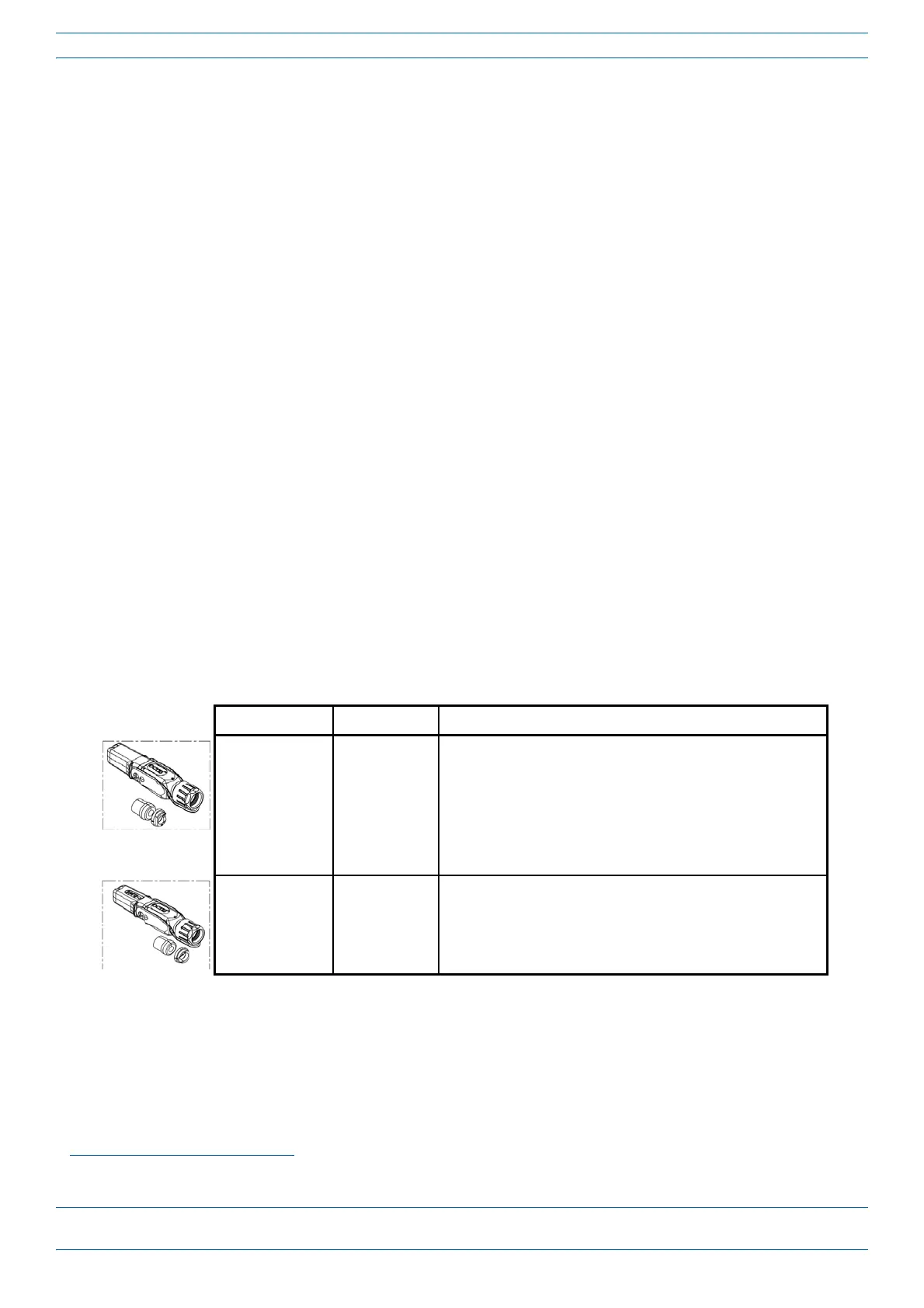
Table 3. CAP MOCTIS Kits
Kit Name CommScope PN Description
Optical OCTIS Kit 7770612 This is the SFP+ connector that you use to cascade a Secondary Fiber
CAP L; one Optical OCTIS Kit ships with each Fiber CAP L. Use as
follows:
• Optical Port 1—to connect the CAP M to a Classic CAN or TEN.
• Optical Port 2—to cascade a second CAP M.
• SFP+ Module must be ordered separately, it is not included as
part of the Optical OCTIS Kit.
Ethernet OCTIS Kit 7760652 This is the RJ-45 connector that you use to attach an auxiliary
Ethernet device. The Ethernet OCTIS Kit must be ordered
separately.










 To Next Page