Era
™
Medium Power Carrier Access Point Installation Guide M0201AJB
Page 52 © October 2018 CommScope, Inc.
Installing CAP Ms
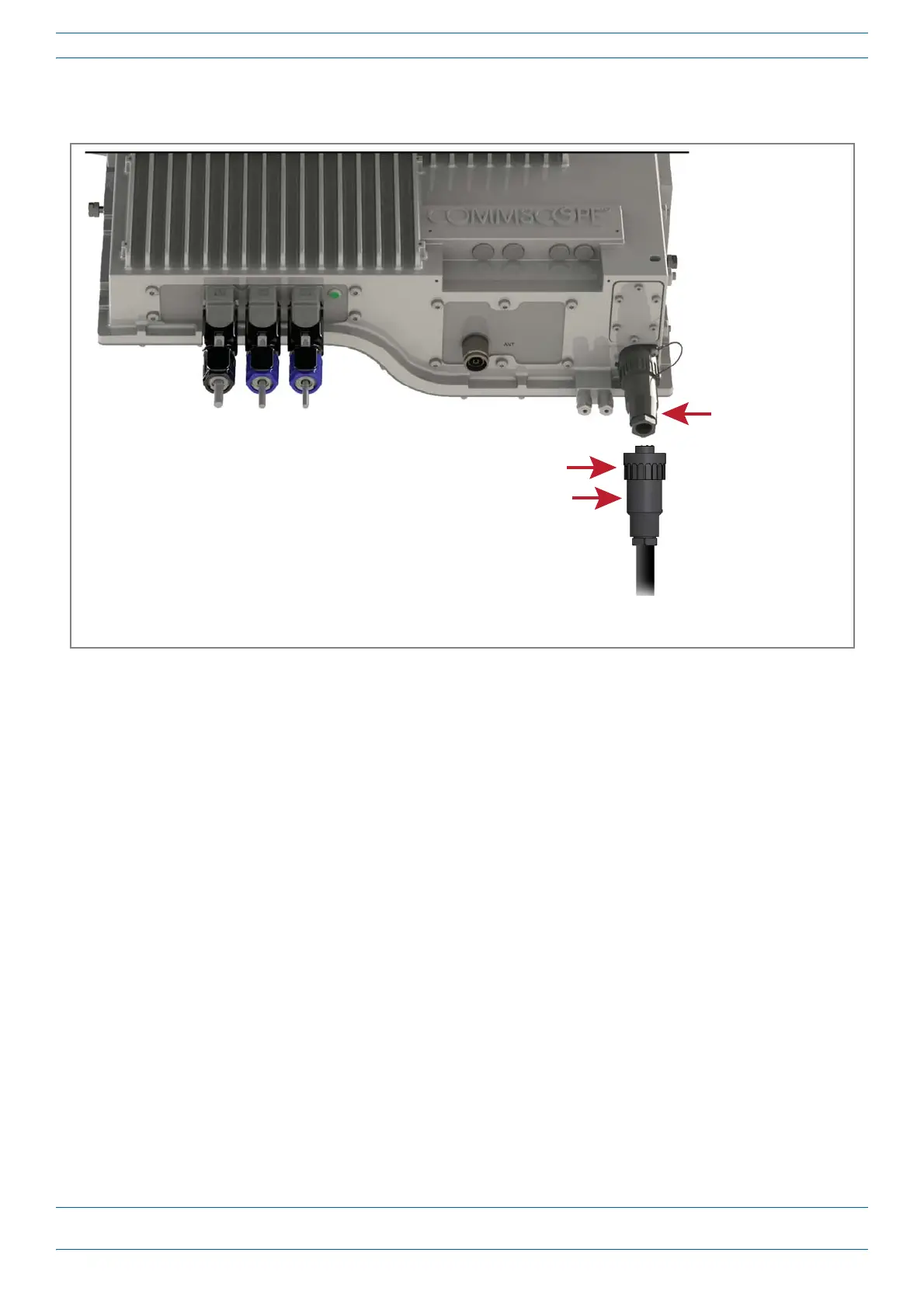
7 InserttheACorDCpowercableintotheMainsconnectorasshownbelow;tightentheclampingringuntil
itishandtight.Donotover-tightentheclampingring.
Connect a Hybrid Fiber Splice Box
ForaCAPMpoweredbytheHybridFiberSpliceBox(PN7693816-xx)connectthe:
• powercabletheproprietary4-pin,36to60VdcPowerconnectorontheCAPM,andterminatetheother
endtotheCAP
MHybridFiberSpliceBox
• LCFiberPigtailtothesuppliedOCTISconnectorandsplicetheotherendofthefiberpigtailinsidethe
locally-mountedCAP
MHybridFiberSpliceBox.
Power the CAP M
TheCAPMispoweredonassoonaspowerisconnectedtoit.Undernormaloperatingconditions,thePower
LEDturnsonbrieflywhentheunitisfirstdetected.Itwillthengooutbriefly,followedbyaninitialization
periodduringwhichthePowerLEDflashesslowlywhiletheCAP
Misconfigured.ThePowerLEDremainsa
steadyblue(notflashing)oncetheunitreachesafullyoperationalstate,whichtypicallyoccurswithin45
seconds.
CAPMPowerLEDbehaviorisasfollows:
• Off—CAPMisnotpoweredon.
• Steadyblue—CAPMispoweredonandoperational.
• Slowflashingblue—CAPMispoweredonandinitializing.
• Rapidflashingblue—CAPMUnitIdentifieractiveviatheFlash LEDfunctionintheEraGUI.
Mains connector
Clamping ring
Mains plug
AC or DC
power cable










 To Next Page