M0201AJB Era
™
Medium Power Carrier Access Point Installation Guide
© October 2018 CommScope, Inc. Page 19
Installing CAP Ms
Unpack and Inspect the CAP M and Optional Accessories
1 Inspecttheexterioroftheshippingcontainer(s)forevidenceofroughhandlingthatmayhavedamaged
thecomponentsinthecontainer.
2 Unpackeachcontainerwhilecarefullycheckingthecontentsfordamageandverifywiththepackingslip.
3 Ifdamageisfoundorpartsaremissing,fileaclaimwiththecommercialcarrierandnotifyCommScope
TechnicalSupport(see
"DCCSGlobalTechnicalSupport”onpage53).Savethedamagedcartonsfor
inspectionbythecarrier.
4 Saveallshippingcontainersforuseiftheequipmentrequiresshipmentatafuturedate.
Wire an Optional Hybrid Fiber Splice Box
1 ObtaintheHybridFiberSpliceBoxKit(CommScopePN7693816-xx).
2 Followthestepsin"UnpackandInspecttheCAPMandOptionalAccessories”onpage19.
The steps in this section pertain only to those installations that require the use of the optional Hybrid
Fiber Splice Box to provide fiber and power to the CAP M. If the optional Hybrid Fiber Splice Box is not
required for this installation, skip to "Mount the CAP M” on page 23.
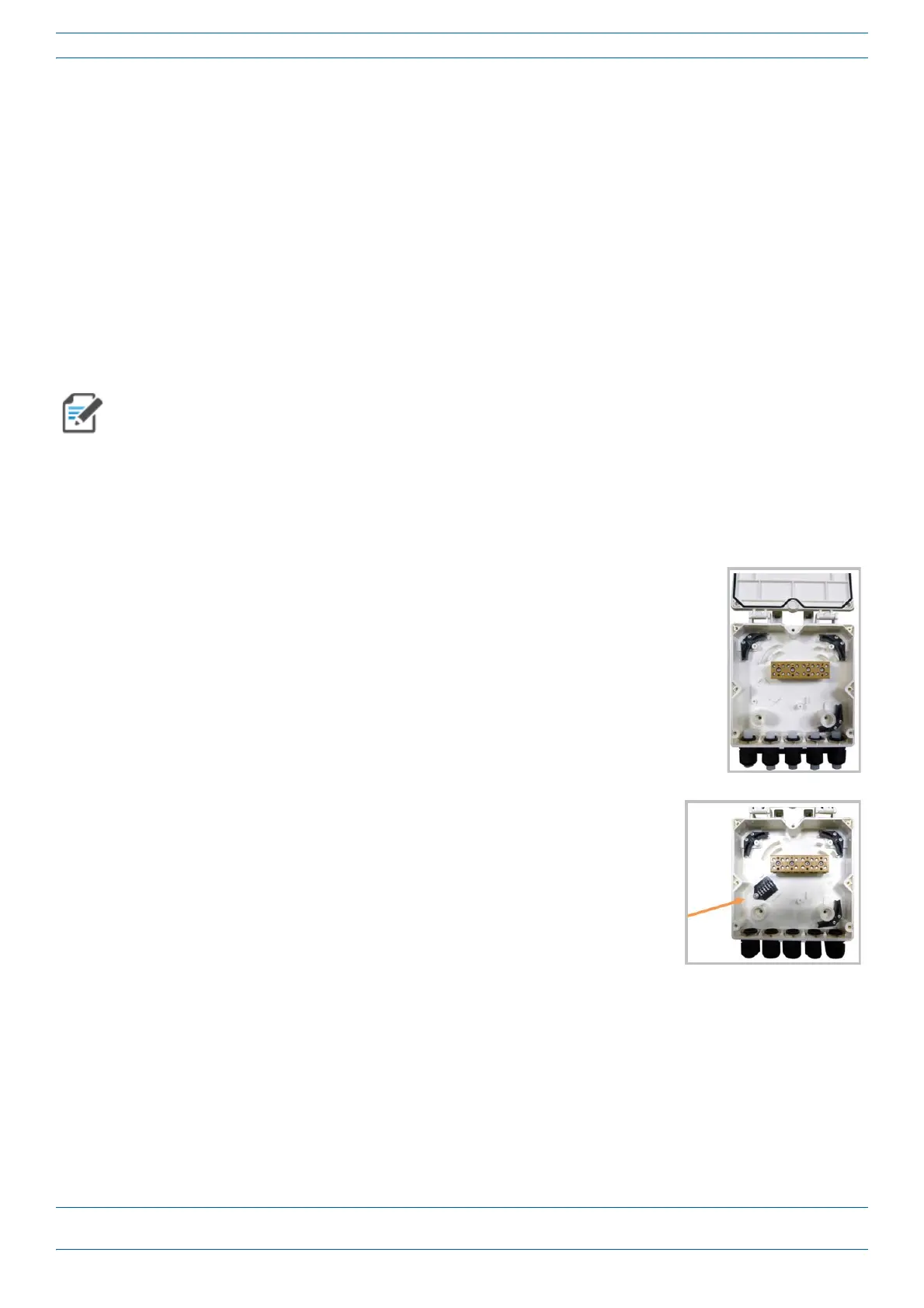
3 OpentheHybridFiberSpliceBoxandremovetheinstallationkitthatis
inside.
4 UsingthepartsfromtheHybridFiberSpliceBox,inserttheSpliceHolder
andfastenitusingaPTK
30x6screwandoneM4washer.










 To Next Page