M0201AJB Era
™
Medium Power Carrier Access Point Installation Guide
© October 2018 CommScope, Inc. Page 31
Installing CAP Ms
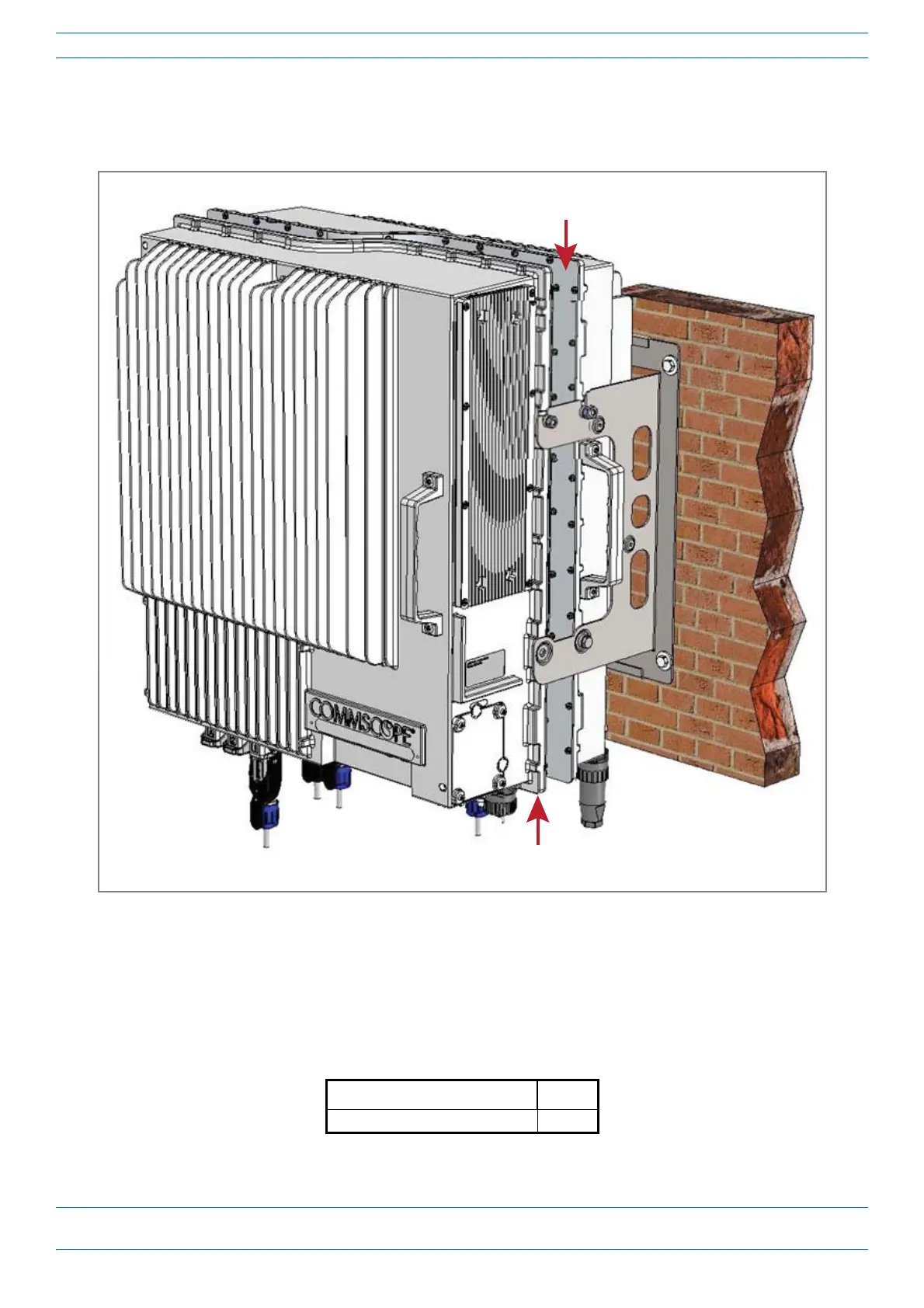
Mount Two CAP Ms Using a Dual Mounting Bracket
InthisprocedureyouwillmounttwoCAPMsback-to-backinoneDualMountingBracket.Thestepsinthis
procedurewillidentifythetwoCAP
MsasCAPM-1andCAPM-2,asshowninFigure7.
Figure 7. Two CAP Ms Back-to-Back in a Dual Mounting Bracket
DothefollowingtomounttwoCAPMsinaDualMountingBracket.
1 ObtaintheDualMountingBracket(CommScopePN7821954-xx).
2 Followthestepsin"UnpackandInspecttheCAPMandOptionalAccessories”onpage19.Table8liststhe
partsthatshipwiththeCAPMDualMountingBracket.
Table 8. Parts List for CommScope PN 7821954-XX
Description Quantity
Dual Wall Mounting Bracket
2
CAP M 2
(front of CAP M-2 faces out, and is back-to-back with CAP M 1)
CAP M 1
(front of the CAP M-1 faces the mounng surface)










 To Next Page