Era
™
Medium Power Carrier Access Point Installation Guide M0201AJB
Page 30 © October 2018 CommScope, Inc.
Installing CAP Ms
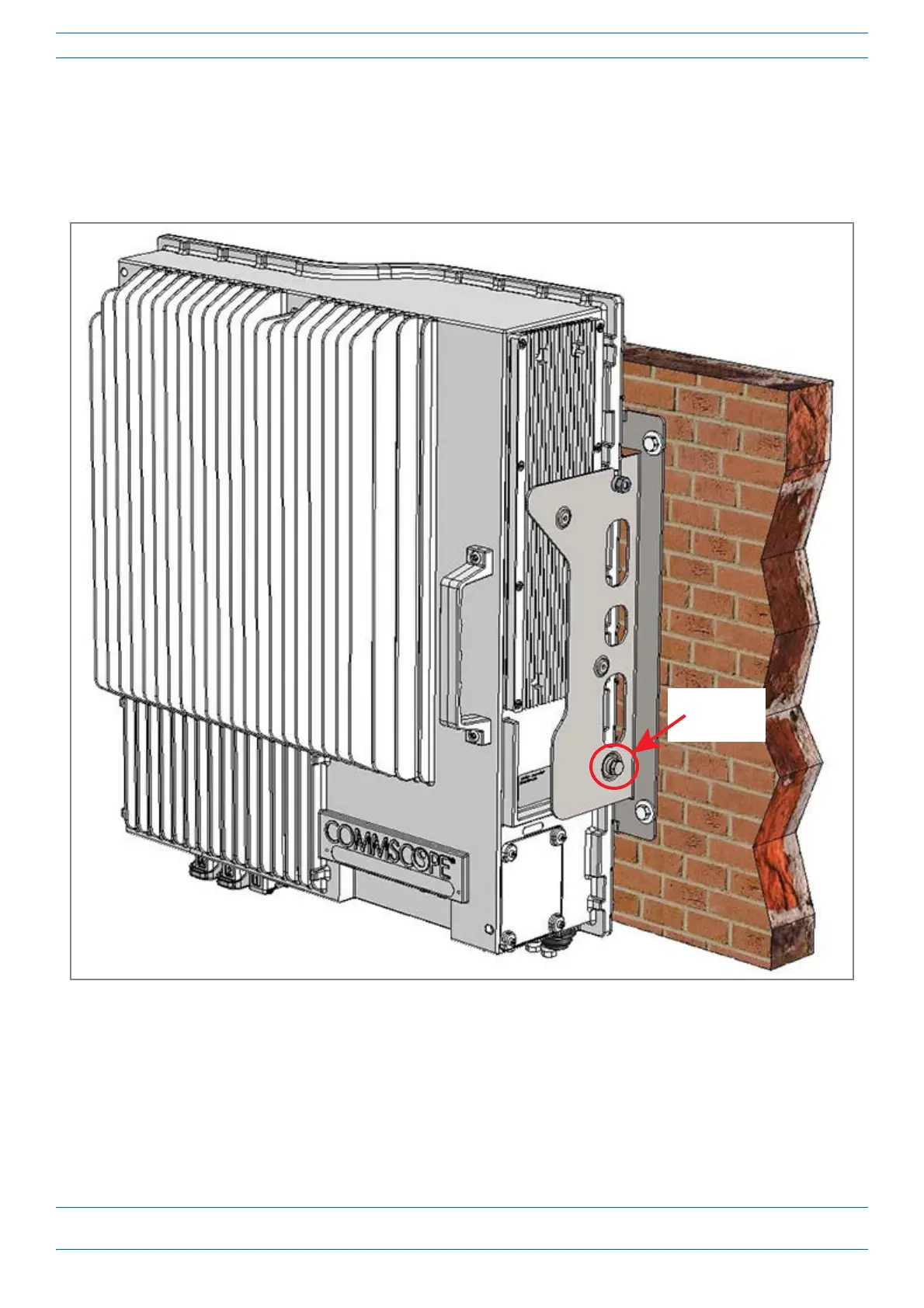
11 OnlowerrightoftheCAPM,reinstalltheM6x12screwanditswashersthatyouremovedinStep7on
page27.
a SlidefirsttheM6plainwasherandthentheM6split-lockwasherovertheM6x12screw.
b InserttheM6x12screwthroughthescrewholeshownbelow,andscrewitbackintotheCAPM
chassis;torqueto11N-m.
12 RepeatStep11ontheleftsideoftheCAPM.
13 Dooneofthefollowing:
• IfthisinstallationrequiresaHybridFiberSpliceBox,goto"AttachaHybridFiberSpliceBoxtothe
CAPM”onpage42.
• IfthisinstallationdoesnotaHybridFiberSpliceBox,goto"GroundingtheCAPM”onpage46.
M6x12 screw
and
washer set










 To Next Page