M0201AJB Era
™
Medium Power Carrier Access Point Installation Guide
© October 2018 CommScope, Inc. Page 5
CAP M Overview
CAP M OVERVIEW
ThisinstallationguidedescribestheMediumPowerCarrierAccessPoint(CAPM),whichinterfacesviaan
opticallinkwithaClassicCAN,orwithaTEN.ThisallowstheCAP
MtoprovidedataoverSingle-ModeFiber
(SMF),orMulti-ModeFiber(MMF).PowerforCAP
MsisprovidedoverembeddedAC/DC(ACversion)or
remotelythroughhybridfiber(DCversion).
Onthedownlink,theCAPMconvertsdataarrivingattheCAPMtoanalogsignalsandsendsthemtothe
Antennaport.Ontheuplink,receivedsignalsaredigitizedandserializedintodatastreams,whicharesent
backtotheClassicCANorTEN.EachCAP
McanprovideRFcoverageforuptofourspecificfrequencybands.
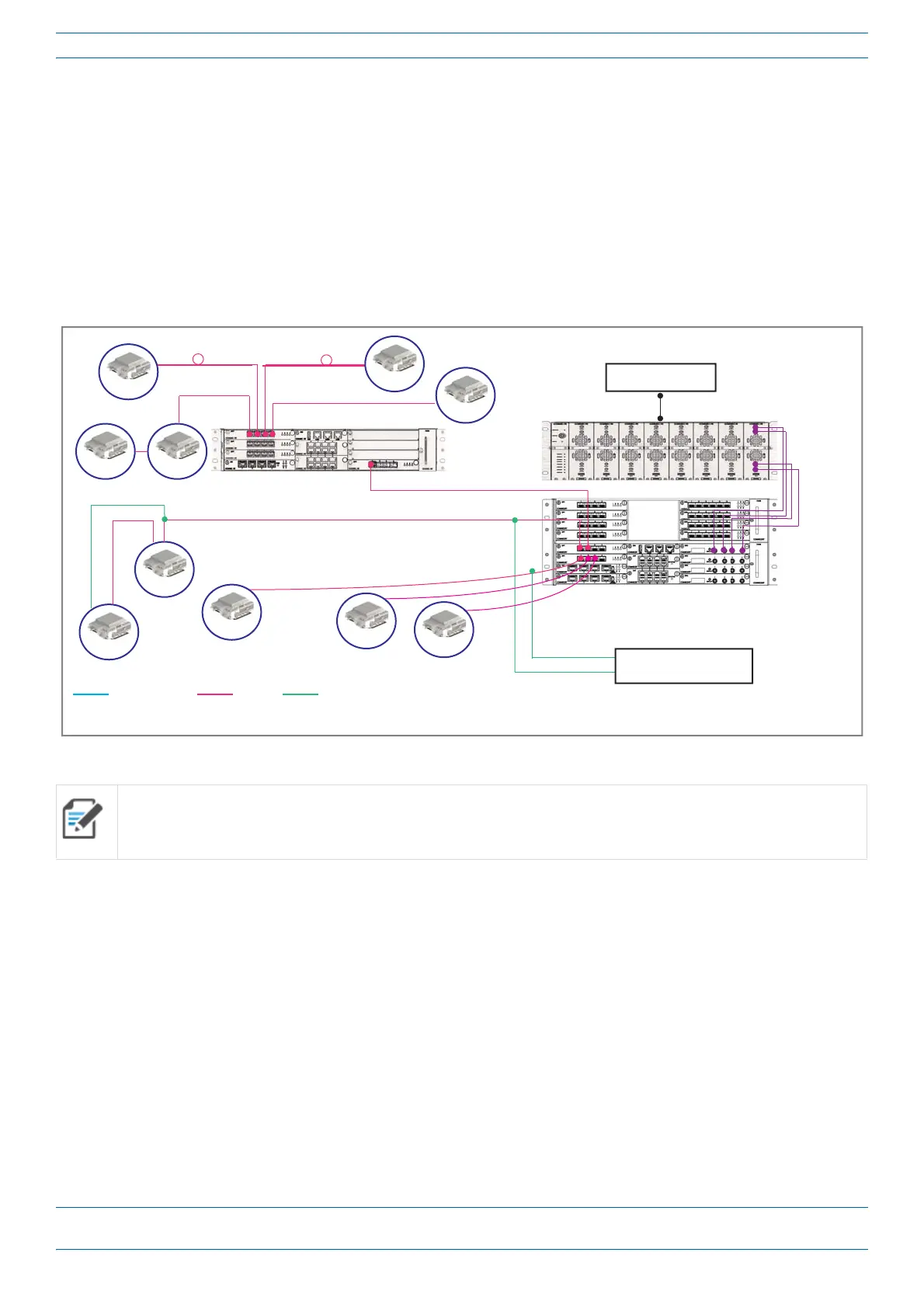
Figure1showshowaCAPMcanbedeployedinanErasystem.
Figure 1. CAP M in an Era System using a Classic CAN
TheCAPM
• ispassivelycooledandoperateswithinthefollowingtemperatureranges:
-33°Cto+52°C(-27.4°Fto125.6°F)
• isratedforindoorandoutdoor(IP66)installations;see"DeterminetheMountingSite”onpage16
• hasatypicalpowerconsumptionof140W;seealso"DeterminethePowerConsumptionoftheCAPM”on
page16.
All APs can only connect to a TEN or a Classic CAN. APs cannot connect to a Switching CAN or to a WIN.
e-POI
Classic
CAN
eNode B
CAP M
CAP M
* Power can be on AP side (AC or DC)
or be remote with composite fiber (DC)
Cat6A cable Fiber Power
Power*
CAP M
CAP M
TEN
CAP M CAP M
CAP M
CAP M
CAP M
CAP M










 To Next Page