Era
™
Medium Power Carrier Access Point Installation Guide M0201AJB
Page 20 © October 2018 CommScope, Inc.
Installing CAP Ms
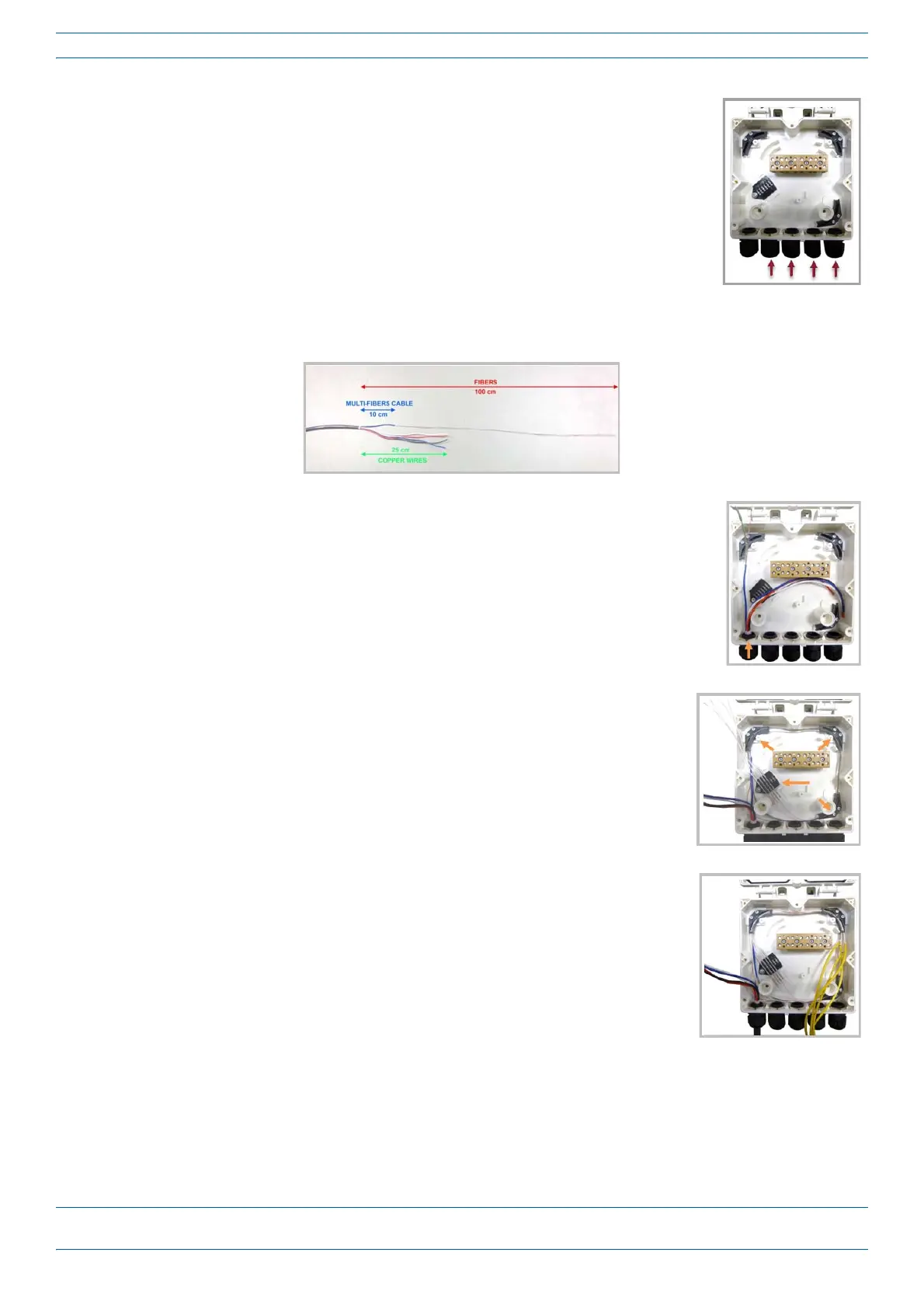
5 FromtheHybridFiberSpliceBoxKit,insertFiberPatchCordinoneofthe
cableglandsindicatedinthegraphictotheright.
6 Striptheinsulationofthecompositecablefor100cmandthefibersfor90cm,andthenshortenthe
coppercablesto25cm.
7 Insertthecompositecableinthefirstcableglandandseparatethe
multi-fiberscablefromthecopperwires.Itisnecessarytoremovethe
nuttoperformthisaction.Thecablemustbefedthroughthenutandit
mustberetightenedoncefinished.
8 Bendthesplicedfibersusingthecornerguidesandfixthesplicestothe
spliceholder.
9 Bendtheopticalcablesasshowninthegraphictotheright.










 To Next Page