M0201AJB Era
™
Medium Power Carrier Access Point Installation Guide
© October 2018 CommScope, Inc. Page 21
Installing CAP Ms
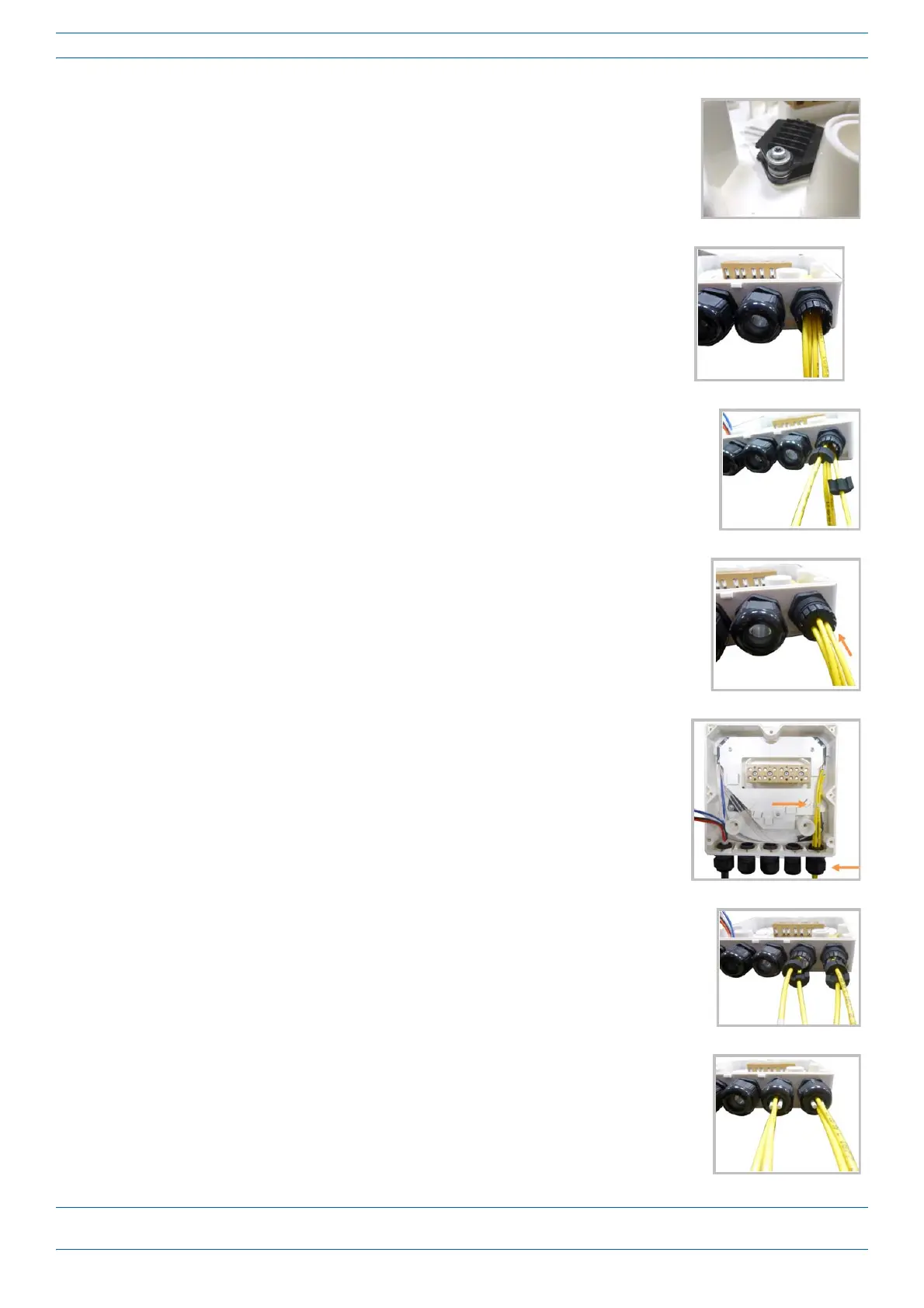
10 Ifasecondspliceholderisneeded,itcanbeassembledusingtheM4
insulatingwasherandtwoM4plainwashers,asshowntotheright.The
requiredscrewisaPTK30
x12.
11 Removethesealingnutandrubberofthecableglandandinsertthe
opticalcables.
12 Placeeachcableintooneofthegroovesofthesealinsert.
13 Pressthesealinsertintotheclampringopening.
14 Fixtheopticalcablesinsidetheboxusingonecabletieandtightthe
sealingnut.
15 Itispossibletoseparatetheopticalcablesandusetwodifferentcable
glands.Removethesealingnutandrubberoneachcablegland.
16 Closeallunusedgrooveswiththeplasticcylinders,nomatterifoneor
twocableglandsareused.










 To Next Page