19
DEEP LEARNING PLUS USER MANUAL
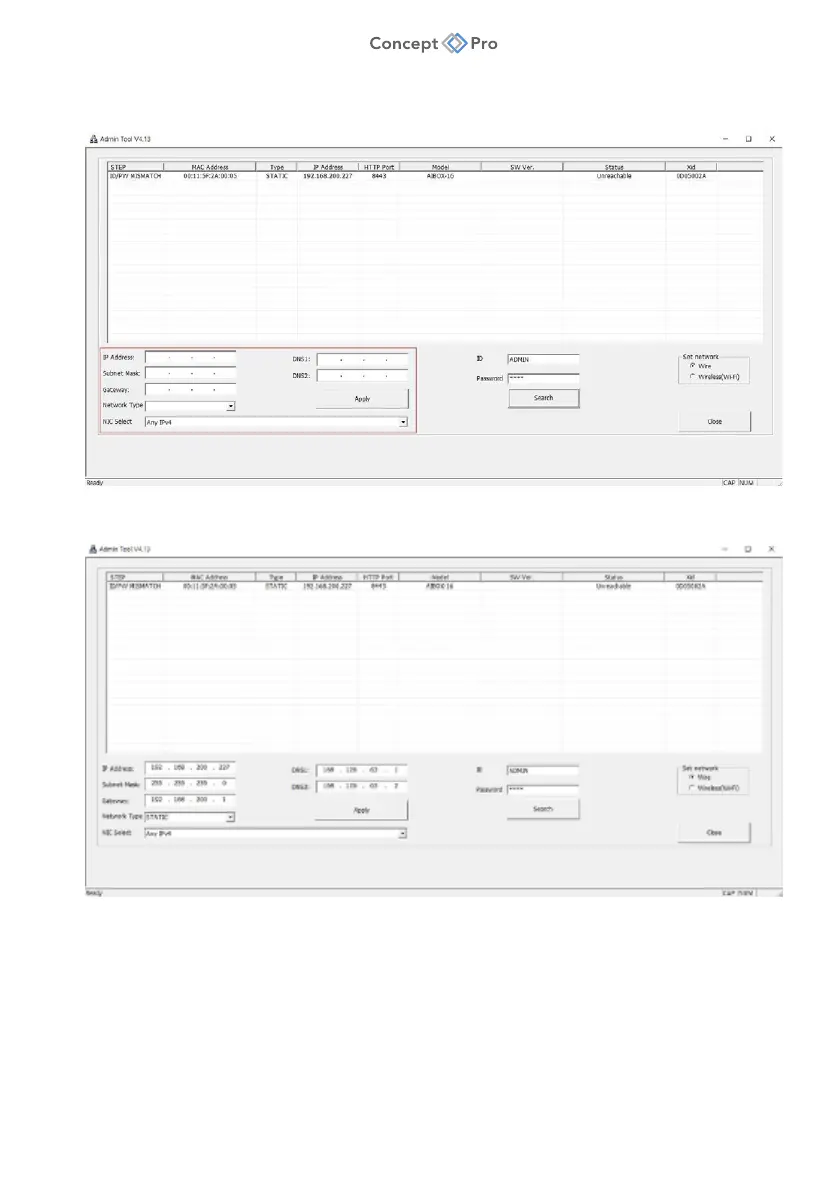
3. Select one of ‘DHCP’ or STATIC’ for <Network Type> at the bottom left. Please input
the IP Address, Subnet Mask, Gateway, DNS information and click ‘APPLY’ button.
4. The device list window will automatically update after a short interval of time. Configure
the network settings window if desired.
5. Double-click a device in the device list window to open the device’s web interface.
Note: Please click ‘Advanced’ button at the bottom and click ‘Go to(unsafe)’ button if you see a
security warning as shown below (unlike a portal site that uses a public certificate, you may get
a warning by using a private certificate). This is a completely safe procedure as the user is only
connecting to DL PLUS.



 To Next Page