DEEP LEARNING PLUS USER MANUAL
68
SEARCH
Event data and system configuration events can be searched and exported for external review.
EVENT LOG
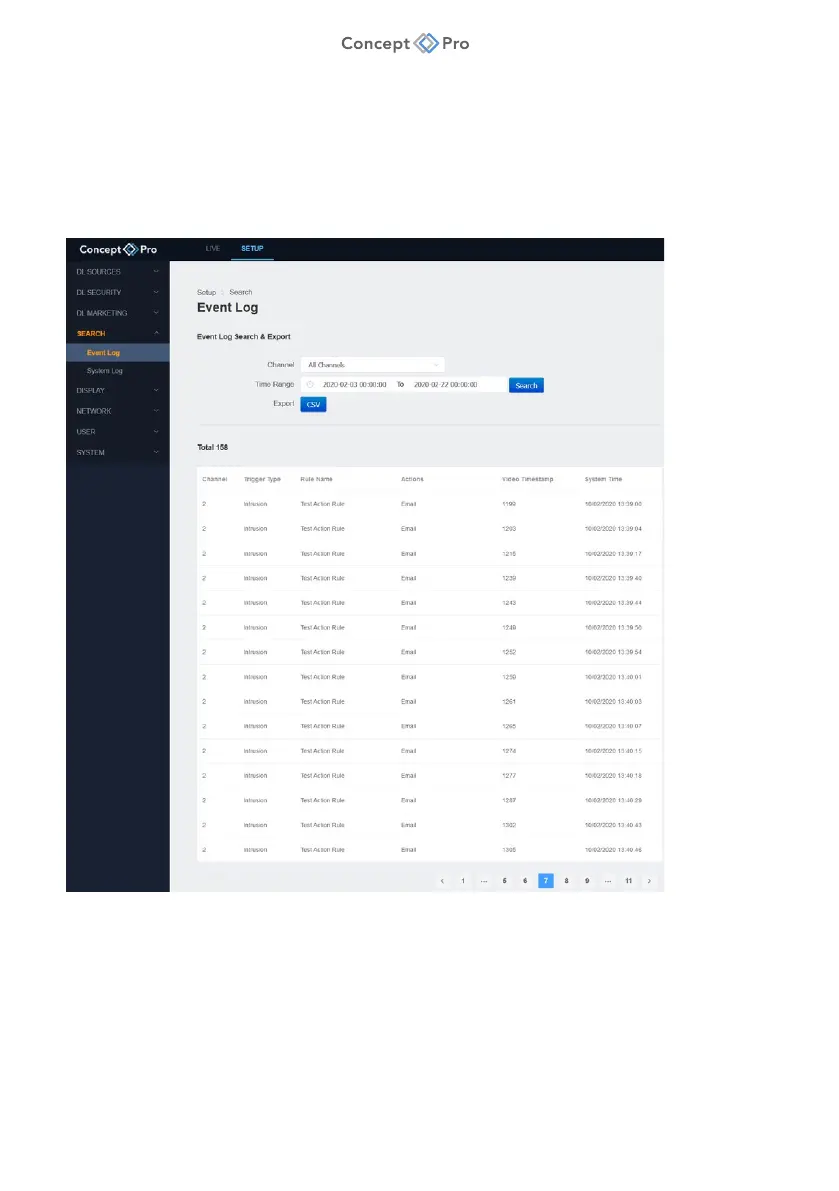
Event data for each channel can be searched and exported in .csv format for future review. To
search event logs, please follow the steps below:
1. From the <SETUP> tab, select <SEARCH> - <EVENT LOG> menu.
2. Enter the search parameters as follows:
a. Channel: Select All Channels or a specific channel to search.
b. Time Range: Input a start and end date/time to search.
c. Search: Click to search and display results in the window below.
d. Export: Click to export the search results in .csv file format.



 To Next Page