DEEP LEARNING PLUS USER MANUAL
74
USER
Configure default username and password credentials or add a new user.
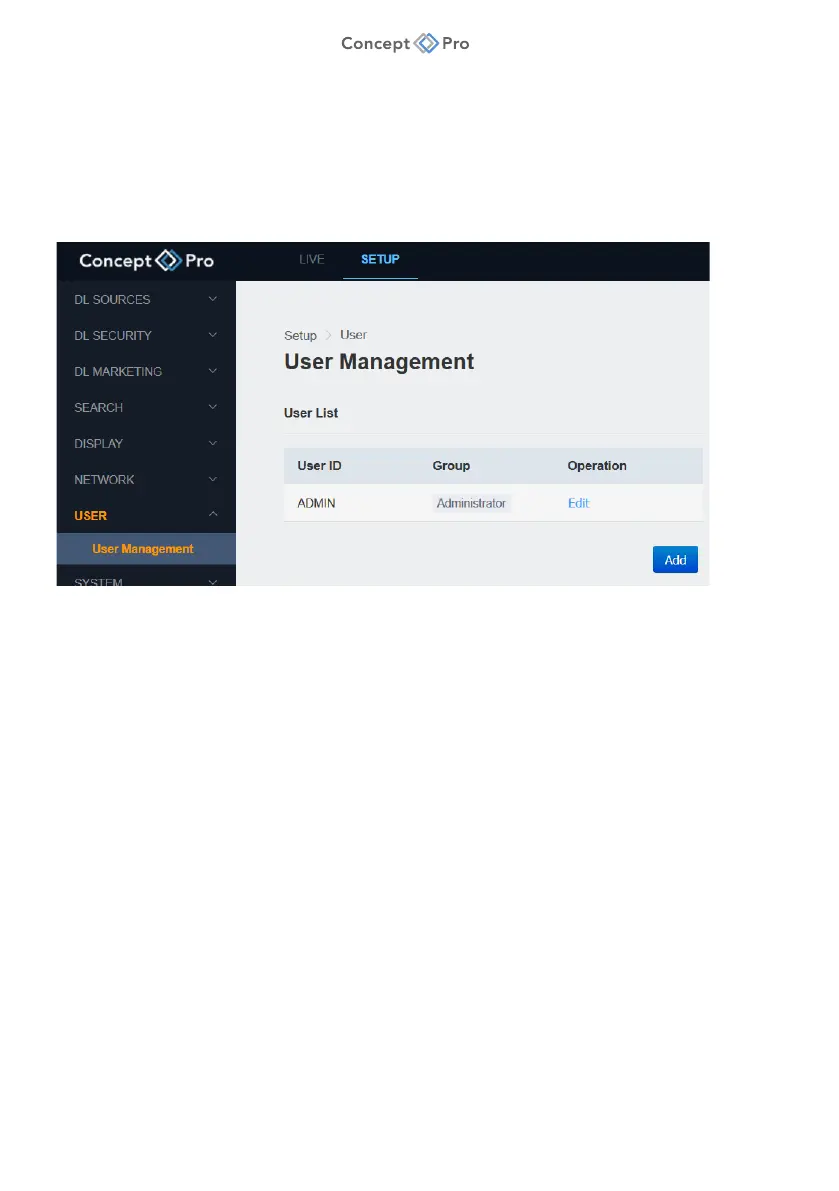
USER MANAGEMENT
The DL PLUS allows for multiple Administrator and Viewer level users to be created.
To configure user settings, please follow the steps below:
1. From the <SETUP> tab, select <USER> - <USER MANAGEMENT> menu.
2. Click the <EDIT> button for the default ADMIN user.
a. The default username and password for DL PLUS is ADMIN/1234. For security
reasons, it is highly recommended that the username and password are changed
to complex variations that use capital and lowercase letters as well as numbers and
symbols.
3. Alternatively, click <ADD> to create a new user.
a. User ID: Enter a new username.
b. Group: Select ADMIN (Setup privileges included) or VIEWER (Live privileges only).
c. Password: Enter a new password.
d. Confirm Password: Re-enter the new password.
4. When finished, click <APPLY> to save these settings.



 To Next Page