21
DEEP LEARNING PLUS USER MANUAL
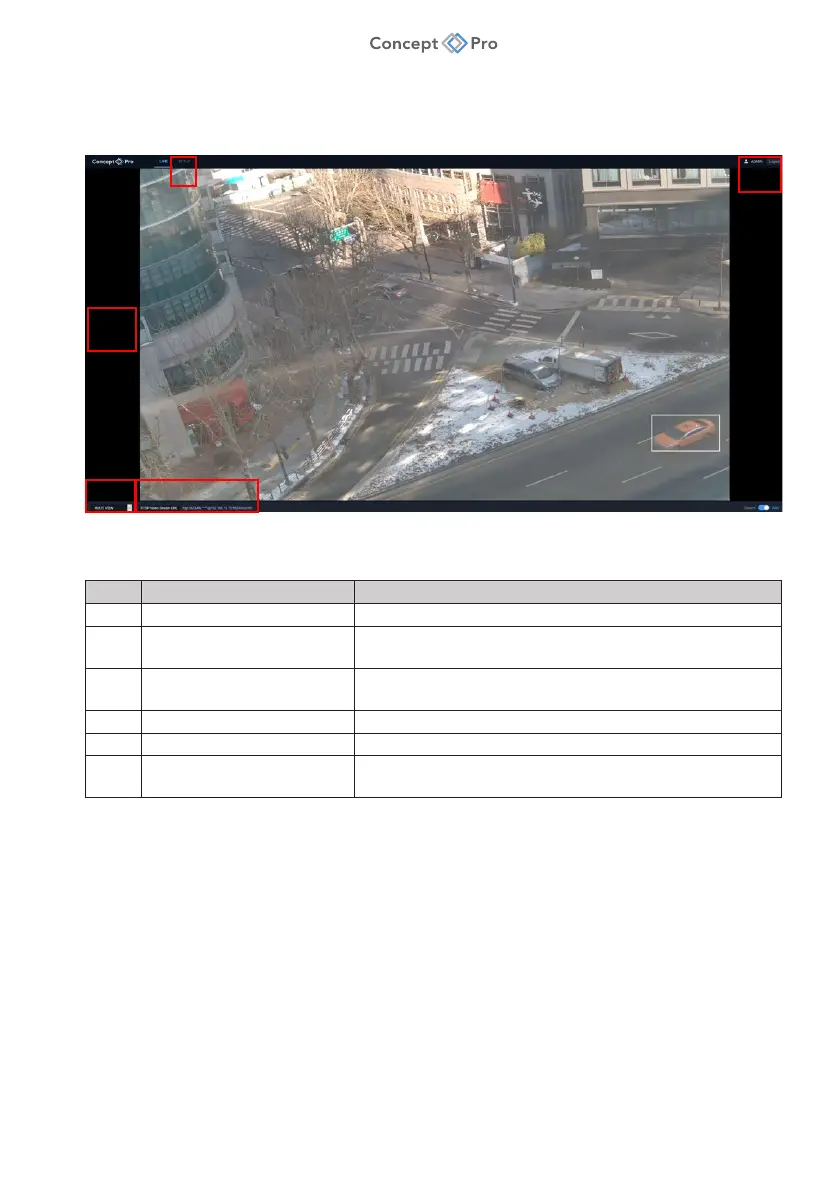
LIVE OVERVIEW
No. Item Description
1 SETUP Click to configure DL PLUS settings.
2 USER/LOGOUT Displays currently logged in user;
click LOGOUT to log out of DL PLUS.
3 LIVE VIEW Displays current live video for video source(s)
connected to DL PLUS.
4 VIEW SELECTOR Select multi-view or specific channel view.
5 RTSP STREAM Displays RTSP stream URL for currently selected live view.
6 SYSTEM ARM/DISARM Manual switch to arm/disarm DL PLUS and associated
alarms.
6
5
4
3
2
1



 To Next Page