65
DEEP LEARNING PLUS USER MANUAL
DL MARKETING
Deep learning video analysis not only reduces false alarms but can also be used for marketing
and business intelligence purposes. The DL PLUS can create counters specifically for counting
people and vehicles according to specific zone or line crossing behaviour. This data can be
especially useful for retail and other vertical markets that require counting or flow analysis data
for decision-making.
DL COUNTERS
DL Counters can be created from existing DL Triggers or follow entirely separate rules to provide
live counting data. Data can also be exported in industry standard CSV and JSON formats for
building business intelligence databases.
To create and configure DL Counters, please follow the steps below:
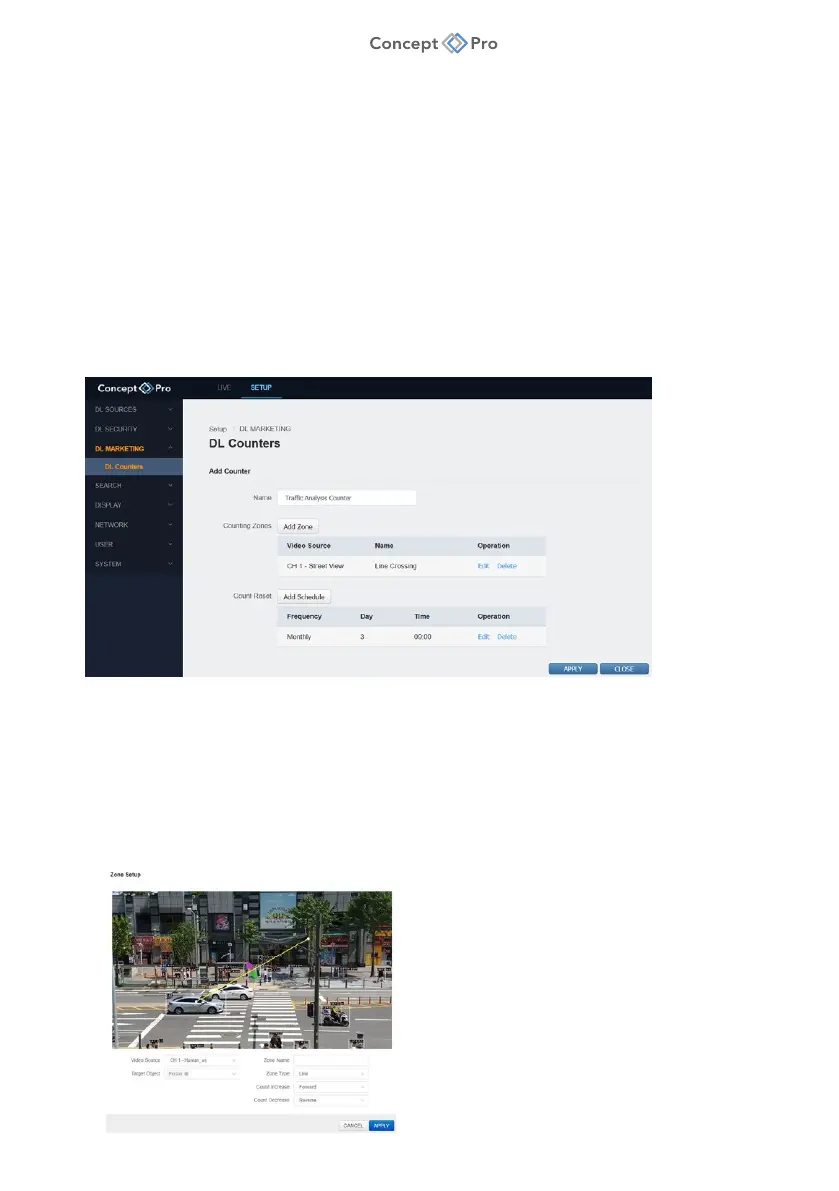
1. From the <SETUP> tab, navigate to <DL MARKETING> - <DL COUNTERS> menu.
2. Click <ADD> to create a new DL Counter preset.
3. Configure the DL Counter parameters below:
a. Name: Enter a custom name for the DL Counter.
b. Counting Zones: Click <ADD ZONE> to create a new counting zone.



 To Next Page