63
DEEP LEARNING PLUS USER MANUAL
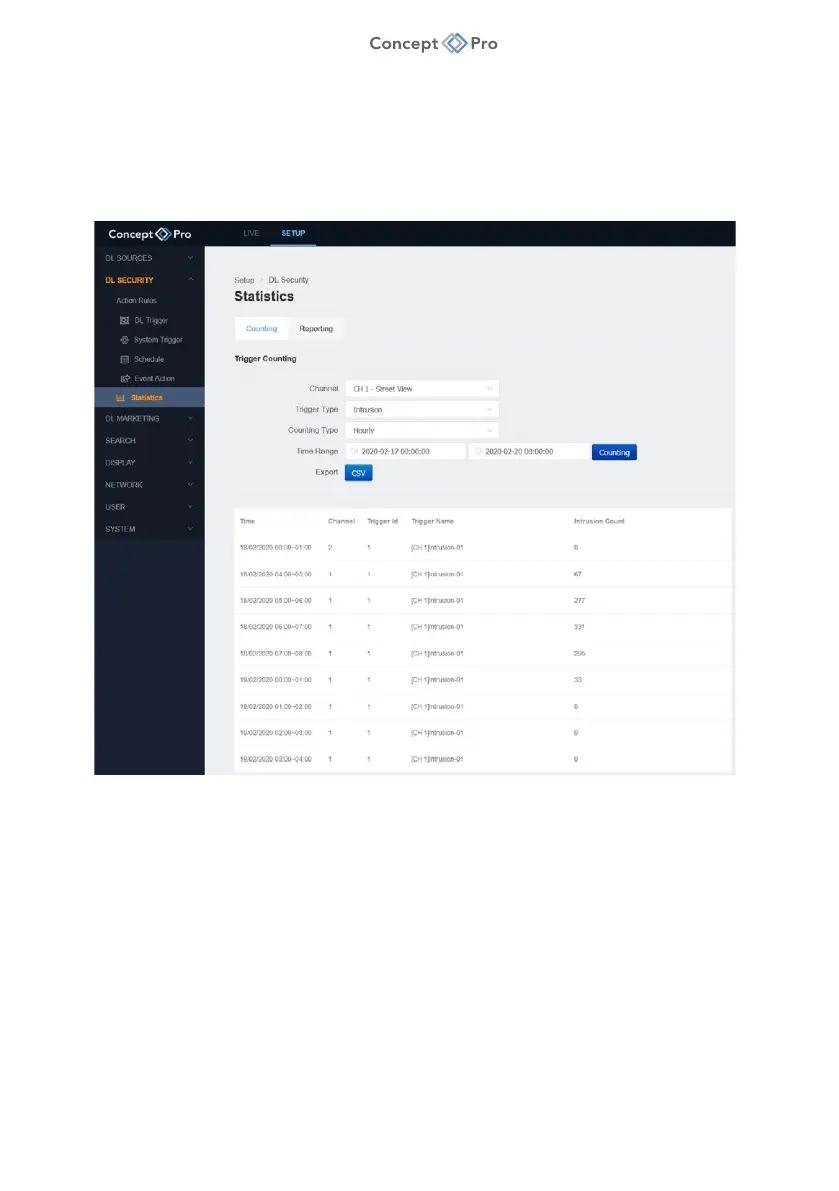
STATISTICS
Deep Learning statistics can be collected, exported, and reported based on a variety of filters to
provide additional value to a video surveillance system.
COUNTING
To filter deep learning data from configured triggers, please follow the steps below:
1. From the <SETUP> tab, navigate to <DL SECURITY> - <STATISTICS> menu.
2. Click the <COUNTING> tab to filter trigger counting data.
a. Channel: Select one or all video source channels for counting.
b. Trigger Type: Select a DL Trigger for counting.
c. Counting Type: Select hourly or daily breakdowns for counting.
d. Time Range: Select start and end dates/times for counting.
e. Counting: Click to display the counting data.
f. Export: Click to export the filtered counting data in .csv format.



 To Next Page