43
DEEP LEARNING PLUS USER MANUAL
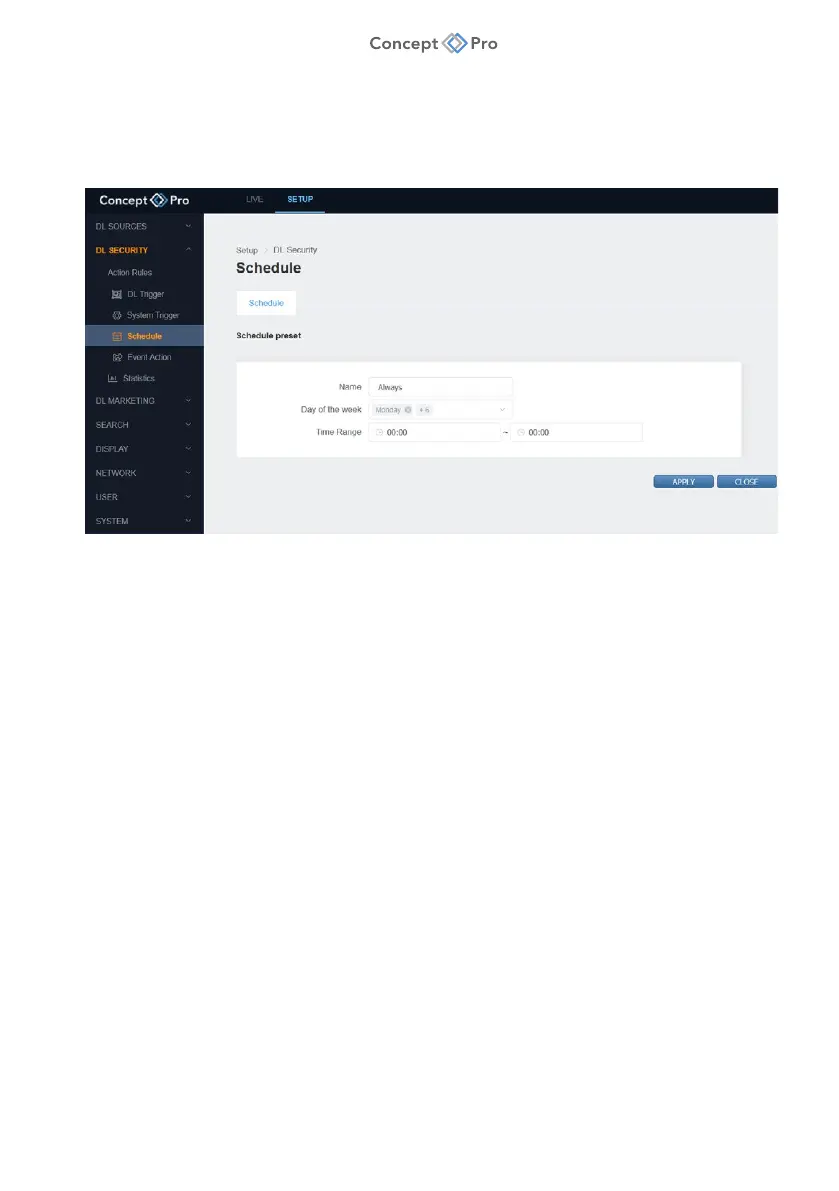
SCHEDULE
Custom schedule profiles can be created so Action Rules only occur and trigger event actions
only when desired.
To create a new Schedule preset, please follow the steps below:
1. From the <SETUP> tab, navigate to <DL SECURITY> - <SCHEDULE> menu.
2. Inside the <SCHEDULE> tab, click the <ADD> button to create a new Schedule preset.
3. Configure the Schedule preset parameters as desired:
a. Name: Enter a custom Schedule preset name.
b. Day of the Week: Select which days will apply to this Schedule preset.
c. Time Range: Set a start/end time for the Schedule preset. If the times match then the
Schedule applies for the full 24 hours of each day selected.
i. For example, to create a Schedule preset that applies to Weekends/24 Hours,
select Saturday and Sunday and 00:00-00:00 time range.
4. When all parameters are configured, click <APPLY> to save the settings.



 To Next Page