DEEP LEARNING PLUS USER MANUAL
44
EVENT ACTION
A wide variety of event actions can be configured to trigger when a DL Trigger or System Trigger
are detected as part of an Action Rule. These event actions can interface with hard-wired
equipment, network software, VMS platforms, select Concept Pro recorders, and more.
NETWORK EVENT ACTIONS
Network Event Actions are actions that transmit over the network to other software platforms or
programs.
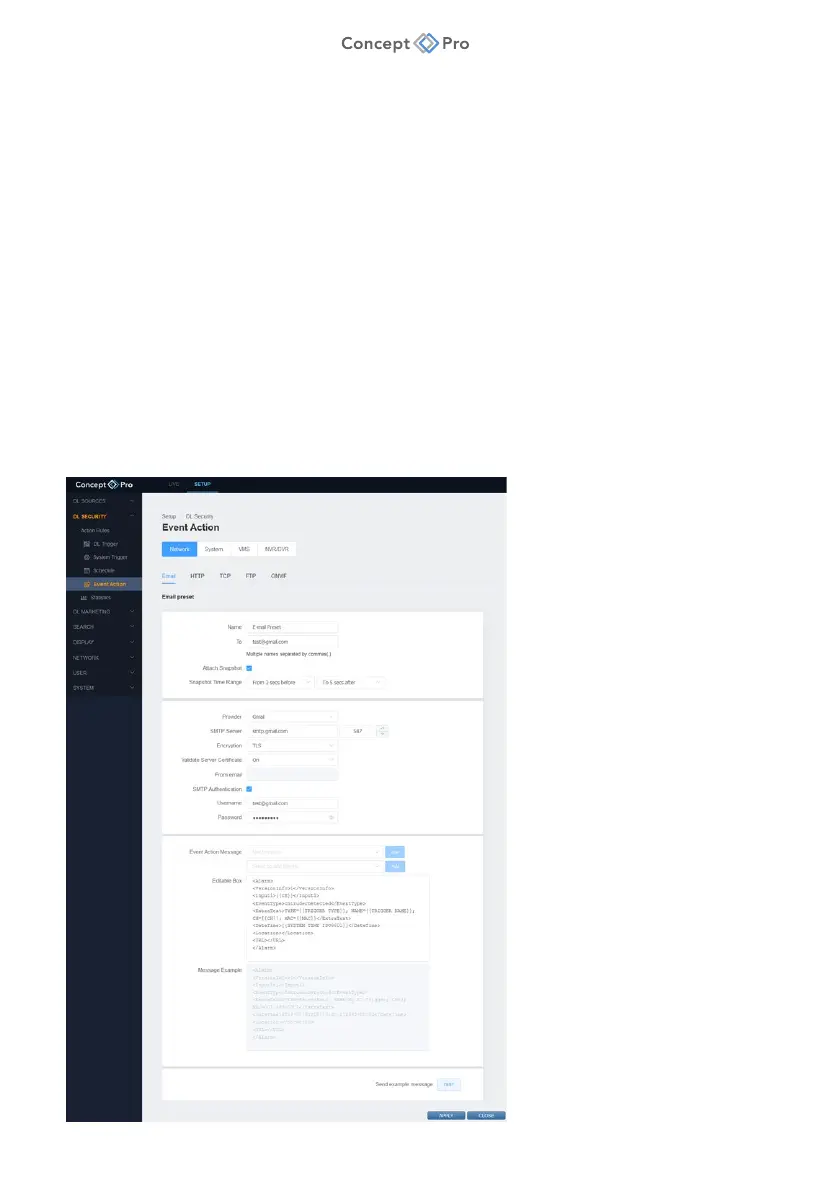
E-MAIL
E-mail event notifications can include snapshot images and may be used by some monitoring
software platforms for monitored event verification.
To configure an E-mail Event Action, please follow the steps below:
1. From the <SETUP> tab, navigate to <DL SECURITY> - <EVENT ACTION> menu.
2. Select the <NETWORK> - <EMAIL> tab.
3. Click the <ADD> button to create a new E-mail Event Action.



 To Next Page