27
DEEP LEARNING PLUS USER MANUAL
DL SECURITY MENU
The DL PLUS product operates based upon highly customisable deep learning (DL) action rules.
From the <DL SECURITY> menu Action Rules can be configured to occur based on a DL or System
Trigger with conditions according to a Schedule, and result in specific Event Actions.
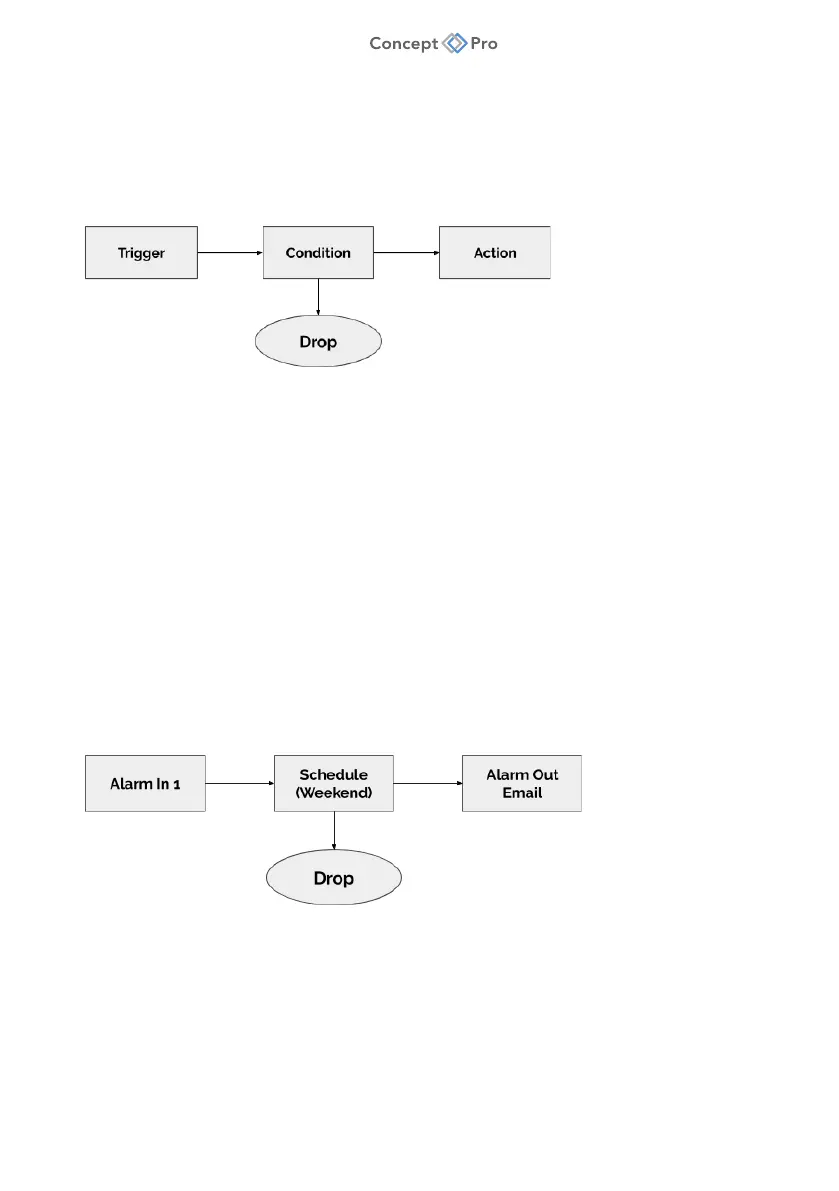
DL Statistics can also be configured. The diagram below summarises the operation of Action Rules:
ACTION RULE OVERVIEW
• There are two types of Triggers—Deep Learning (DL) and System. An event detected by
the DL PLUS unit through deep learning analysis triggers a DL Trigger. An event detected
by traditional sensor state changes triggers a System Trigger. Both kinds of triggers can
be configured for an Action Rule.
• Specific Conditions can be configured to filter exactly when a DL or System Trigger will be
detected. Typically, a Schedule is used as the Condition; however, additional conditions
such as a simultaneous or ‘Double Knock’ detection of an alarm sensor input event can
be configured.
• Action items define the actions to occur when a specific Action Rule is detected.
Multiple actions can be selected, including e-mail event notifications, ONVIF metadata
streams, and many more.
An example of an Action Rule based upon a System Trigger is depicted below:
In order to configure Action Rules, Triggers, Conditions, and Actions must first be configured as follows:



 To Next Page