DEEP LEARNING PLUS USER MANUAL
76
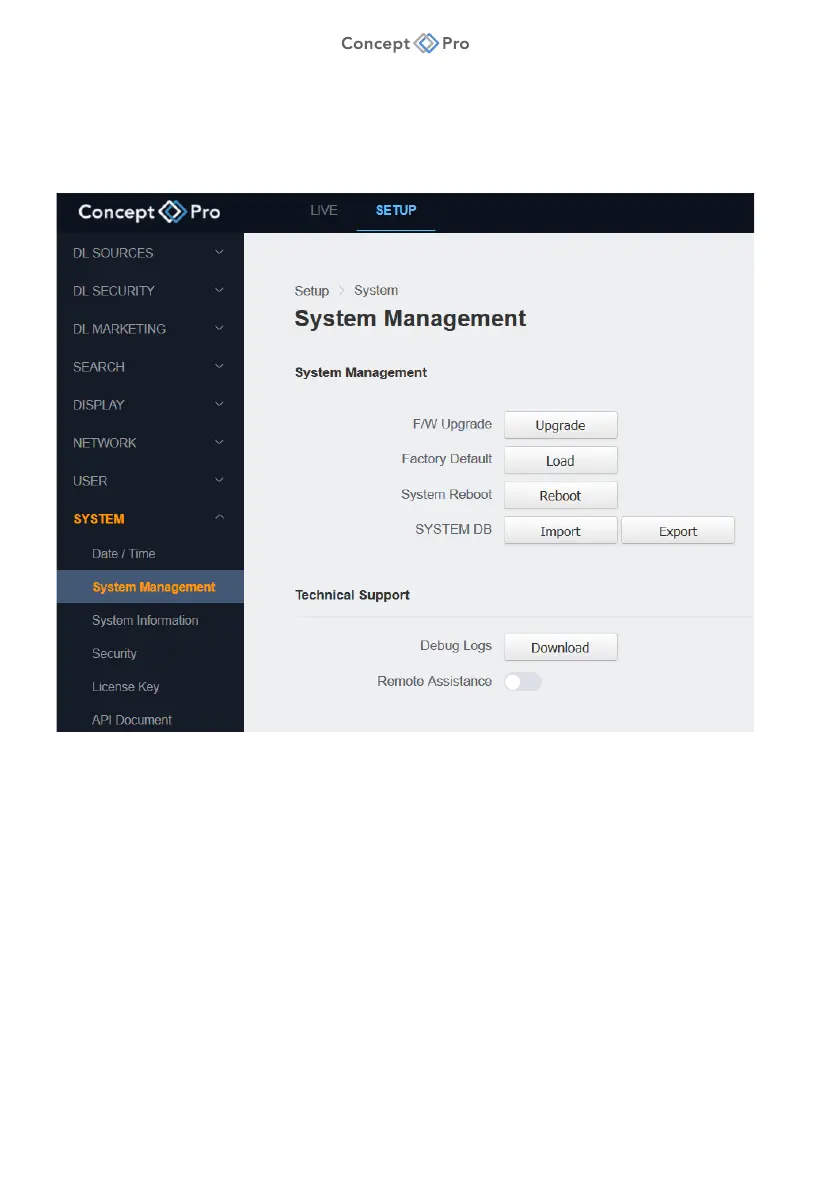
SYSTEM MANAGEMENT
Perform key system functions such as firmware upgrade, factory default reset, reboot, import/
export system database files, or debugging. To perform these system management settings,
please follow the steps below:
1. From the <SETUP> tab, select <SYSTEM> - <SYSTEM MANAGEMENT> menu.
2. Configure the System Management settings as below:
a. F/W Upgrade: Click <UPGRADE> to upgrade DL PLUS firmware over the network.
Select a firmware file and click <START> to begin upgrading the firmware. Please
follow all steps and do not remove the power supply from the DL PLUS during the
upgrade process.
i. The firmware file should be in .bin format.
ii. All DL PLUS operations will stop during the firmware upgrade process.
iii. The firmware upgrade process should take approximately 3-10 minutes to
complete; after upgrading the firmware the DL PLUS unit will reboot.
iv. Do not disconnect the power or Ethernet cables from the DL PLUS during the
firmware upgrade process; doing so may result in damaging the product and
requiring product repairs.



 To Next Page