DEEP LEARNING PLUS USER MANUAL
22
UNIVERSAL & EVENT SERVER MODE SETUP
DL SOURCES MENU
Configure the video sources, channel name, applicable DL algorithm, and object exclusion area
for each channel.
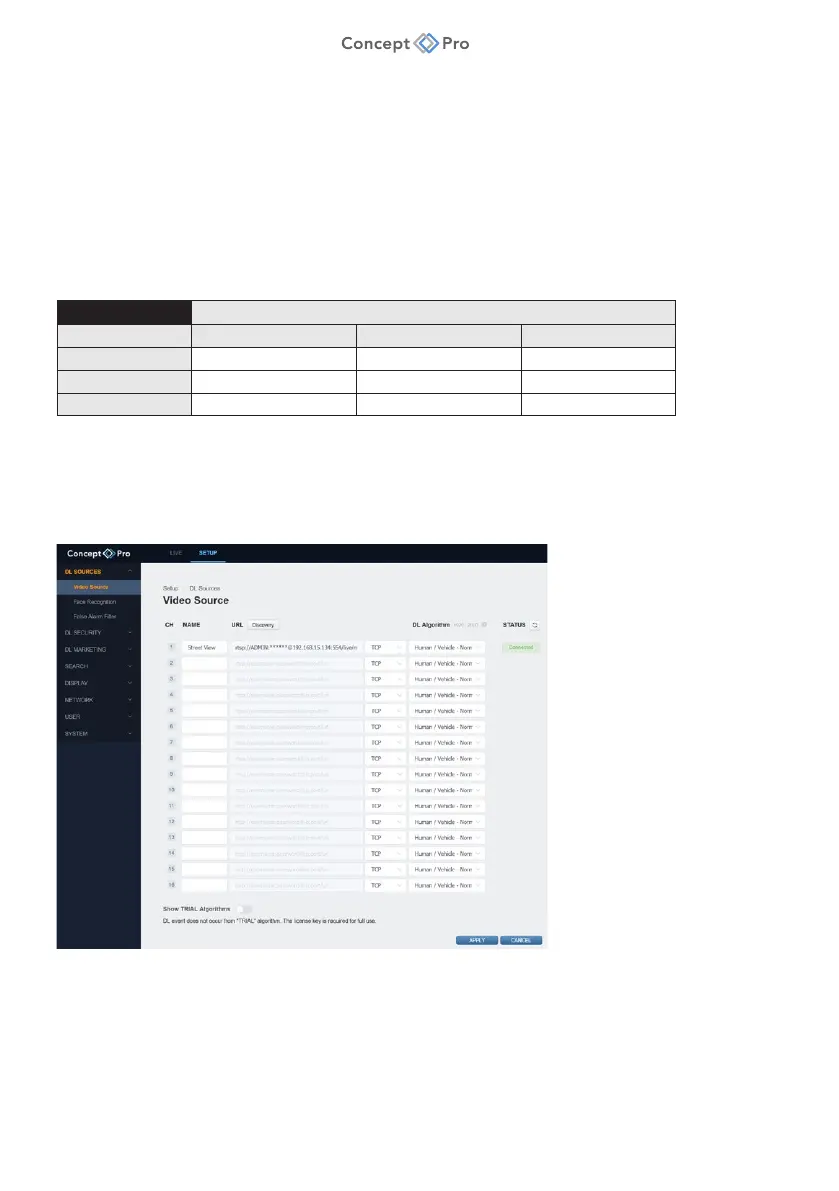
VIDEO SOURCE
Configure a video source and default DL algorithm for each channel.
The DL PLUS product supports the following decoding performance from video sources:
Max. Frame Rate @ Video Source Resolution
Model 2-megapixel 5-megapixel 8-megapixel
DL PLUS-4 4CH@100FPS 4CH@48FPS 4CH@24FPS
DL PLUS-8 8CH@200FPS 8CH@96FPS 8CH@48FPS
DL PLUS-16 16CH@400FPS 16CH@192FPS 16CH@96FPS
It is important that all channels used as video sources for DL PLUS meet this decoding
specification in order to prevent issues with product stability. If necessary, reduce resolution
and/or frame rate for video sources from their respective stream/record setup menus to ensure
total decoding performance is maintained.
The DL PLUS product is essentially compatible with any ONVIF device—DVR, NVR, or IP
camera—that supports RTSP video streaming. This means DL PLUS in Universal and Event
Server modes can be used with current as well as legacy Concept Pro equipment, in addition
to other third-party products. Anything from individual IP cameras to specific channels from
existing video recorders can be added as a video source. Video sources can be added
automatically or manually as indicated below.



 To Next Page