23
DEEP LEARNING PLUS USER MANUAL
AUTOMATICALLY CONNECTING IP CAMERA, DVR & NVR VIA ONVIF
DISCOVERY PROTOCOL
Video sources such as IP cameras, digital video recorders, and network video recorders, that are on
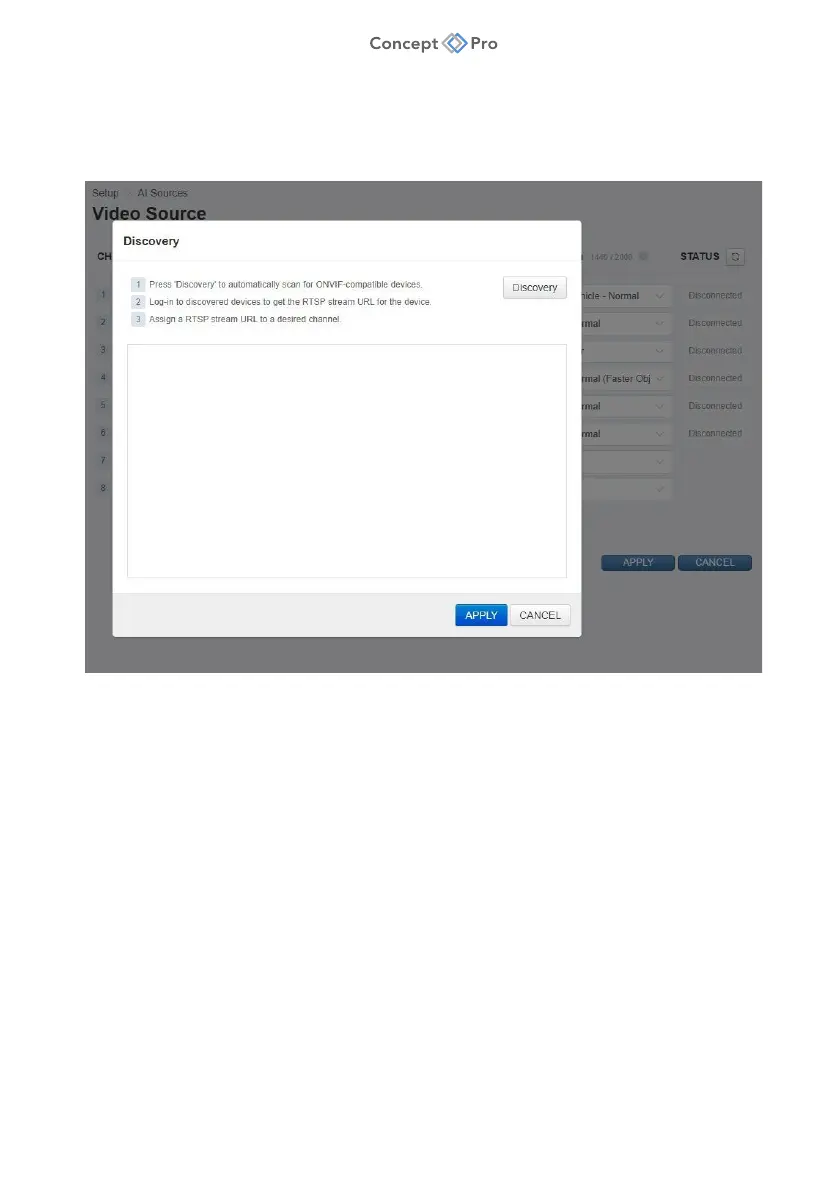
the same network as the DL PLUS device can be found using an automatic ONVIF Discovery scan.
1. In the URL column, press <DISCOVERY> to open the ONVIF Discovery window.
2. Press <DISCOVERY> to search the connected network for ONVIF- compliant devices.
3. For a discovered device, input the user ID and password, then press <LOGIN>.
4. Assign the video stream address of the selected ONVIF device to a specific channel.
5. When all desired configuration is complete, select <APPLY> to save settings and close.
6. Back in the Video Source menu, configure the following fields:
a. NAME: Enter a name for the video source channel.
b. PROTOCOL: Select whether to stream via TCP, UDP, or MULTICAST.
c. DL ALGORITHM: Select applicable deep learning algorithm
(e.g., Human/Vehicle – Normal).
d. STATUS: Displays the current video source status; click the button to update.
7. When all desired configuration is complete, select <APPLY> to save settings.



 To Next Page