94 Condair CHD, CHD-S and CHD-NA
6.8 Operation of the CHD, CHD-S and CHD-NA
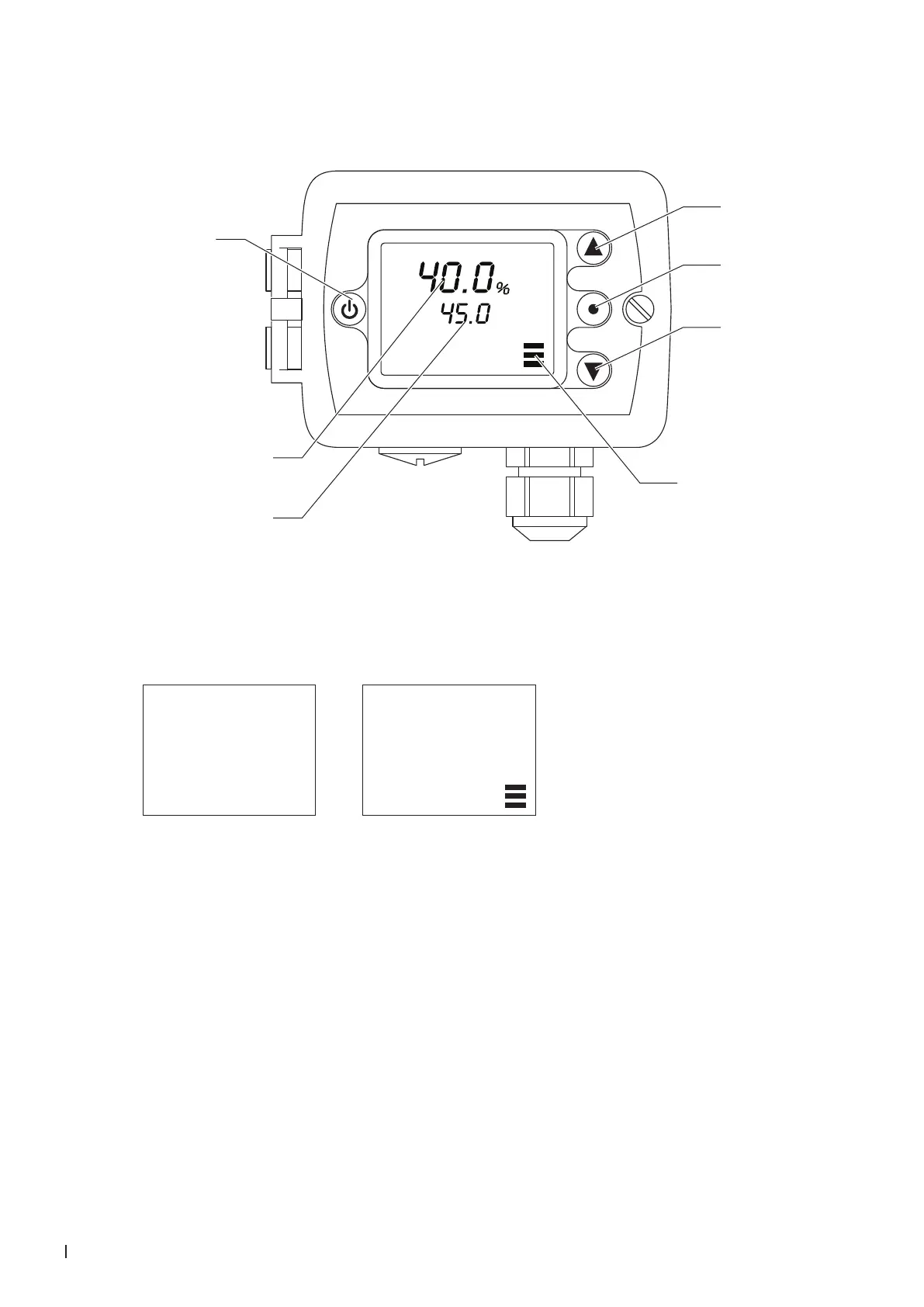
Display and operating elements
Actual humidity in %rH
Set humidity setpoint in %rH
<Up> button
<Enter> button
<Down> button
Output active
<On/Off> button
Switching the maximum humidistat on and off
Press the <On/Off> button to switch the maximum humidistat on and off.
Maximum humidistat
switched off
Maximum humidistat
switched on
40.0
OFF
%
40.0
45.0
%
Set limit value (switching point)
Proceed as follows to set the limit value:
1. Switch on the humidistat with the <On/Off> button.
2. Set the required limit value in% rH with the <Up>- or <Down> button.
Error messages
Err 1: Sensor element in the probe tip not properly inserted or defective. Insert the sensor ele-
ment correctly or replace it.
Err2, 3 & 4: Hardware or memory problem. Replace device.



 To Next Page