BEC62(08) technical manual
Re-pairing the wUIU with a meter
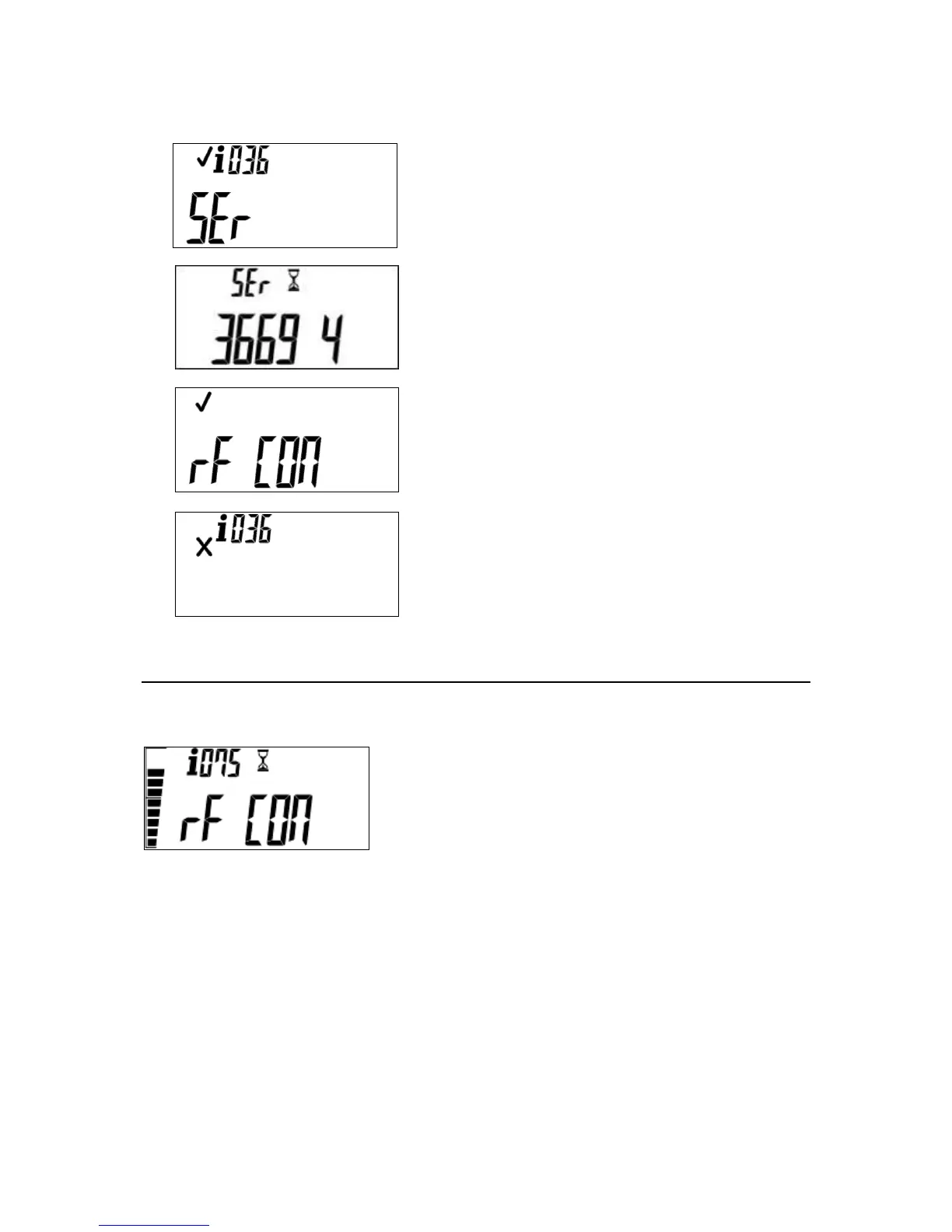
Initiate a new pairing by entering #036#. You will see the
following display.
Enter the 11 digit meter serial number. As you enter the
digits, the display will scroll to the left. When all digits have
been entered, the wUIU starts communications.
If the pairing with the meter is successful, the following will
be displayed, the meter will then return to its default screen.
If the pairing with the meter is unsuccessful, or the
incorrect serial number is entered, the connection process
will fail and abort. Following a successful pairing, the
display will show the default meter information.
Checking the wUIU signal
To check the RF signal strength, enter the short code #075#. This will display the signal strength for
30 seconds. To abort the command, hold down the backspace or hash key for three seconds.
The signal strength is displayed on the bar graph. This shows
signal strength of 80%.



 To Next Page