BEC62(08) technical manual
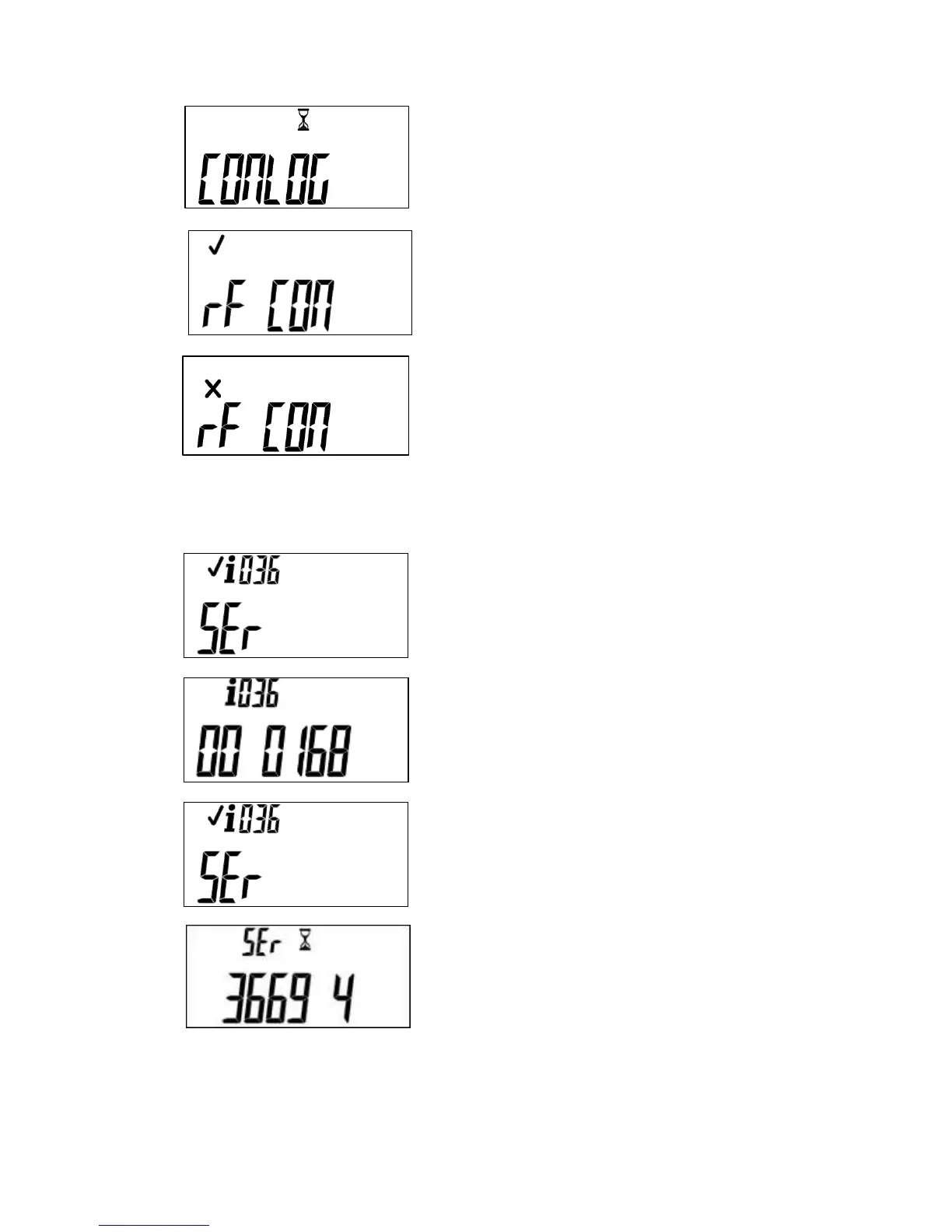
Immediately after the successful pairing, this display will
be momentarily viewed.
If the pairing with the meter is successful, the following will
be displayed, the meter will then return to its default
screen.
The following screen indicates the pairing was not
successful; this may be due to a range problem or a loss
of power. Following a successful pairing, the display will
show the default meter information.
If the wUIU is already paired, it is necessary to pair the
device again with the WEX, enter #036#.
Enter the serial number of the WEX. As you enter the
digits, the display will scroll to the left.
When all 11 digits of the WEX serial number have been
entered, you will again see the following display.
Enter the 11 digit meter serial number. As you enter the
digits, the display will scroll to the left. When all digits have
been entered, the WEX starts communications.


 To Next Page