User Manual 5User Instructions for Control Panel M 2.2
5100606_CFD5000 T - CM2.2_User Manual_T_EN_2023_E
19
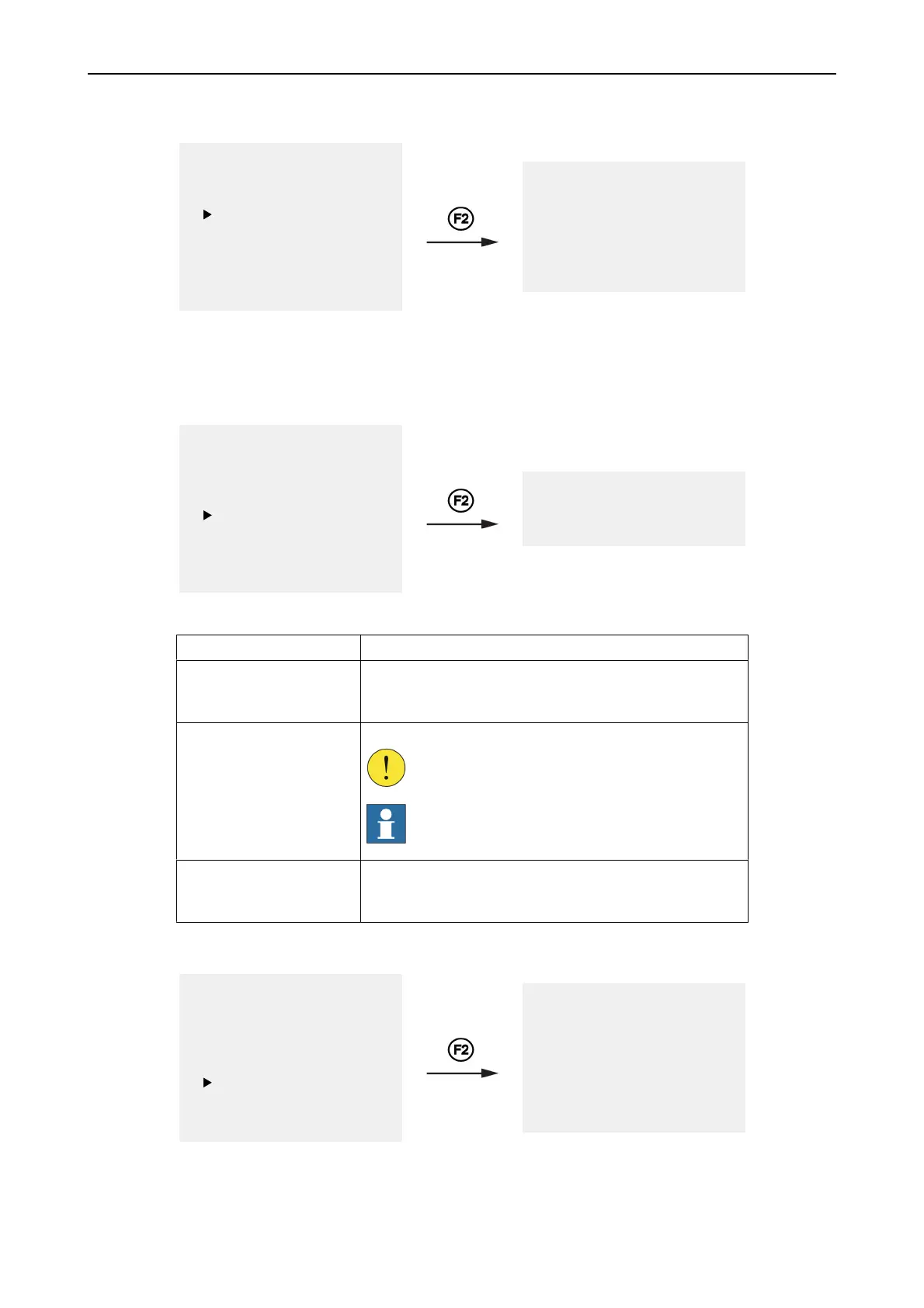
4 Login Menu
1 Fault Alarms
2 Fire Alarms
3 Disablements
4 Login
5 Settings
6 Service Menu
7 History
8 Condition list
SELECT USER
Authorization: Level 2B
Authorization: Level 3
Authorization: Level 4
Log in from this menu by entering a personal access code. For further details see
project specific documentation.
5 Settings Menu
1 Fault Alarms
2 Fire Alarms
3 Disablements
4 Login
5 Settings
6 Service Menu
7 History
8 Condition list
1 Set Time
2 Set Date
3 Test LEDs
Table 6. Settings menu alternatives
Alternatives Description
1 Set Time Use this menu to set the system time.
It is possible to synchronize the system clock with a central
time.
2 Set Date Use this menu to set the system date.
CAUTION!
Do not change the system date when
disablements are present.
NOTE!
Dates before year 2000 are not accepted by the
fire detection system.
3 Test LEDs Use this menu to activate a LED test in order to visually
verify the function of the display and all indications on the
control panel.
6 Service Menu
1 Fault Alarms
2 Fire Alarms
3 Disablements
4 Login
5 Settings
6 Service Menu
7 History
8 Condition list
1 System Details
2 Zones
3 Loops
4 Configuration
5 SysLog
6 Firmware
7 Set System Name



 To Next Page