3. Hardware Setup
22 User’s Manual
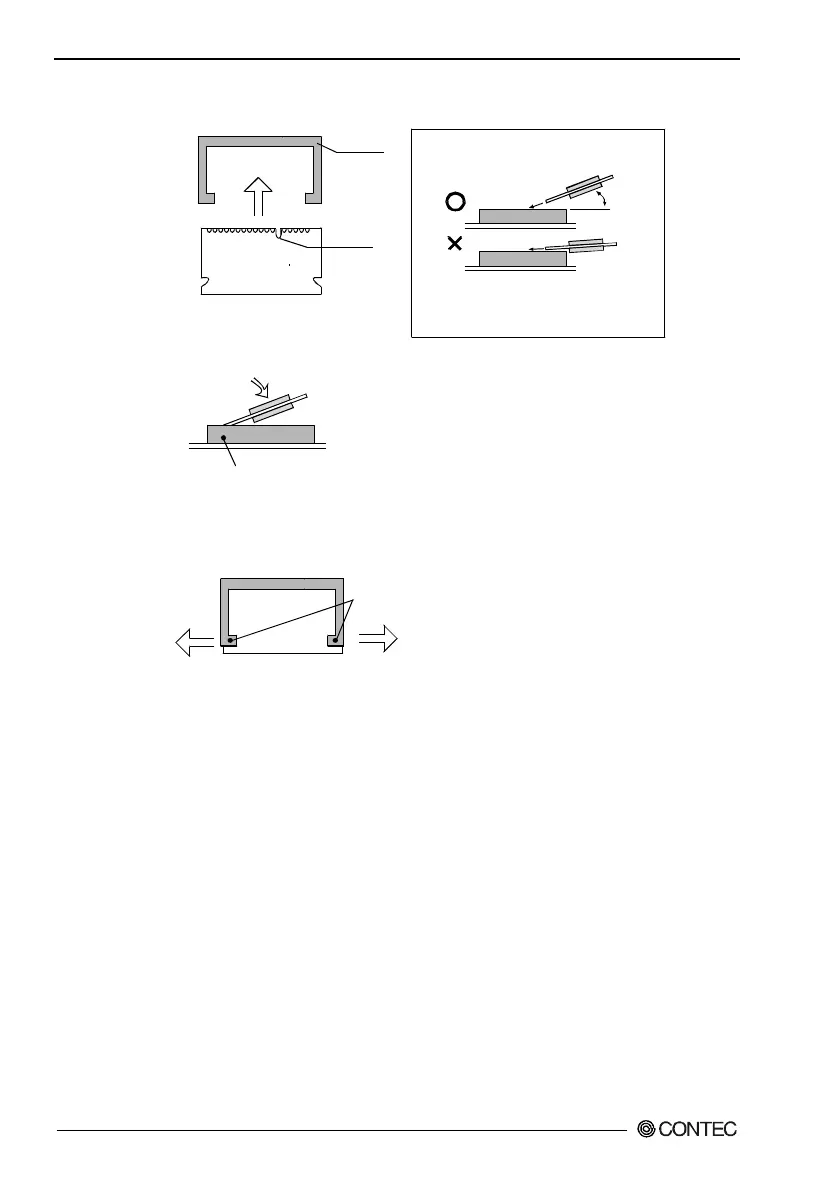
(1) Insert the DIMM into its socket with the notch positioned on the right side.
(See the note.)
(2) Press in the direction indicated by the arrow. You hear a click as the memory fits
into the socket.
Notch
DIMM
socket
Note: As shown in the Figure, insert
the DIMM in angle.
Inserting as indicated with "x"
may damage socket pins.
30°~45°
DIMM socket
1
Figure 3.5. Installing the DIMM
DIMM Disconnection Procedure
DIMM
Open the levers on both sides slightly to the left and right.
You should be able to remove the DIMM.
Figure 3.6. Uninstalling the DIMM



 To Next Page