3. Hardware Setup
User’s Manual
23
Fastening the Power Cable
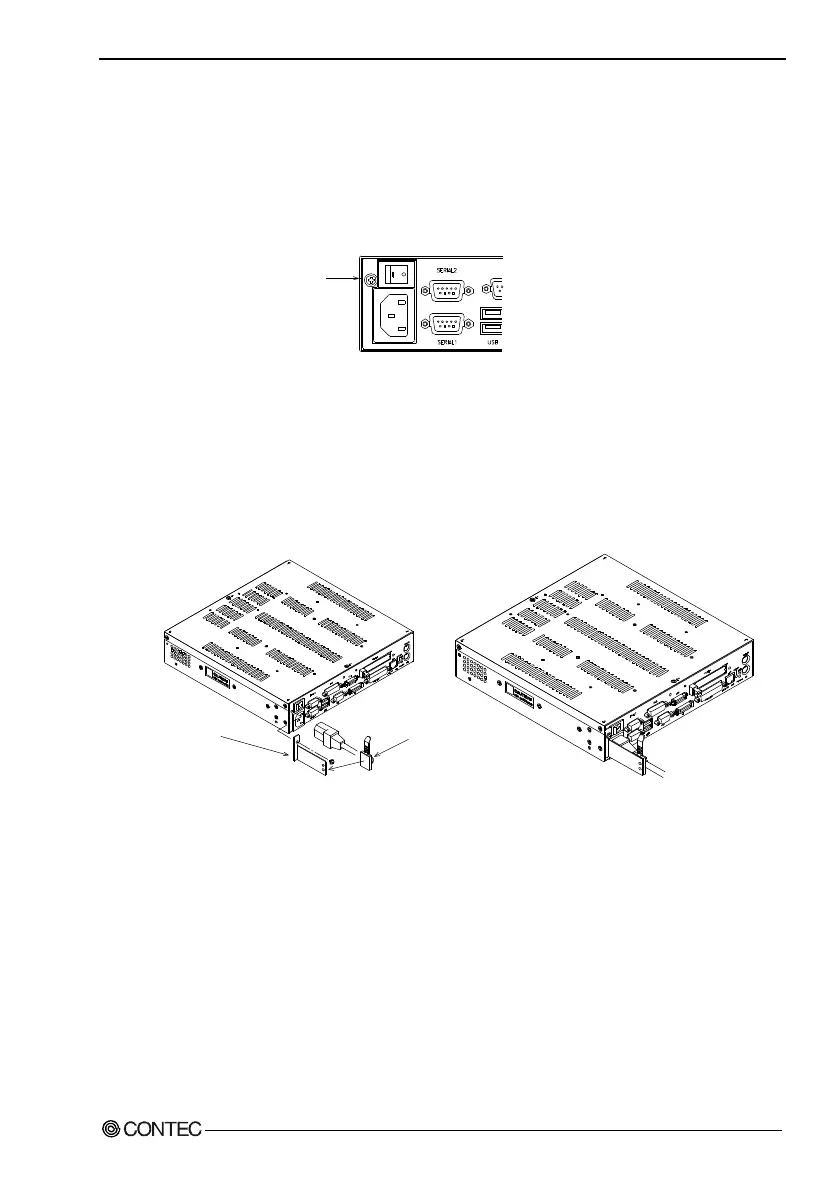
Removing the Screw on the Metal Brace to Keep the AC Cord
in Place
In order to install the metal brace, temporarily remove the machine
screw on the front left end.
Remove this screw.
Figure 3.7. Removing the Screw
Installing the AC Cord Metal Brace and the Clamp
Insert the AC cord all the way into the inlet. Fasten the AC cord
metal brace using the screw you removed earlier. Attach the
clamp to an appropriate location on the metal brace to clamp the
cord. The “AC cord metal brace” is attached to the main case.
Metal brace to keep
the AC cord in place
Clamp
Figure 3.8. Installing the Metal Figure 3.9. AC Cord
Brace and the Clamp in Clamped State



 To Next Page