Helix Operator’s Manual
Publication Number: 621058497OPR - 14 - © 2012-2014, Cornelius Inc. All Rights Reserved
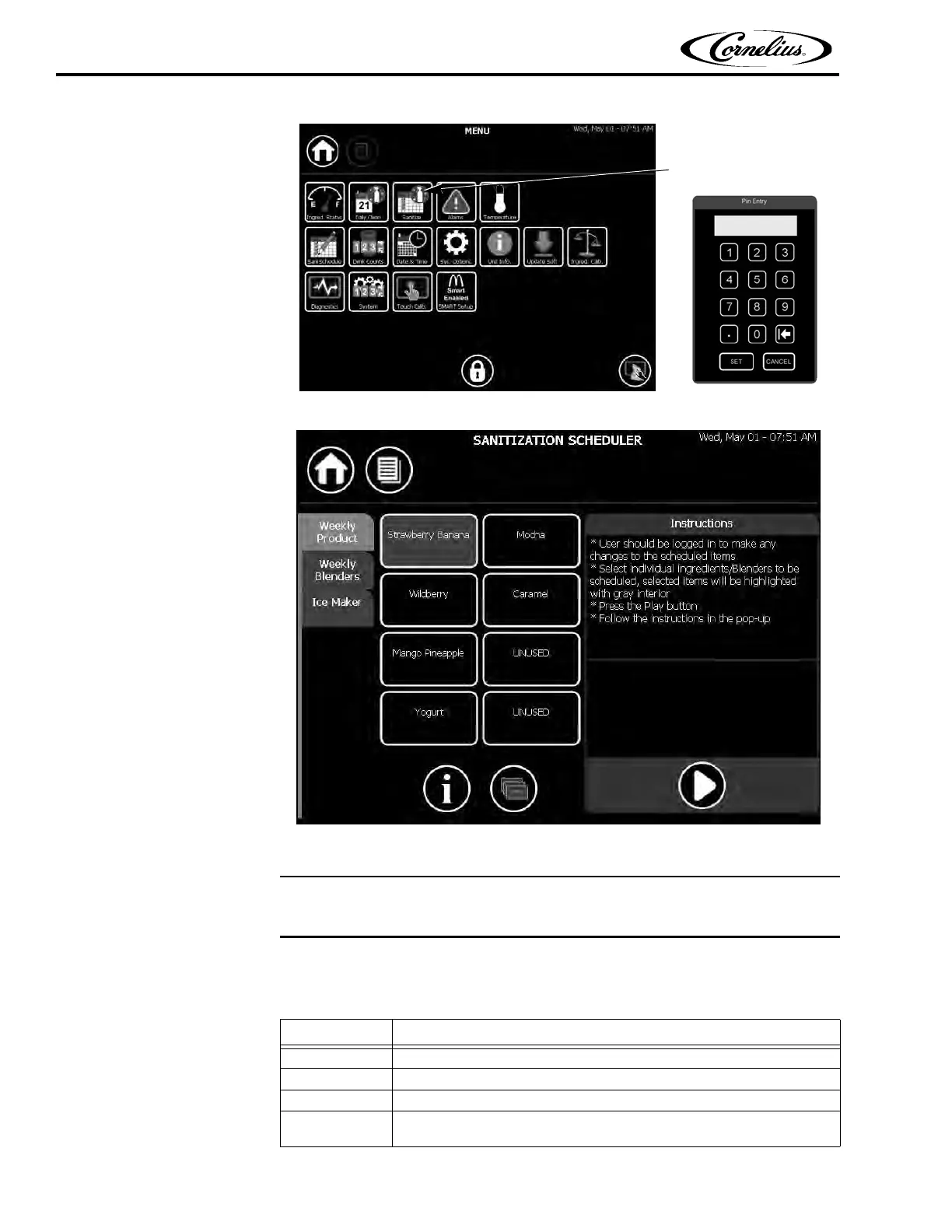
Figure 7.
Figure 8.
Ingredient Sanitation
The ingredient sanitation is automatically started after selecting the weekly product tab.
To sanitize the ingredients, perform the procedure in Table 5.
Table 5.
Step Action
1 Wash and sanitize hands or use clean rubber gloves.
2 Select the Sanitization Selection screen, shown in Figure 7 on page 14.
3 Select the weekly product tab to sanitize ALL ingredient trays and lines.
4
Press the Play button to start the sanitation process. Follow the steps
shown on the screen to complete the sanitation process.















 To Next Page