Helix Operator’s Manual
Publication Number: 621058497OPR - 32 - © 2012-2014, Cornelius Inc. All Rights Reserved
ALARMS
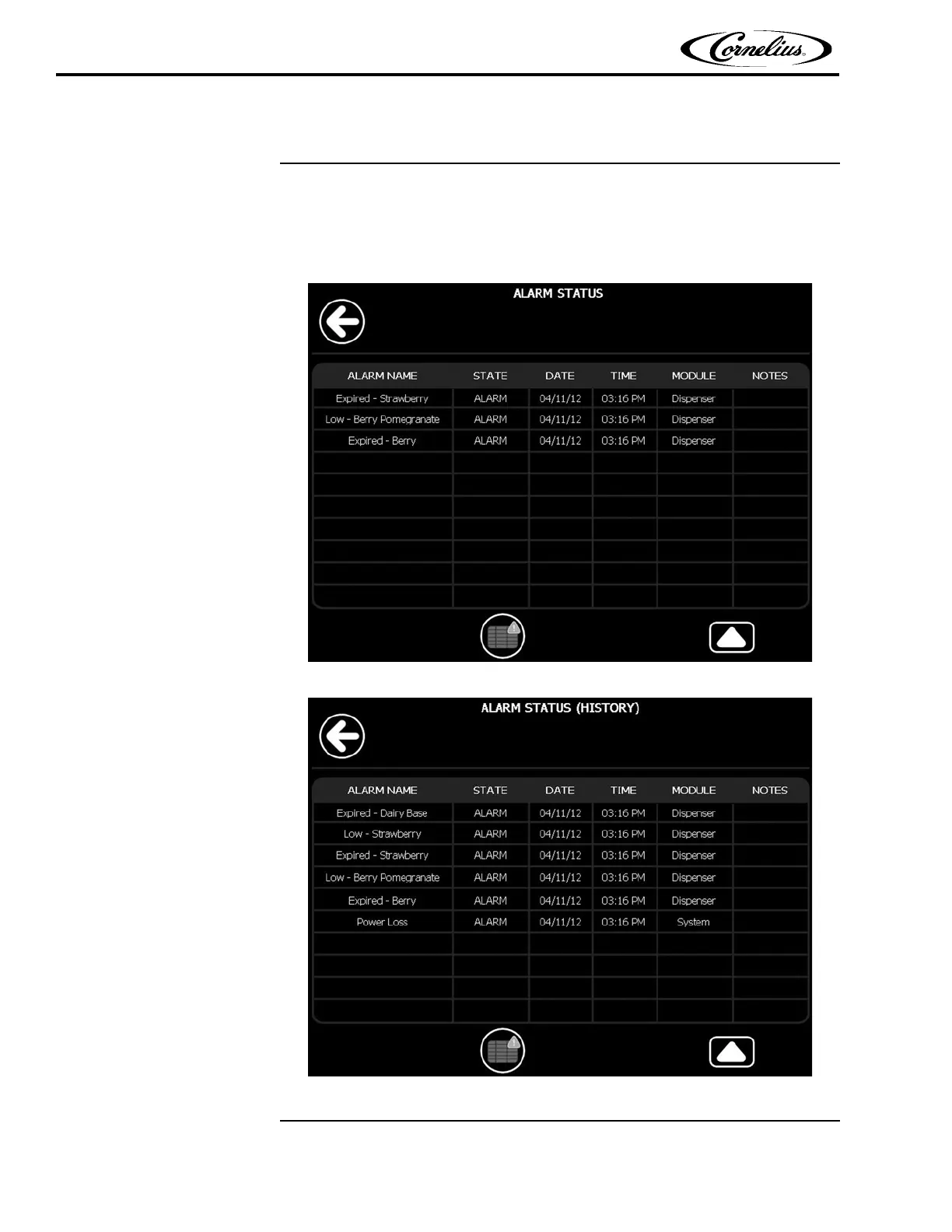
The Alarms menu has two different screens. The Active Errors screen, shown in Fig-
ure 30, allows users to see what alarms are currently affecting the unit. The log file,
shown in Figure 31, provides a history of the unit’s performance and is intended for
service technicians. To access the Alarm St
at
us screen, press the Alarms button on
the Menu screen.
Figure 30.
Figure 31.















 To Next Page