4 Operation
Operator manual: Postmix tower
Ribbon
24
Cornelius Deutschland GmbH
Document no. TD0000000
Version: 19/10/2017, Index 3
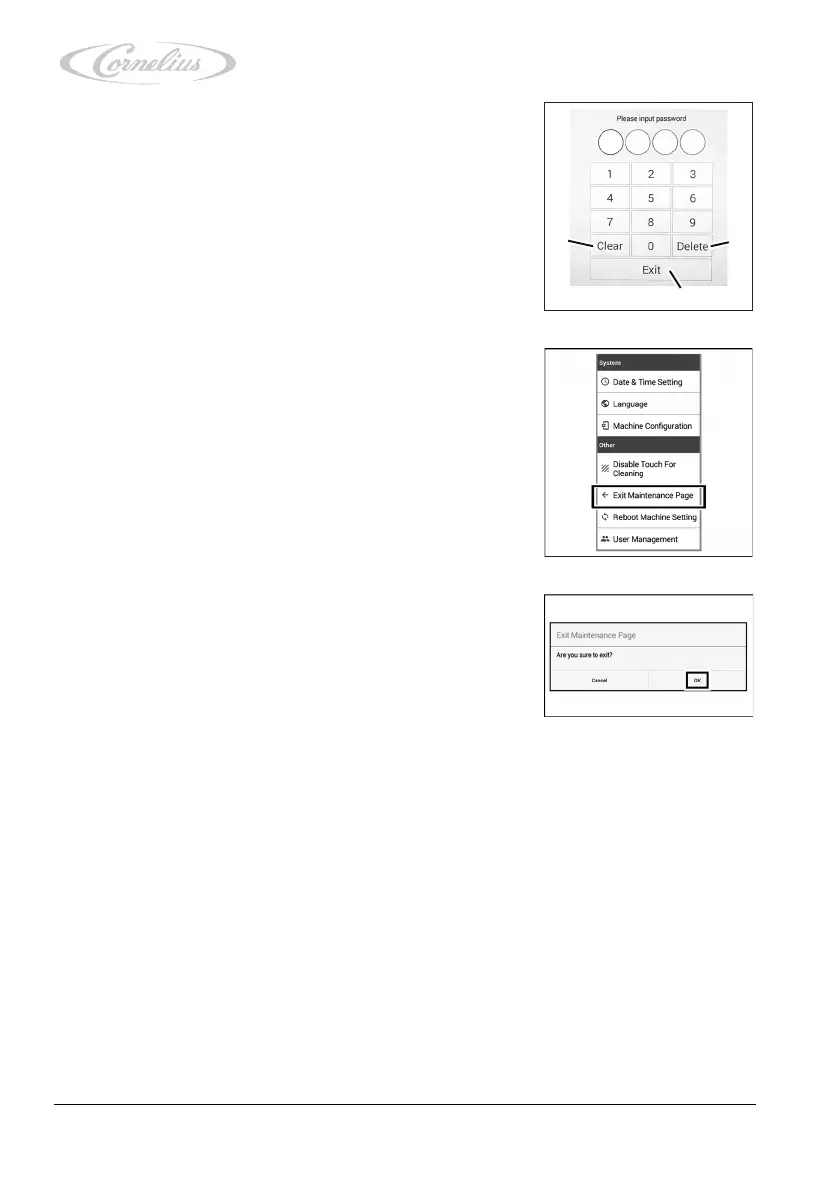
2. Enter your PIN using the numeric keypad.
If you enter the wrong PIN, you can correct your input by
pressing the “Clear” button (delete in full) (Figure 15/1)
or the “Delete” button (delete one character at a time)
(Figure 15/2).
If you wish to finish input, press “Exit” (Figure 15/3).
3. To close the service menu, press “Exit Maintenance
Page”.
4. Confirm by pressing “OK”.
If you do not wish to exit the service menu, press “Can-
cel”.













 To Next Page