Check the box and then select the corresponding audio file from the dropdown
list. System plays the audio file when the alarm occurs.
Refer to "1.17.1 File Manage" to add audio file first.
⚫ Step 4 Click Apply to complete the settings.
1.7.2.3 Face Recognition
⚫ You can compare the detected faces with the faces in the library to judge if the detected face belongs to
the library. The comparison result will be displayed on the AI mode live view screen and smart search
interface and link the alarms.
⚫ This series NVR products support AI by camera only.
⚫ You can use the connected camera to realize AI function. Make sure the connected camera supports
human face detection function.
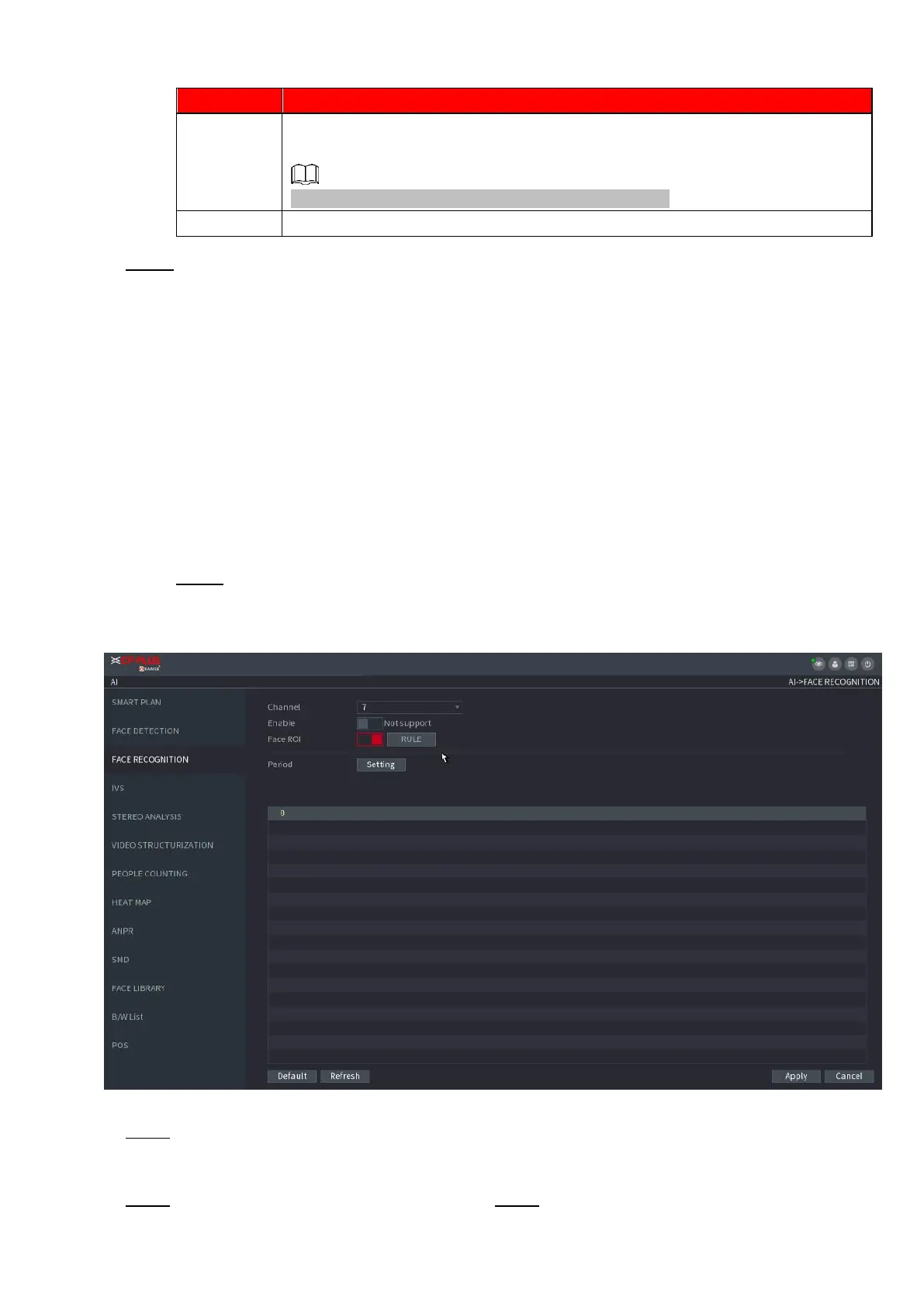
Step 1 Select Main Menu > AI > PARAMETERS > FACE RECOGNITION.
The FACE RECOGNITION interface is displayed. See Figure 1-124.
⚫ Figure 1-124
⚫ Step 2 In the Channel list, select a channel that you want to configure face recognition function, and then
enable it.
⚫ Step 3 At Type, system supports AI by Camera only. Step 4 Set parameters. See Table 1-27.



 To Next Page