⚫ System adopts video image and graphics analysis technology. System can calculate the entry/exit people
amount in the specified zone on the video. It can generate an alarm when the amount has exceeded the
threshold.
1.7.2.5.1 People Counting
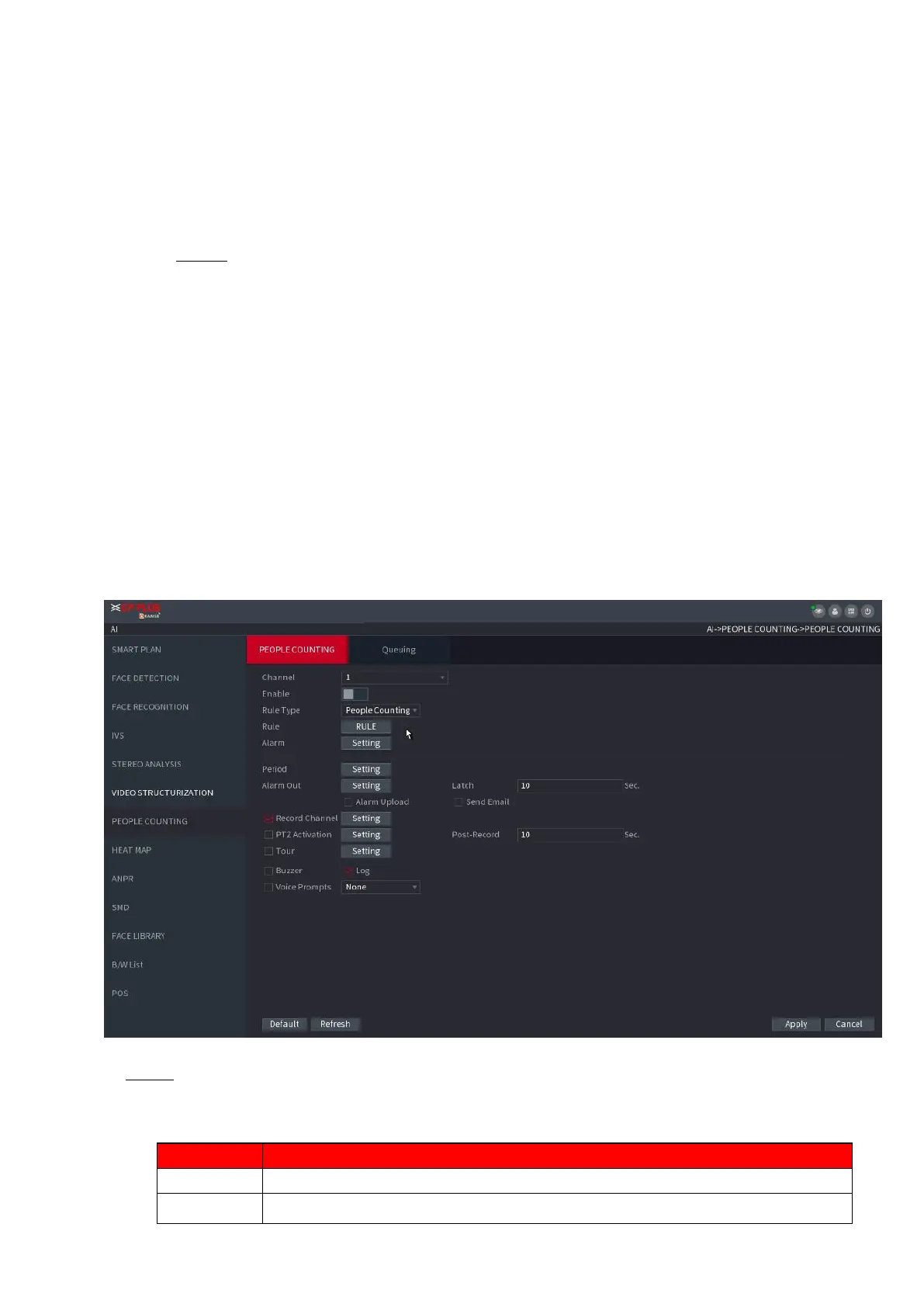
Step 1 Select Main Menu > AI > PARAMETERS > PEOPLE COUNTING > PEOPLE
COUNTING.
The PEOPLE COUNTING interface is displayed. See Figure 1-148.
⚫ Figure 1-148
⚫ Step 2 Configure parameters. See Table 1-40.
⚫ Table 1-40



 To Next Page