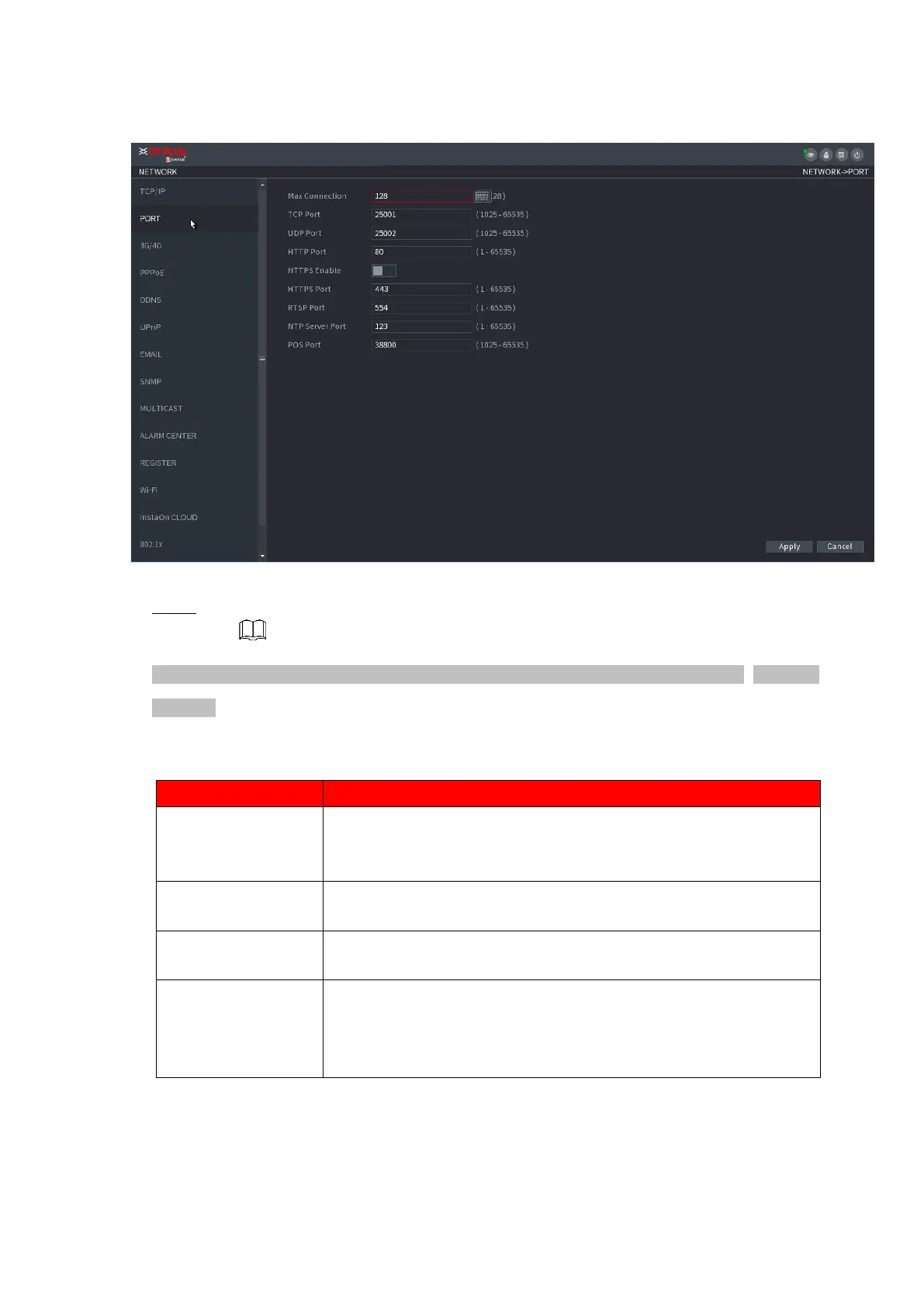
⚫ Figure 1-203
⚫ Step 2 Configure the settings for the connection parameters. See Table 1-54.
⚫ The connection parameters except Max Connection cannot take effects until the Device has been
restarted.
⚫ Table 1-54
The allowable maximum clients accessing the Device at the same
time, such as WEB, Platform, and Mobile Phone.
Select a value between 1 and 128. The default value setting is 128.
The default value setting is 25001 . You can enter the value
according to your actual situation.
The default value setting is 25002. You can enter the value
according to your actual situation.
The default value setting is 80. You can enter the value according
to your actual situation.
If you enter other value, for example, 70, and then you should enter
70 after the IP address when logging in the Device by browser.



 To Next Page