1.12.5 UPnP
⚫ If the web interface of the Device is displayed, the configuration is successful. If not, the
configuration is failed.
⚫ You can map the relationship between the LAN and the WAN to access the Device on the LAN through
the IP address on the WAN.
Preparations
⚫ Login the router to set the WAN port to enable the IP address to connect into the WAN. Enable the UPnP
function at the router.
⚫ Connect the Device with the LAN port on the router to connect into the LAN.
⚫ Select Main Menu > NETWORK > TCP/IP, configure the IP address into the router IP address range, or
enable the DHCP function to obtain an IP address automatically.
Configuration Steps
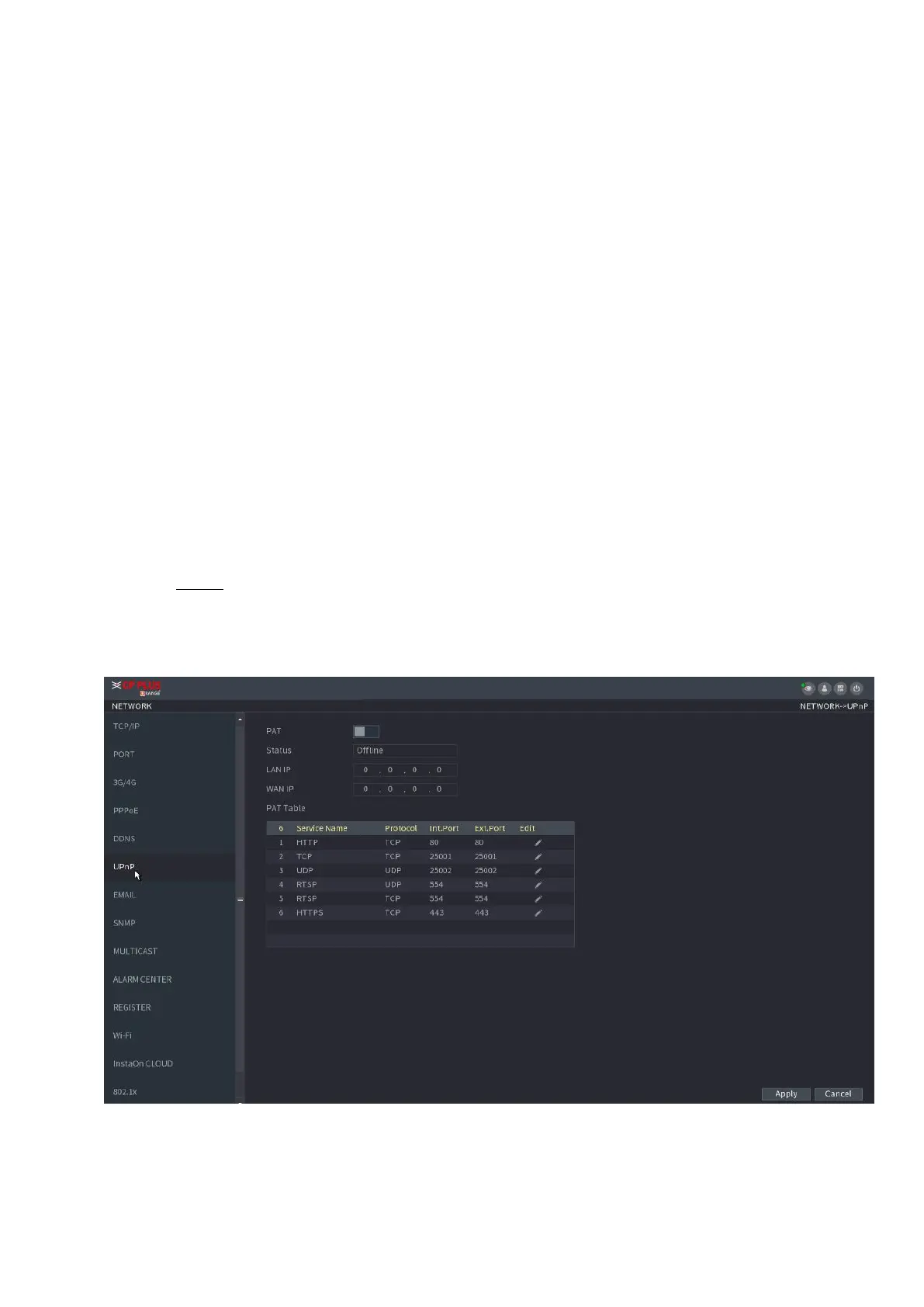
Step 1 Select Main Menu > NETWORK > UPnP.
⚫ The UPnP interface is displayed. See Figure 1-206.
⚫ Figure 1-206



 To Next Page