1.14.2 RS232
⚫ After setting RS-232 parameters, the NVR can use the COM port to connect to another device to
debug and operate.
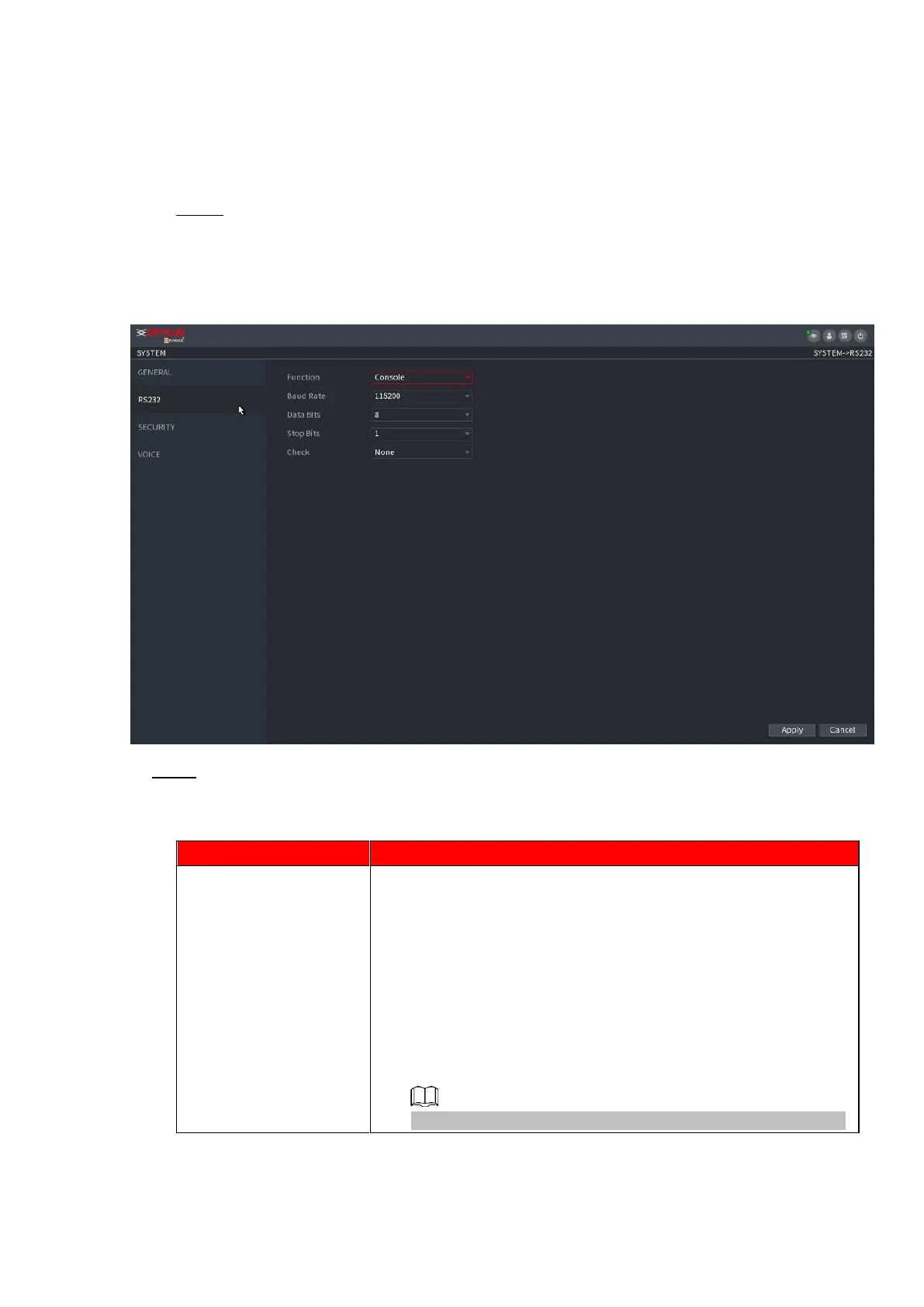
Step 1 Select MAIN MENU > SYSTEM >RS232.
⚫ The RS232 interface is displayed. See Figure 1-235.
⚫ Figure 1-235
⚫ Step 2 Configure parameters. See Table 1-66.
⚫ Table 1-66
Select serial port control protocol.
⚫ Console: Upgrade the program and debug with the console
and mini terminal software.
⚫ Keyboard: Control this Device with special keyboard.
⚫ Adapter: Connect with PC directly for transparent
transmission of data.
⚫ Protocol COM: Configure the function to protocol COM, in
order to overlay card number.
⚫ PTZ Matrix: Connect matrix control.
⚫
⚫ Different series products support different RS232 functions.



 To Next Page