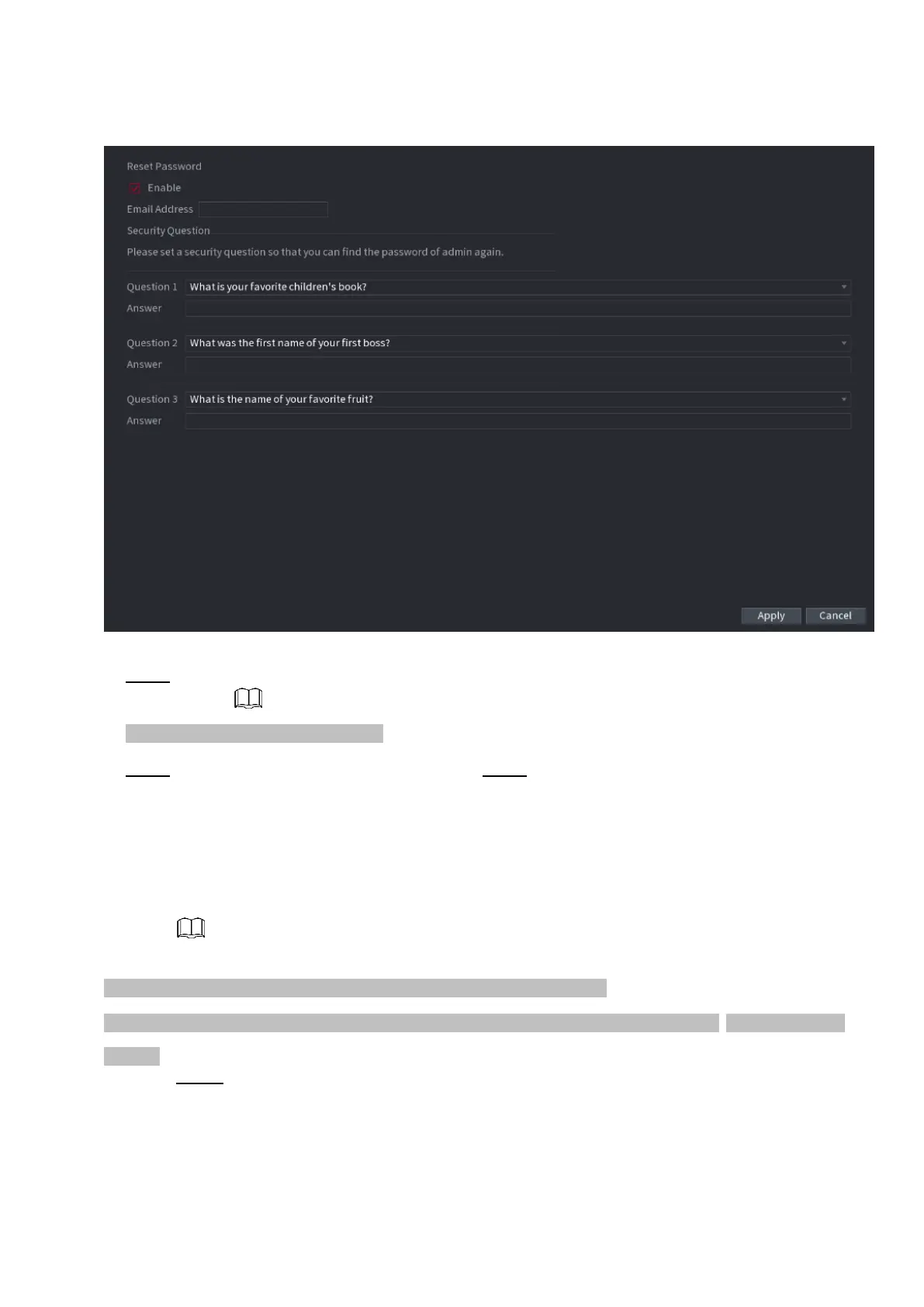
⚫ Figure 1-244
⚫ Step 2 Check the box to enable Reset password function.
⚫ This function is enabled by default.
⚫ Step 3 Input proper security questions and answers. Step 4 Click OK.
⚫ After you successfully set security questions, you can answer the security questions to
reset admin password.
1.15.4 ONVIF User
⚫ When the camera from the third party is connected with the NVR via the ONVIF user, use the verified
ONVIF account to connect to the NVR. Here you can add/delete/modify user
⚫ The default ONVIF user is admin. It is created after you initialize the NVR.
⚫ For some series product, the ONVIF user password is modified when you are initializing the admin password.
Step 1 Select Main Menu > ACCOUNT > ONVIF User.
⚫ The ONVIF User interface is displayed. See Figure 1-245.



 To Next Page