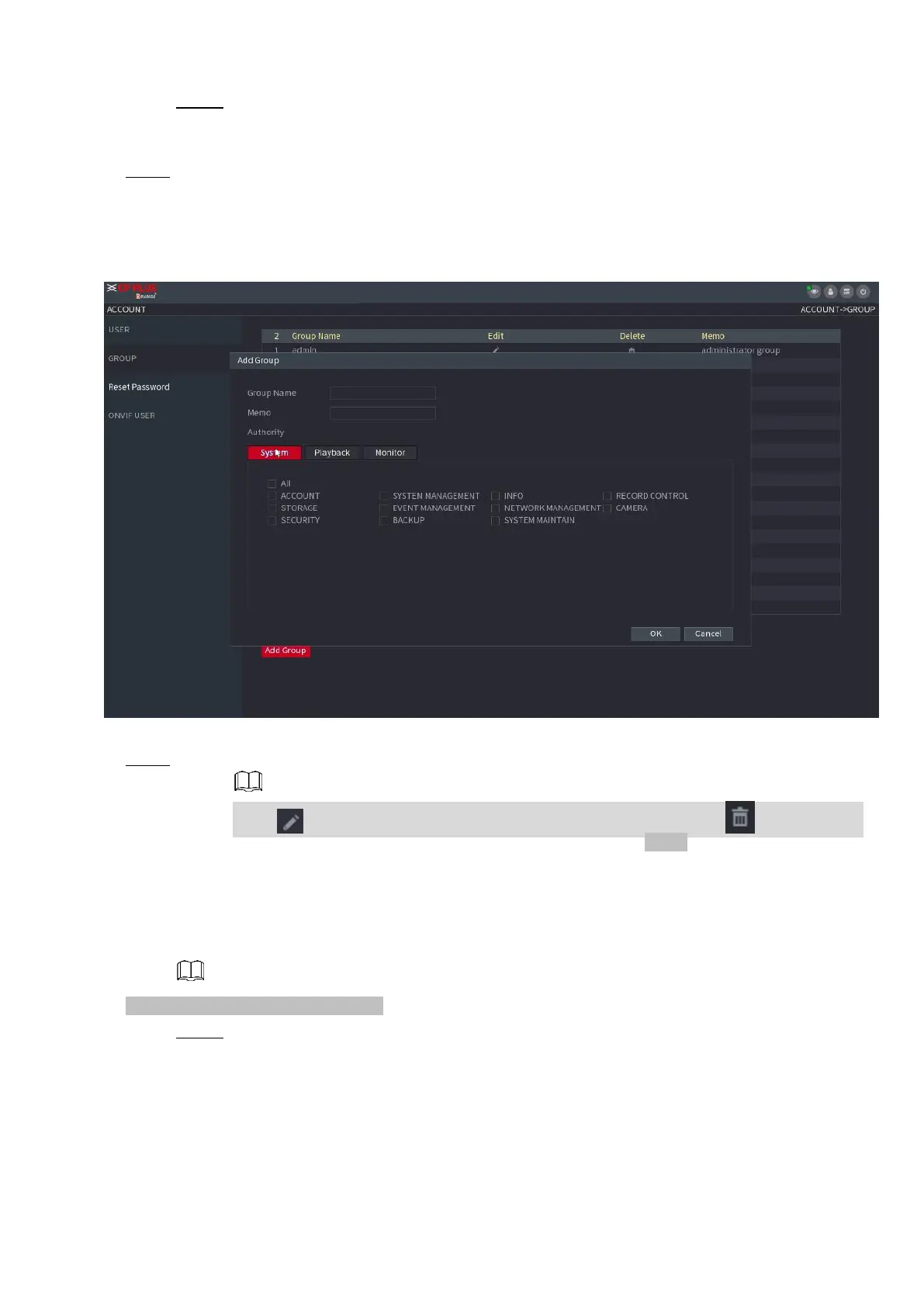
Step 2 Click Add Group button in Figure 1-242.
⚫ The Add Group interface is displayed. See Figure 1-243.
⚫ Step 3 Enter group name and then input some memo information if necessary. Check the box to select
authorities.
⚫ Figure 1-243
⚫ Step 4 Click OK.
⚫ Click to modify the corresponding group information, click to delete the group.
1.15.3 Reset Password
⚫ You can set security questions and answers. After you successfully answered security questions, you can
reset admin account password.
⚫ This function is for admin user only.
Step 1 Select Main Menu > ACCOUNT > PASSWORD RESET.
The PASSWORD RESET interface is displayed. See Figure 1-244.



 To Next Page