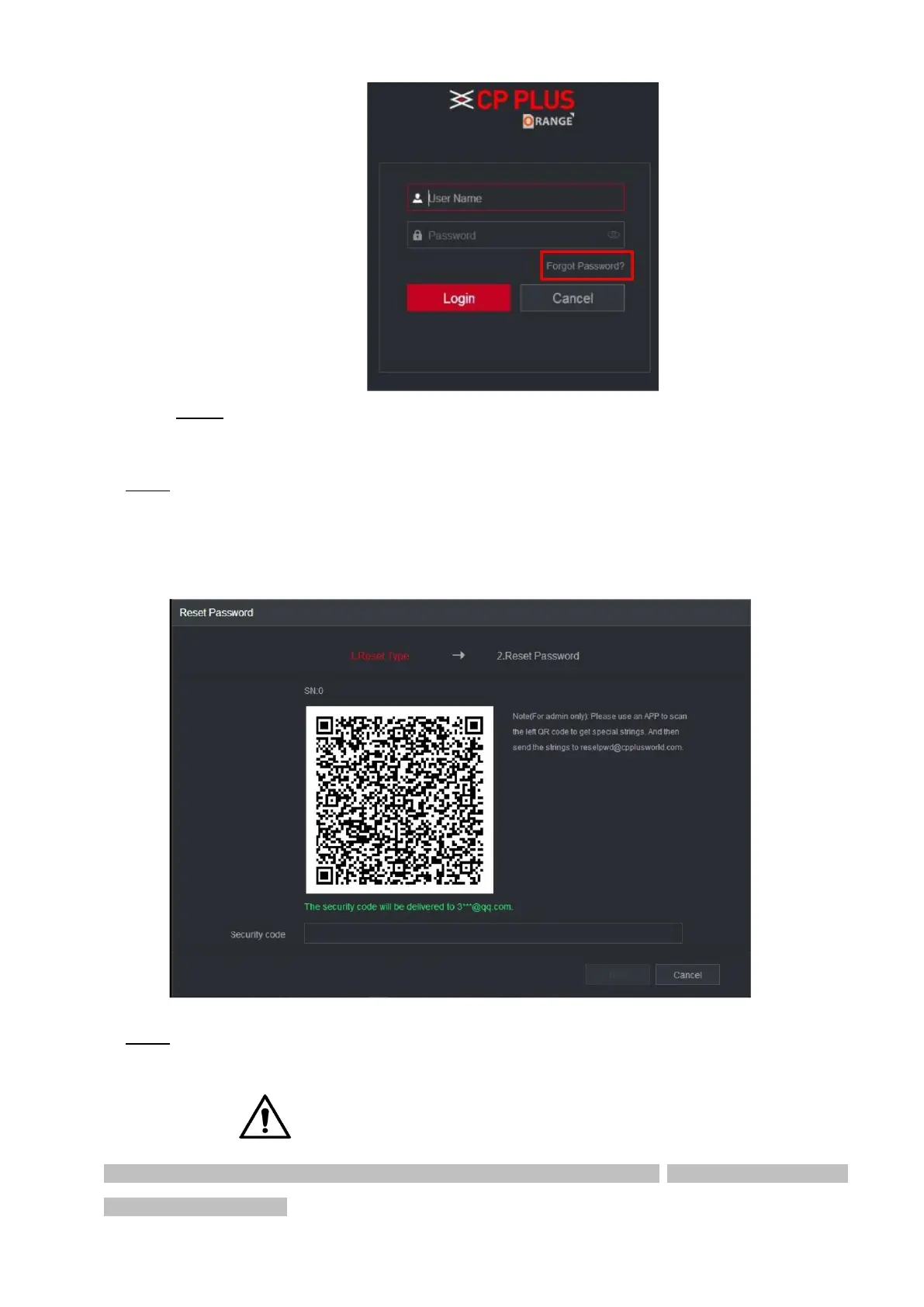
Step 2 Click Forgot Password.
The Reset Password interface is displayed.
⚫ Step 3 Click OK.
⚫ The reset type interface is displayed. See Figure 2-4.
⚫ Figure 2-4
⚫ Step 4 Follow the onscreen instructions to scan the QR code and get the security code.
⚫ You can get the security code twice by scanning the same QR code. If you need to get the security code once
again, refresh the interface.



 To Next Page