EasyManua.ls Logo

CP Plus Orange - Page 59

Default Icon
253 pages
Print Icon
To Next Page IconTo Next Page
To Previous Page IconTo Previous Page
Loading...
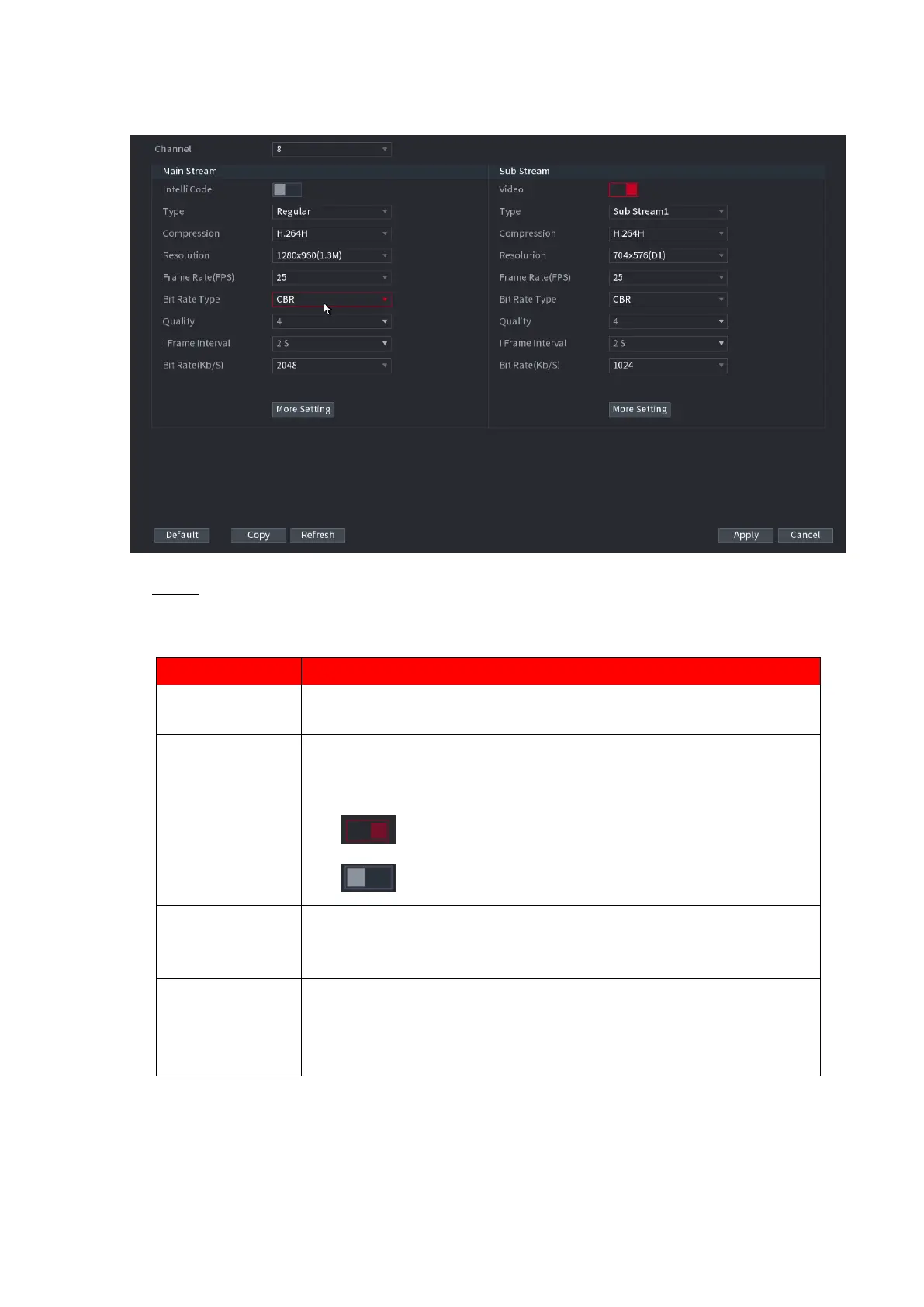
Figure 1-55
Step 2 Configure parameters. See Table 1-12.
Table 1-12
Parameter
Description
Channel
In the Channel list, select the channel that you want to configure the
settings for.
Smart Codec
Enable the smart codec function. This function can reduce the video
bit stream for non-important recorded video to maximize the storage
space.
: Enabled.
: Disabled.
Type
Main Stream: In the Type list, select General, MD (Motion
Detect), or Alarm.
Sub Stream: This setting is not configurable.
Compression
In the Compression list, select the encode mode.
H.265: Main profile encoding. This setting is recommended.
H.264H: High profile encoding. Low bit stream with high
definition.

Other manuals for CP Plus Orange

Related product manuals