⚫ Step 4 Configure parameters. See Table 1-13.
⚫ Table 1-13
This function is enabled by default for main stream. You need to
manually enable it for sub stream 1. Once this function is enabled,
the recorded video file is composite audio and video
stream.
In the Audio Format list, select a format: G711a, G711u, PCM, AAC.
In the Audio Sampling list, you can select audio sampling rate.
⚫
⚫ Step 5 Click OK.
Back to Encode interface.
Step 6 Click Apply.
1.2.5.2 Snapshot
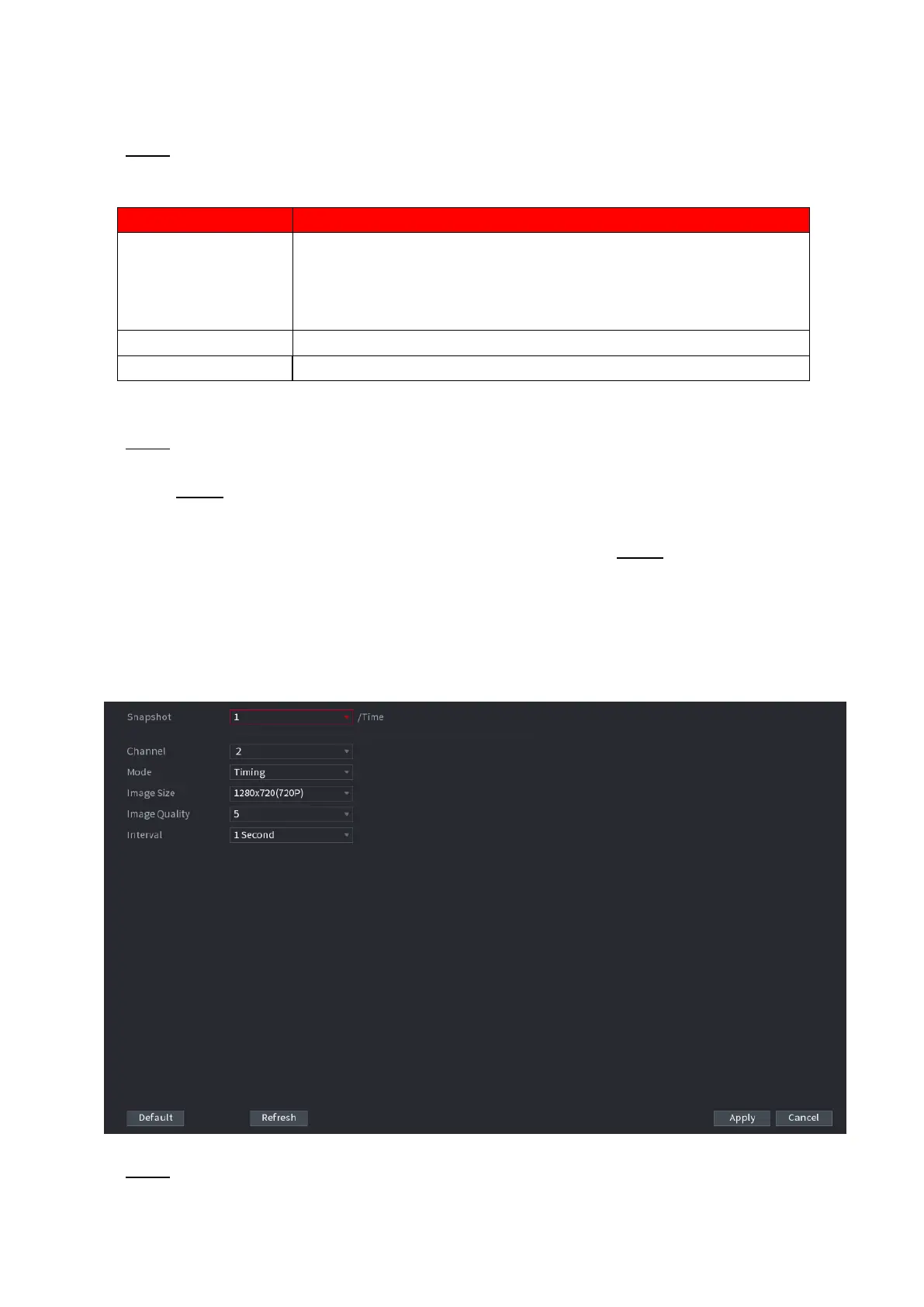
You can set snapshot mode, image size, quality and interval. Step 1
Select Main menu > CAMERA > ENCODE > Snapshot.
⚫ The SNAPSHOT interface is displayed. See Figure 1-57.
⚫ Figure 1-57
⚫ Step 2 Configure parameters. See Table 1-14.



 To Next Page