Web Interface Configuration Guide — Doc. 8907B HD-MD4X2-4KZ-E and HD-MD4X1-4KZ-E • 15
Outputs
l
Name: Displays the name of the output source.
l
Sink Connected: Displays Yes if connection is detected or No if connection is not detected.
l
Resolution:
o
Displays 0x0@0 when the video signal is not being transmitted. For example, no
HDMI cable is connected.
o
Displays detected resolution when video signal is being transmitted. In the event an
HDMI cable is connected to the display/downstream device, but the device is turned
off, the last detected resolution will be displayed until a new video signal is received.
l
Sink HDCP Capability: HDCP support 1.4 or 2.x.
l
Disabled by HDCP: Yes or No.
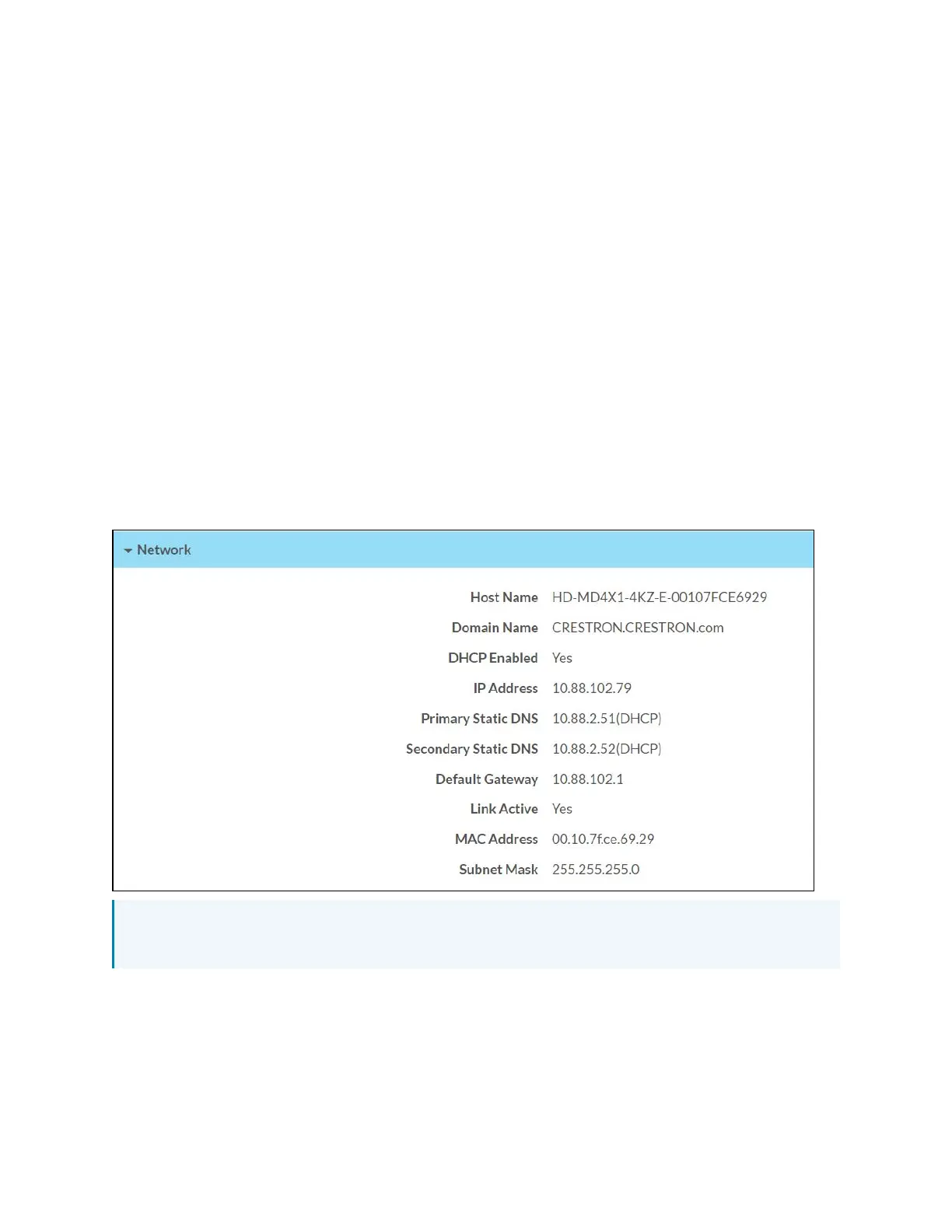
Network
The Network section displays network-related information about the AV switchers, including the
Hostname, Domain Name, and DNS Servers.
NOTE: By default the host name of the AV switchers consists of the model name followed by
the MAC address of the device. For example, HD-MD4X1-4KZ-E-00107FCE6929.
Additionally, the following IPv4 addressing information is provided:
l
Host Name
l
Domain Name
l
DHCP Enabled












 To Next Page