Web Interface Configuration Guide — Doc. 8907B HD-MD4X2-4KZ-E and HD-MD4X1-4KZ-E • 21
Date/Time
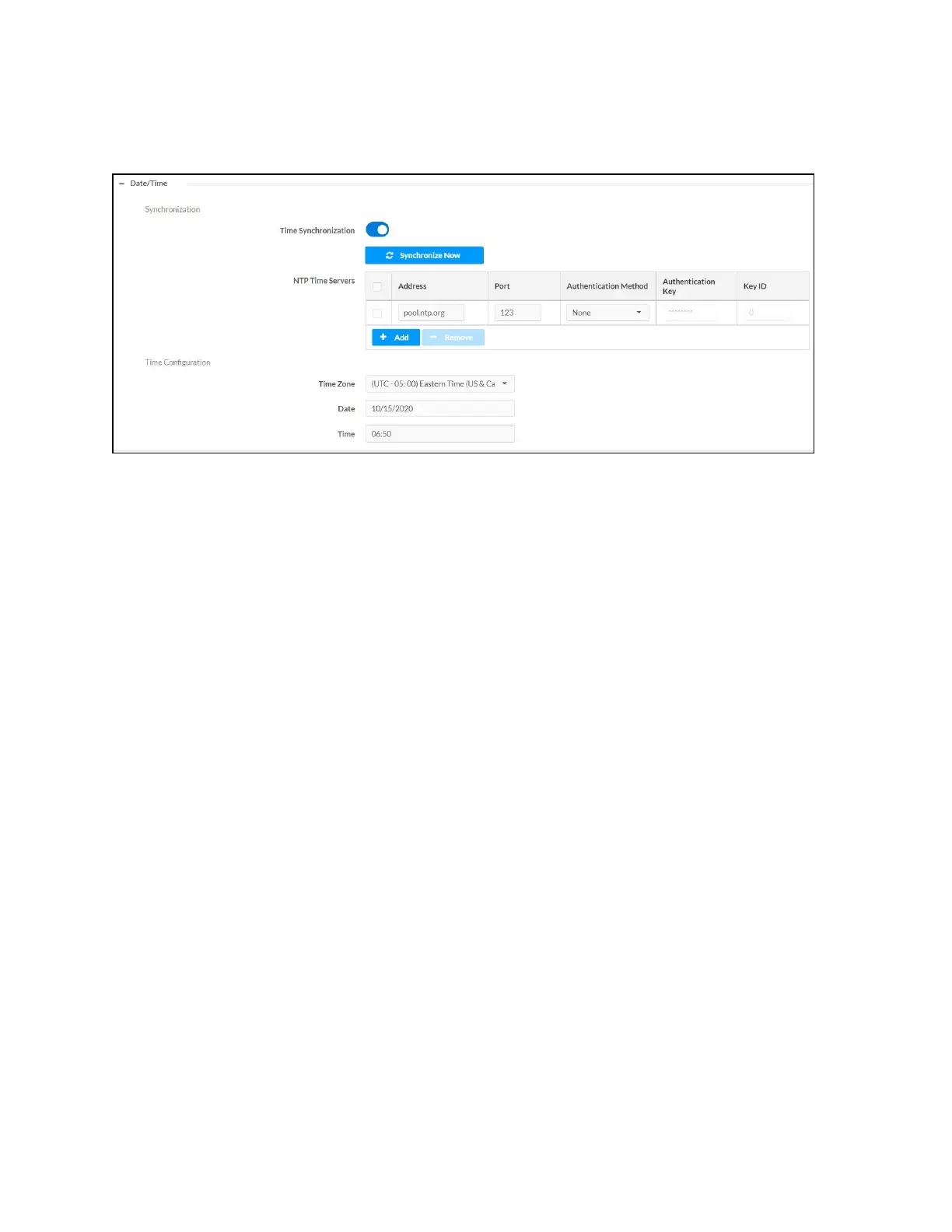
Use the Date/Time section to configure the date and time settings of the AVswitchers.
Time Synchronization
1. Move the Time Synchronization slider to specify whether time synchronization will be
enabled (right) or disabled (left). By default, time synchronization is enabled.
2. In the NTP Time Servers, enter the URL of the NTP or SNTP server.
3. Click Synchronize Now to perform time synchronization between the device's internal
clock and the time server.
Time Configuration
1. Click on the Time Zone drop-down menu to select the applicable time zone.
2. In the Date field, enter the current date.
3. In the Time (24hr Format) field, enter the current time in 24-hour format.
Click the Save Changes button to save the settings.
Click the Revert button to revert to the previous settings without saving.












 To Next Page