38 • HD-MD4X2-4KZ-E and HD-MD4X1-4KZ-E Web Interface Configuration Guide — Doc. 8907B
Add Active Directory User
Users cannot be created or removed from the Active Directory server, but access can be granted
to an existing user in the Active Directory server.
To grant access to an Active Directory user, you can either add the user to a local group on the
AV switchers, or add the Active Directory group(s) that they are a member of to the AV
switchers.
To add an Active Directory user.
1. Click the Create User button.
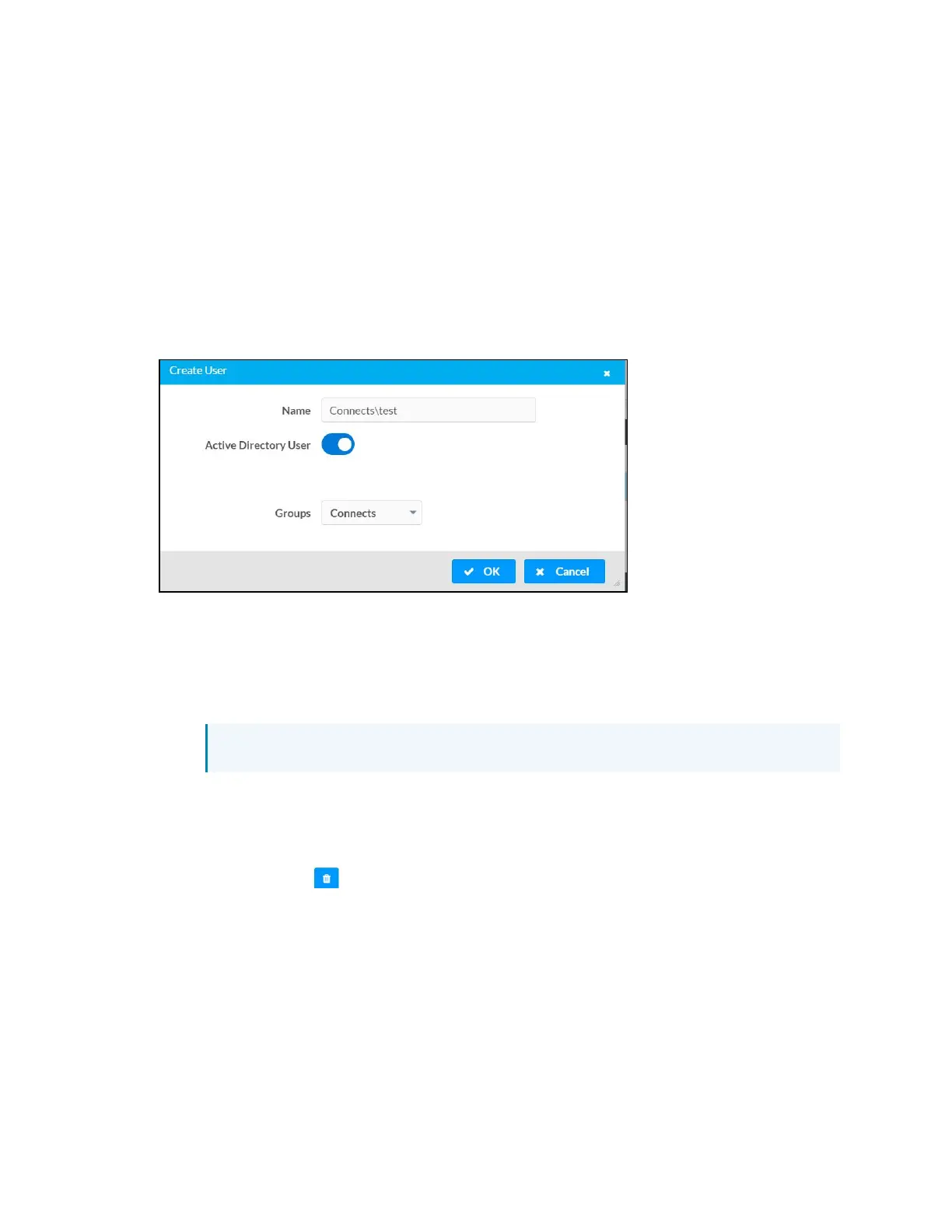
2. In the Create User dialog, enter the following.
a. Enter a user name in the Name field in the format “Domain\UserName”, for
example “crestronlabs.com\JohnSmith”. Valid user names can contain the
alphanumeric characters (letters a-z, A-Z, numbers 0-9) and the underscore
character.
b. Select one or more groups from the Groups drop-down list.
NOTE: Make sure that the Active Directory User slider is set to enabled.
3. Click OK to save. Click Cancel to cancel the changes.
Delete User
Click the trashcan button ( ) in the Actions column to delete the user. Click Yes when
prompted to delete the user or No to cancel the deletion.
After a user is removed from a group, they lose any access rights associated with that group.
Note that the user account is not deleted by the delete user operation.












 To Next Page