Web Interface Configuration Guide — Doc. 8907B HD-MD4X2-4KZ-E and HD-MD4X1-4KZ-E • 23
Inputs
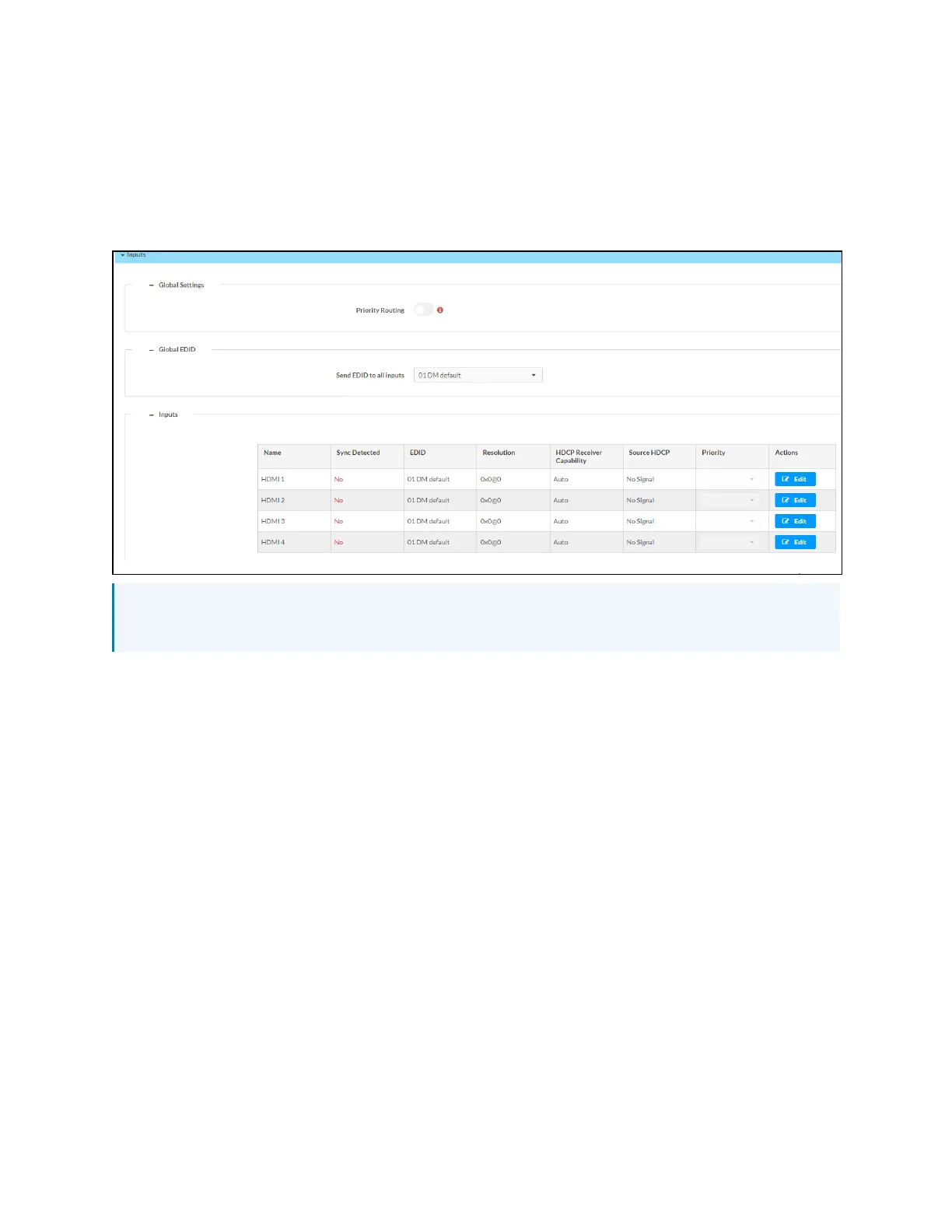
The Inputs section can be used to configure the HDMI input settings of the AVswitchers by
renaming one or more inputs, changing and applying EDID to specific inputs or to all inputs at
once (Global EDID), and enabling or disabling HDCP (High-bandwidth Digital Content
Protection) on individual inputs.
NOTE: Under the Inputs panel, the Priority Routing option is disabled. For Priority Routing to
work, make sure that Auto Routing is enabled under the Routing panel.
Global EDID
In the Send EDID to all inputs drop-down menu, select a built-in EDID file from a list of built-in
predefined EDID files.
l
Copy Output1
l
Copy Output2
l
01 DM default
l
Consumer 1080p60 HBR
l
Consumer 720p60 HBR
l
Laptop 16x9 1080p60 2ch
l
Laptop 16x10 1920x1200 2ch
l
Laptop 16x10 1280x800 2ch
l
Laptop widescreen 2ch
l
Consumer 1080p50 HBR
l
Consumer 720p50 HBR
l
Laptop 16x9 1080p50 2ch
l
DM Default 4k 30Hz 2ch












 To Next Page