Web Interface Configuration Guide — Doc. 8907B HD-MD4X2-4KZ-E and HD-MD4X1-4KZ-E • 33
Routing
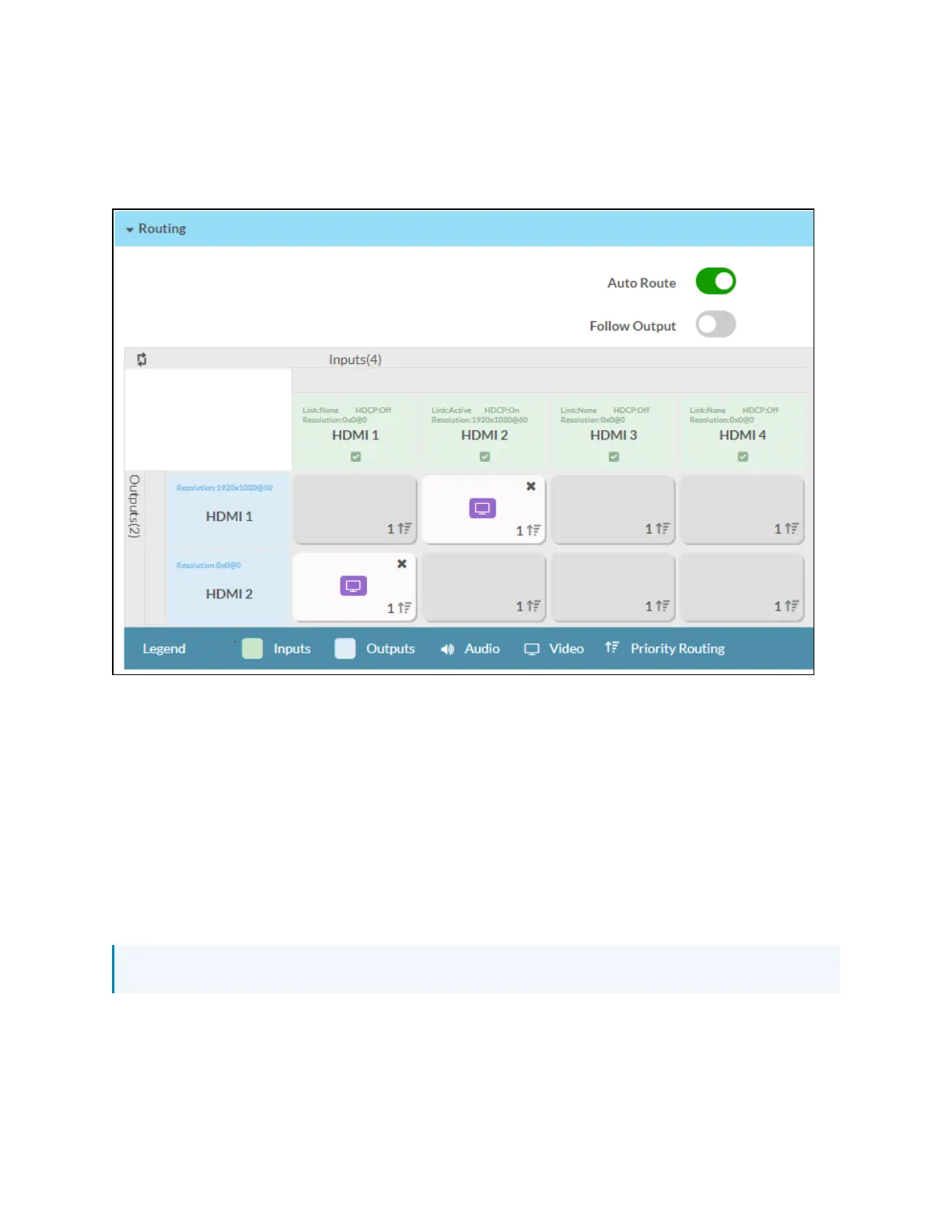
The Routing section can be used to enable or disable automatic routing between video inputs to
select and route a local input to the output.
Configure Auto Route
Move the Auto Route slider to the right to enable or to the left to disable the automatic routing
of video inputs.
When automatic input routing is enabled, the AV switchers automatically routes the last
connected input.
Configure Follow Output
Move the Follow Output slider to the right to enable or to the left to disable the same input on
both the outputs.
NOTE: The Follow Output option is applicable only for HD-MD-4x2-4KZ-E.












 To Next Page