20 • HD-MD4X2-4KZ-E and HD-MD4X1-4KZ-E Web Interface Configuration Guide — Doc. 8907B
Auto Update
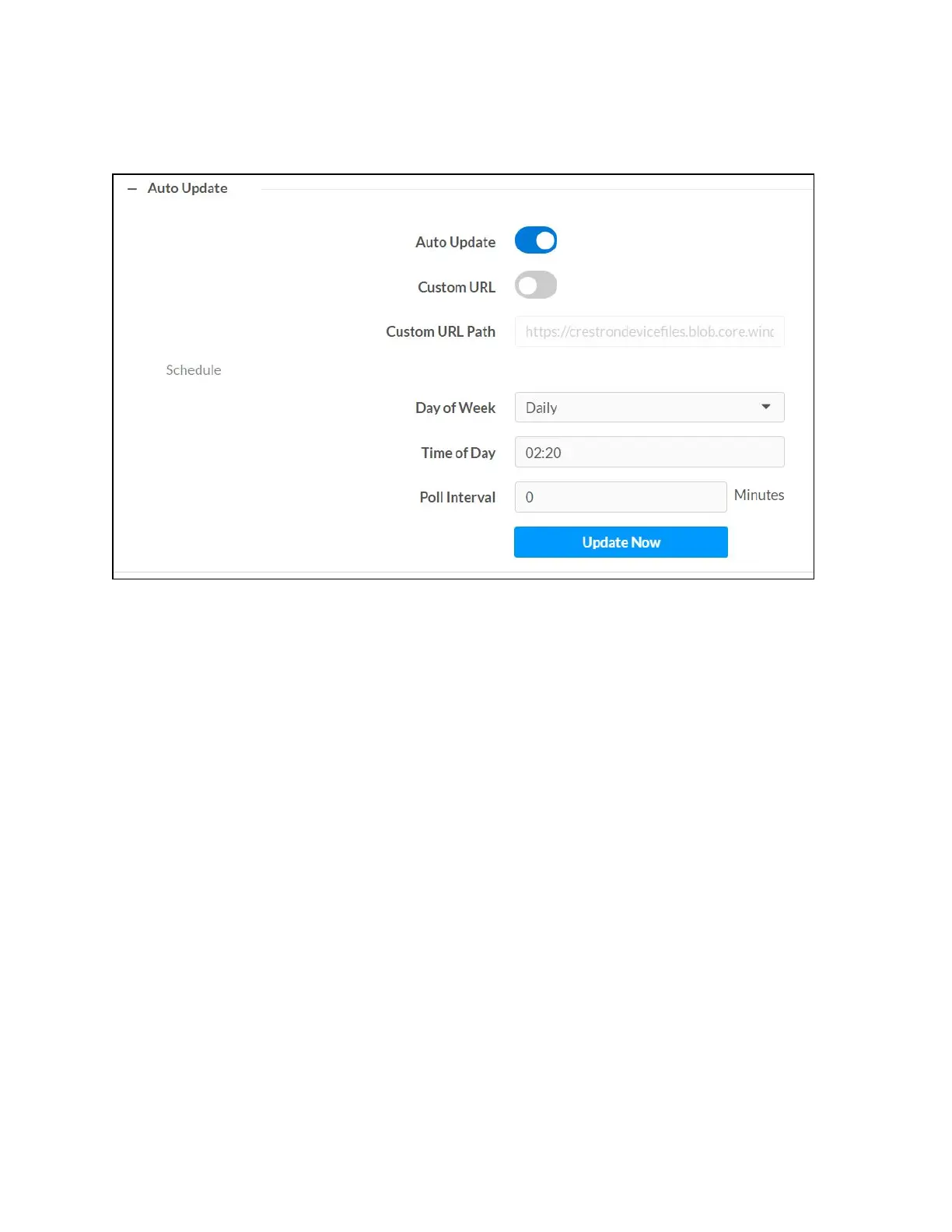
The AVswitchers can be automatically updated with the latest firmware at scheduled intervals.
1. Using the Crestron Auto Update Tool, generate a manifest file. The file is placed on an FTP
(File Transfer Protocol) or SFTP (Secure File Transfer Protocol) server.
2. To enable auto update, move the Auto Update slider to the right position.
3. Define the URL to download the updates by doing either of the following:
a. Use the default URL to download the updates from the Crestron server.
b. Use a custom URL, to enable a custom URL, move the Custom URL slider to the
right position. In the Custom URL Path text box, enter the path to the manifest file
in the FTP or SFTP URL format.
4. Set a schedule for the automatic firmware update by doing either of the following:
a. Select the desired Day of Week and Time of Day (24-hour format) values.
b. Set the Poll Interval by entering a value from 60 to 65535 minutes. A value of 0
disables the Poll Interval.
5. Click Save Changes.
Clicking Update Now causes the firmware to be updated at the current time; however, the
schedule that is set in step 4 above remains in effect.












 To Next Page