26 • HD-MD4X2-4KZ-E and HD-MD4X1-4KZ-E Web Interface Configuration Guide — Doc. 8907B
Outputs
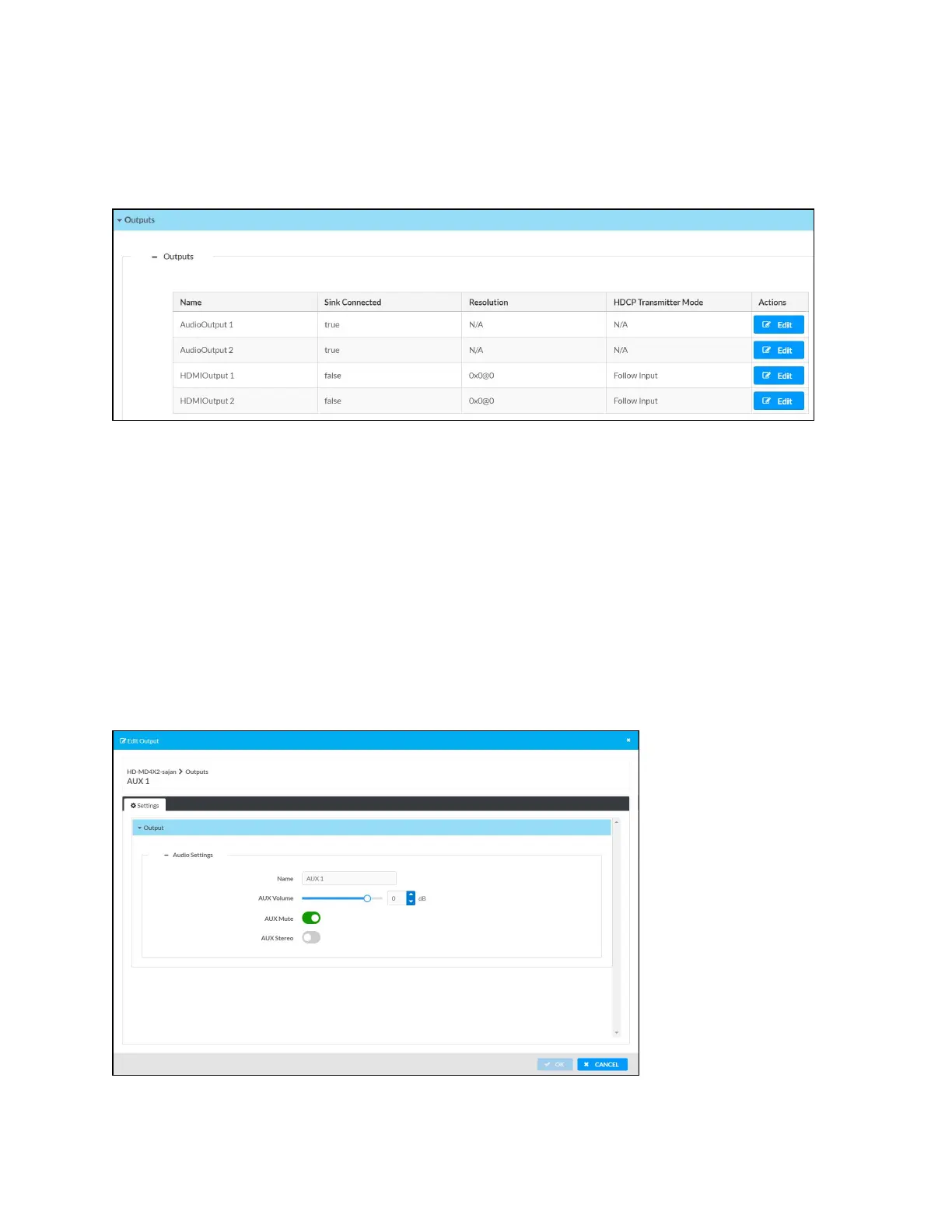
The Outputs section can be used to configure the HDMI and Audio output settings of the AV
switchers.
The Outputs section displays information and allows settings to be modified for available
outputs.
l
Name: Displays the name of the output. To modify the name of the output, click Edit and
enter the new name in this field.
l
Sink Connected: Yes, if connection is detected or No, if connection is not detected. For AUX
outputs, this will be N/A.
l
Resolution: Resolution when video with valid resolution is detected. If no video is detected,
the reported resolution will be 0x0@0. For AUX outputs, this will be N/A.
l
HDCP Transmitter Mode: Displays the selected HDCP Transmitter Mode value of the
HDMI Output. For AUX outputs, this will be N/A.
Edit AUX Output Settings












 To Next Page