Web Interface Configuration Guide — Doc. 8907B HD-MD4X2-4KZ-E and HD-MD4X1-4KZ-E • 25
Edit HDMI Input Settings
1.
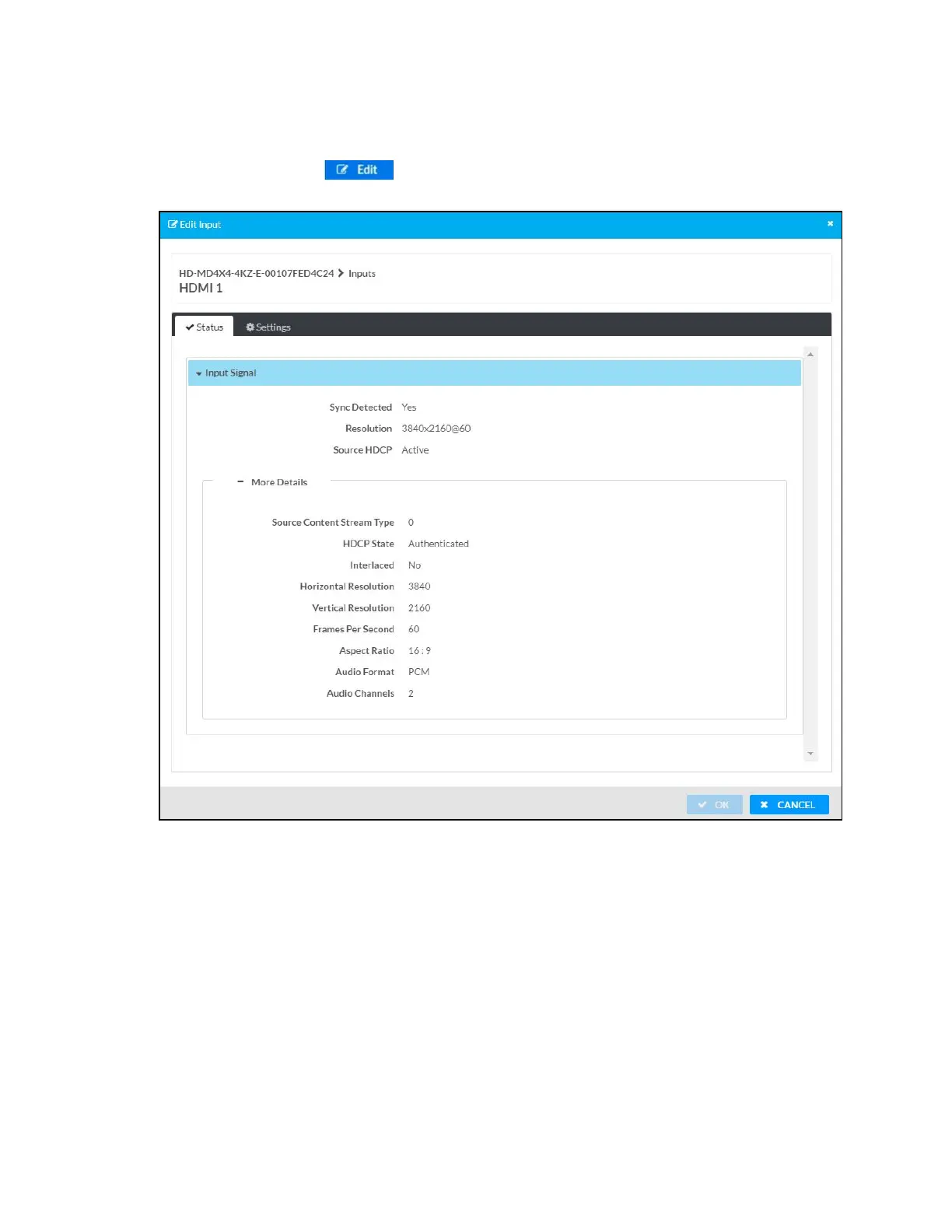
Click the Edit button ( ) in the Actions column to edit the HDMI settings of the
selected HDMI input. The Edit Input dialog box appears.
2. Under the Status tab, Input Signal section displays Sync Detected, Resolution, and Source
HDCP of the HDMIinput. Click + More Details to review additional information about the
Input Signal.
3. Under the Settings tab, do the following:
a. Optionally, edit the name of the HDMI input in the Name field.
b. Select the HDCP receiver capability from the HDCP Receiver Capability drop-down
menu. Values are Disabled, Auto, HDCP 1.4, and HDCP 2.x.
c. Select EDID from the Select drop-down menu.
4. Click OK to save. Click Cancel to cancel the changes.












 To Next Page