Product Manual — Doc. 7750C TST-902 • 95
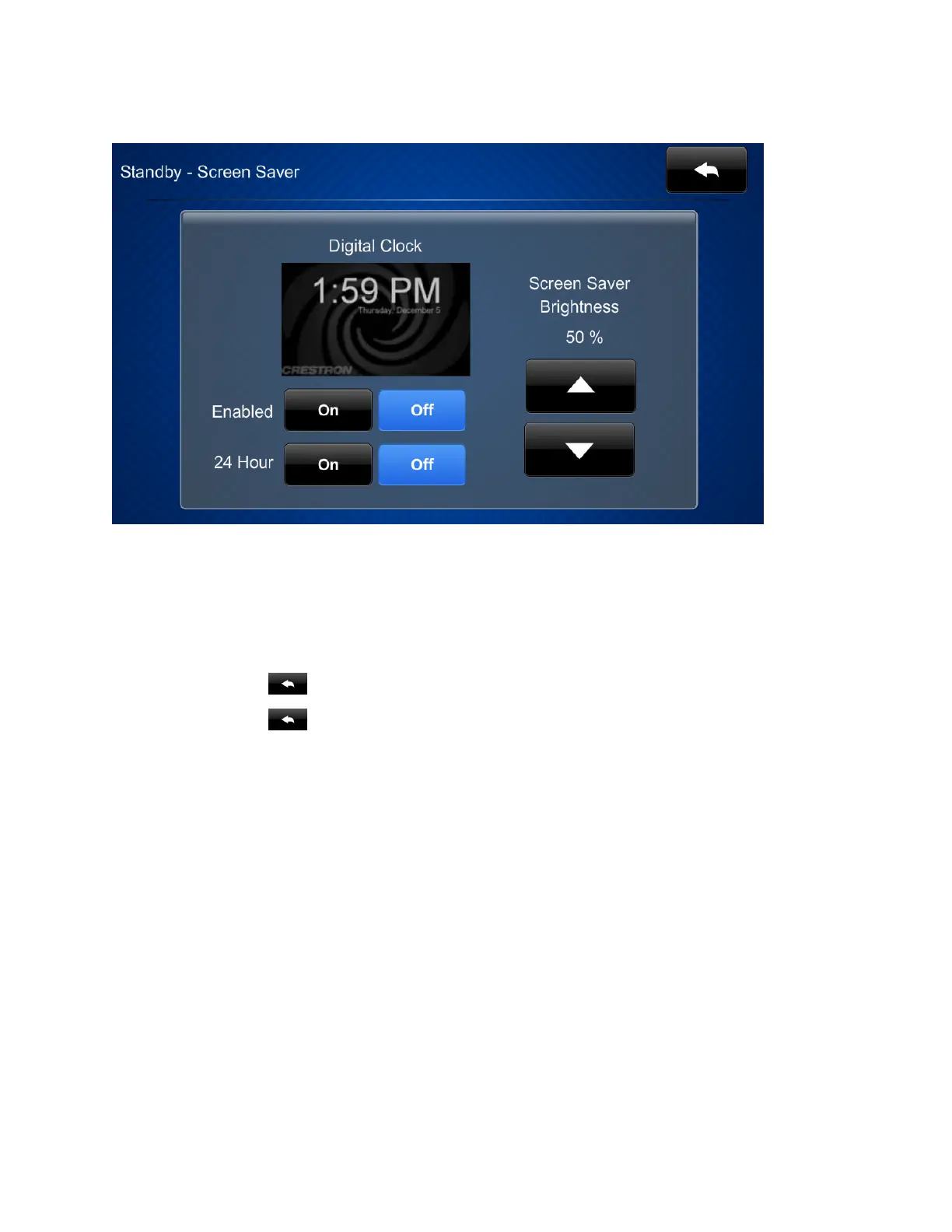
Tap Screen Saver Options to display the Standby Screensaver screen.
l
Tap On or Off next to Enabled to turn the digital clock screensaver on or off during
standby timeout.
l
Tap On or Off next to 24 Hour to turn 24-hour time format on or off for the digital clock.
l
Tap the up and down arrow buttons under Screen Saver Brightness to set the screensaver
brightness from 0to100%.
Tap the back button to return to the Standby Timeout screen.
Tap the back button again to return to the TST-902 Setup screen.











 To Next Page